OpenCloud
- Platform
- Web Linux macOS Windows Android iOS Docker
- Licence
- Apache-2.0 (server); AGPL-3.0 (web UI); GPL-2.0 and GPL-3.0 (clients) Open source
- Website
- opencloud.eu
- Source code
- github.com/opencloud-eu/opencloud
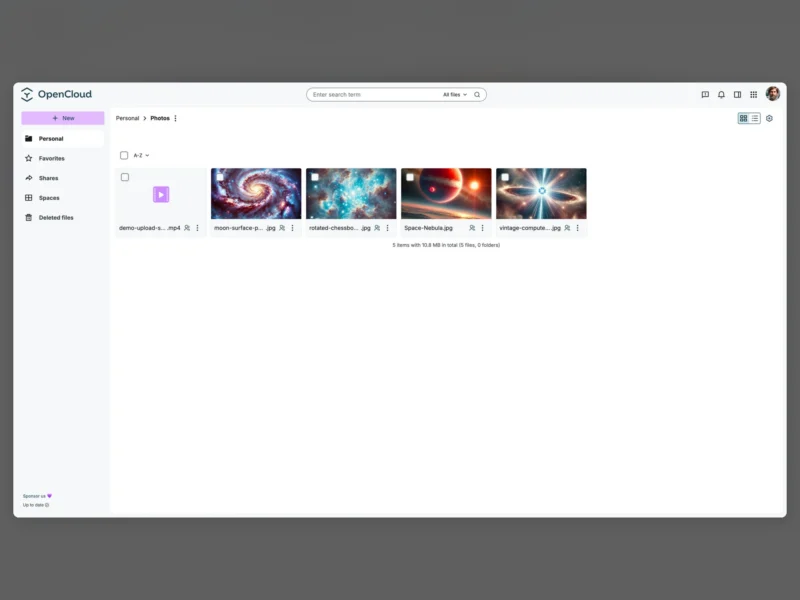
OpenCloud is an open source platform for file management, sharing and collaboration, and the direct successor to ownCloud Infinite Scale. It is built by OpenCloud GmbH with the community and released under the Apache 2.0 licence, with the web UI, desktop client and mobile apps under their own free-software licences. The whole stack is a single Go binary with no external database — everything it knows lives on the filesystem, pointed at a storage directory — so a working instance is a compose file, a domain name and an admin password away. Users get a Vue-based web interface, a sync desktop client and iOS and Android apps, and log in through OpenID Connect against Keycloak, an LDAP directory or the built-in LibreGraph Connect identity provider.
Key Features
- Spaces — team and project workspaces separate from personal storage, each with its own members, roles, quota, icon and description, so a department’s files are not tangled into one personal tree.
- Sharing with real controls — internal shares grant viewer, editor or manager rights, public links can carry a password and an expiry date, and guest accounts get their own access with PIN verification rather than a shared login.
- OpenCloud Mesh — federated sharing with other OpenCloud, ownCloud and Infinite Scale instances, so a share can cross two organisations’ servers instead of being re-uploaded.
- End-to-end encrypted folders — a folder can be protected with its own passphrase; contents are encrypted and decrypted in the browser and the server keeps only ciphertext.
- Versioning, trash and activity — each file keeps its earlier versions, deleted items wait in a trash that can be restored, and an activity feed records who changed what.
- Search and organisation — filename and content search, tags, favourites, a photo roll for images and video, and a markdown editor for notes stored alongside ordinary files.
- Document editing and groupware — the compose stack pairs OpenCloud with Collabora Online or Euro Office for in-browser editing, Radicale for calendars and contacts, and Apache Tika for full-text extraction over non-plain documents.
- Flexible storage and hardening — data can sit on local POSIX storage or an S3 bucket through decomposeds3, ClamAV scans uploads over ICAP, and HEIC/HEIF/AVIF previews come from imagor.
- Extensible web UI and API — the web front end is a set of applications and extensions built on the Libre Graph API, with an official n8n integration for automating what happens to a file next.
Requirements and installation
The supported route is Docker with Compose v2 — v1 from a distribution repository will produce a broken deployment. Clone the opencloud-compose repository, copy .env.example to .env, set INITIAL_ADMIN_PASSWORD and optionally OC_DOMAIN, then bring the stack up with the overlay you want, for example docker compose -f docker-compose.yml -f traefik/opencloud.yml up -d. Traefik with Let’s Encrypt certificates is included, and an external-proxy overlay exists for anyone who already runs Nginx or Caddy. Running from source needs Go and Node/corepack: make generate, then make -C opencloud build, then opencloud/bin/opencloud init followed by opencloud/bin/opencloud server, which keeps its configuration in $HOME/.opencloud by default. There is also a community Helm chart for Kubernetes.
Where it fits
OpenCloud occupies the same ground as Nextcloud and the ownCloud line: a full sync-and-share server rather than a thin browser front end. For a lighter web interface over storage that already exists, see Filestash; for a single-binary file manager with no database and no sync client, see FileBrowser Quantum; for S3-native object storage underneath any of them, see Garage.