Send
MPL-2.0
- Platform
- Web Docker Self-hosted
- Licence
- MPL-2.0 Open source
- Website
- send.vis.ee
- Source code
- gitlab.com/timvisee/send
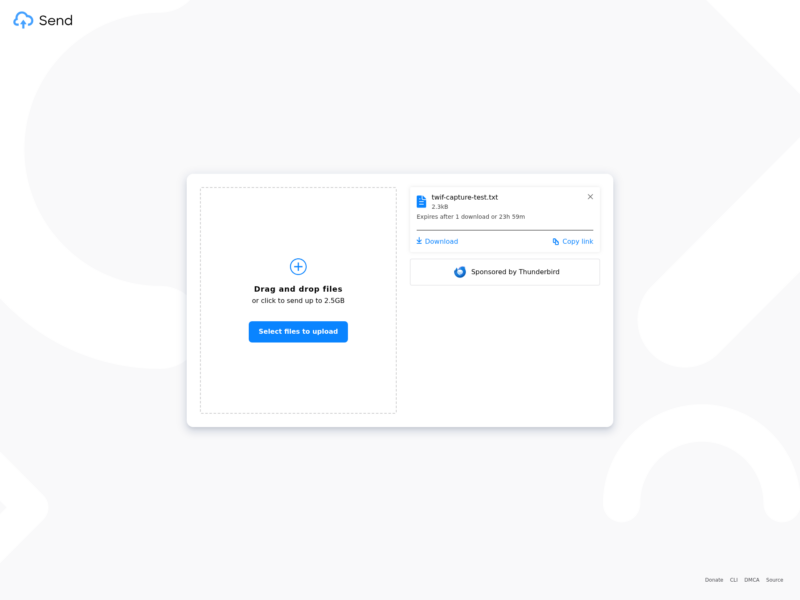
Send is an end-to-end encrypted file sharing service: you drop a file into the browser, it is encrypted on your machine before anything leaves it, and the recipient gets a link that expires. It is the community fork of Mozilla’s discontinued Firefox Send, kept alive by Tim Visee, and it runs either on a public instance or on your own server from the official Docker image.
How the sharing works
- Encryption happens client-side with AES-GCM through the browser’s Web Crypto API. The file and its metadata are encrypted before upload, and the secret key is appended to the share link as a URL fragment, so the server never receives it.
- Every upload carries its own limits: an expiry and a download counter. A stock instance defaults to 24 hours and a single download, capped at 7 days and 100 downloads, and the file plus its metadata are removed as soon as either limit is hit.
- A password can be set on top of the link. It replaces the derived signing key with one made from the password via PBKDF2, so the recipient cannot even fetch the file metadata without it.
- Uploads are capped at 2 GB by default with up to 64 files per archive; the instance owner decides the ceiling, the dropdown choices and the defaults. The public send.vis.ee instance advertises 2.5 GB.
- An owner link is kept in the browser’s local storage so you can revisit or delete an upload later, with no account and no sign-up.
Running your own instance
- The official image is
registry.gitlab.com/timvisee/send:latest. It needs Redis for the upload metadata plus a storage backend: the local filesystem by default, or an S3-compatible bucket or Google Cloud Storage. - Its configuration is environment variables:
MAX_FILE_SIZE,MAX_EXPIRE_SECONDS,MAX_DOWNLOADS, the dropdown sets,BASE_URL, and a DMCA contact URL for the footer on public servers. - Branding is replaceable without a rebuild: primary and accent colours, icon, favicon, wordmark, custom CSS and a custom footer text and URL are all environment variables.
- A separate docker-compose recipe adds Redis and an HTTPS reverse proxy, and the deployment docs walk through an AWS example as well as plain Docker.
- Mozilla’s Firefox and Send branding was removed in the fork specifically so that self-hosting is legally clean.
Clients
- The web interface is the main client and is translated into many languages.
- ffsend is a separate command-line client, GPL-3.0, that speaks the same protocol for scripting uploads and downloads from a terminal.
- The repository also ships an Android front end, and a Thunderbird FileLink add-on sends attachments straight from the mail client.
- Public instances are collected in the send-instances repository; send.vis.ee is the maintainer’s own, sponsored by Thunderbird.
What to keep in mind
- Because encryption and decryption both happen in the browser, a transfer costs at least the file’s size in RAM. Mozilla’s own testing suggested staying under a few hundred megabytes for reliable operation on ordinary machines.
- A public instance with long expiries invites abuse, which is what ended the original service. The project’s own documentation recommends exposing it on a LAN, putting password protection in front of it, or at minimum setting a working takedown contact.
- It is a transfer service, not storage: no account, no folder tree, no sync. The expiry model is the point rather than a limitation.
Alternatives
- Transfer.sh — one curl command to upload and a link back, self-hostable, without the browser-side encryption layer.
- Chibisafe — a self-hosted file vault with a dashboard, galleries and links that can stay online much longer.
- PairDrop — sends files straight between two browsers over WebRTC, so nothing is stored on a server at all.