Kanidm
- Platform
- Docker Linux
- Licence
- MPL-2.0 Open source
- Website
- kanidm.com
- Source code
- github.com/kanidm/kanidm
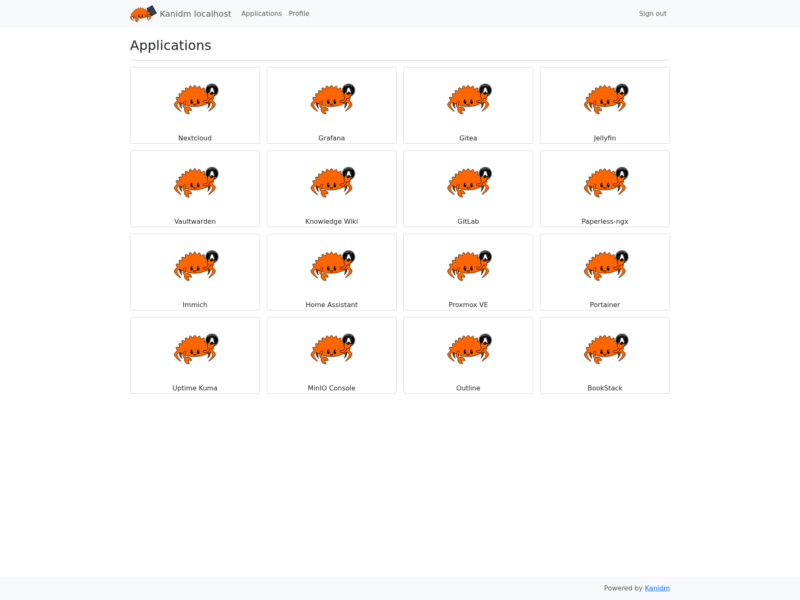
Kanidm is a self-hosted identity management server written in Rust. It aims to be the whole identity provider for a small lab or a large organisation: one deployment that speaks OAuth2/OIDC, RADIUS, a read-only LDAP gateway and SSH key distribution, so you do not have to bolt Keycloak, FreeRADIUS and a directory server together yourself. Its stated goal is strict defaults and self-healing components rather than a long configuration checklist.
What it replaces
Kanidm positions itself against OpenLDAP and 389 Directory Server (which are directories only), FreeIPA (which bundles LDAP, Kerberos, DNS and a CA), and Keycloak (an OIDC provider that still needs a directory behind it). The project’s own benchmarks with 3000 users and 1500 groups report roughly three times faster searches and five times faster writes than FreeIPA, and it advertises two-node replication instead of FreeIPA’s heavier topology. If you only want a small LDAP server with a web admin page, LLDAP is the simpler choice; Kanidm’s advantage is the built-in OAuth2/OIDC side of the house.
Features
- Passkeys (WebAuthn) as the primary credential, including attested passkeys for high-security deployments.
- OAuth2/OIDC identity provider for single sign-on, plus token exchange for service-to-service access.
- An application portal that lists the linked apps a signed-in user can open.
- Linux and Unix integration with TPM-protected offline authentication, and SSH public key distribution to servers.
- RADIUS for network and VPN authentication.
- A read-only LDAPS gateway for legacy systems that cannot speak anything newer.
- Full CLI administration, plus a web UI for user self-service (profile, credentials, applications).
- Two-node high availability through database replication, and online backups on a schedule.
Deployment
The documented evaluation path is a single container: pull the kanidm/server image, write a server.toml with a domain and a matching https origin, run kanidmd cert-generate to create the TLS chain, then start the server with a data volume mounted at /data. The admin and idm_admin passwords are printed by kanidmd recover-account, and the web UI answers at /ui. Because WebAuthn is tied to the origin, HTTPS is mandatory and the origin in the config has to match the hostname you actually browse to. Sample users, groups and OAuth2 clients can be seeded from JSON or hjson files in a migrations directory, which is handy for evaluating the flow before you import anything real. A production install follows the same shape with persistent TLS certificates and a backup job.
Caveats
Kanidm is opinionated and moves fast: the configuration format, the API and the schema change between minor releases, so read the release notes before upgrading. Administrative work is still mostly CLI, and the web UI is meant for users rather than admins. Running it needs a hostname you control plus a reverse proxy or valid certificates, which is more setup than a single-binary password manager-style tool. For passkey-only shops that want something lighter, Pocket ID covers the OIDC provider role with far less surface area.