Pocket ID
- Platform
- Docker Linux macOS Windows
- Licence
- BSD-2-Clause Open source
- Website
- pocket-id.org
- Source code
- github.com/pocket-id/pocket-id
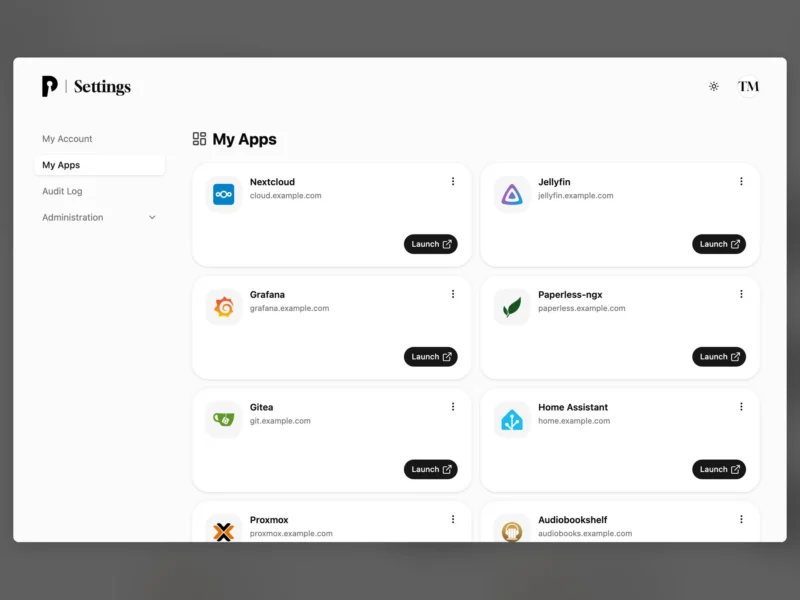
Pocket ID is a self-hosted OpenID Connect Certified™ and OAuth 2.0 provider built around passkeys: users sign in once at Pocket ID and are handed on to any connected app over OIDC, with no password anywhere in the chain. It is aimed at small teams, startups and homelabs that find Keycloak or Authentik heavier than they need.
How sign-in works
You create the admin account at /setup, then register each application as an OIDC client. The app redirects the browser to Pocket ID, the user approves with a passkey — a fingerprint, face scan or PIN on a phone, a password-manager entry, or a hardware key such as a YubiKey — and Pocket ID sends the browser back to the app’s callback URL with an authorization code. Access can be restricted to allowed user groups.
Features
- Passkey-only authentication: no passwords to reuse, leak or phish.
- OIDC and OAuth 2.0 flows, with a client dashboard, scopes and claims, callback-URL management and several client-authentication methods.
- Allowed user groups to decide which accounts may reach a given app.
- LDAP and SCIM provisioning for pulling users in from a directory, plus a documented REST API.
- Authentication proxies for applications that cannot speak OIDC themselves.
- Data export and import, custom signing keys and analytics hooks.
Deployment
Pocket ID is a single program with a built-in SQLite database, so one container or one binary is all it needs. The documented path is Docker Compose: set APP_URL and ENCRYPTION_KEY in a .env file, then run the image published as ghcr.io/pocket-id/pocket-id or pocketid/pocket-id. It listens on port 1411 and keeps its database and uploads in ./data. Prebuilt binaries cover Linux, macOS, Windows, FreeBSD and OpenBSD on amd64 and arm64, plus Linux on 386 and armv7; run the binary next to its .env file, or under systemd, and the same data directory appears beside it. Podman Quadlet, Proxmox and Kubernetes recipes are documented as community methods. HTTPS is mandatory — browsers only allow passkeys on HTTPS pages, or on localhost for a trial — so put Pocket ID behind a reverse proxy on its own hostname before you hand it to users.
Caveats
Passkey-only is the design, not a toggle: there is no password fallback, so a lost device means an account-recovery procedure rather than a password reset. Losing ENCRYPTION_KEY makes the stored encrypted data unreadable, so keep it with the database when you back up. Teams that need social login, SAML or per-app multi-factor rules are better served by a fuller identity platform.
Alternatives
- Authentik — self-hosted identity provider with flows, social login and SAML.
- Keycloak — the heavyweight open source identity server, more protocols and policies, more to run.
- Authelia — adds two-factor authentication and single sign-on in front of existing reverse proxies.
- Logto — OIDC and OAuth 2.0 provider aimed at developers with branded sign-in screens.