Defguard
- Platform
- Web Docker Linux Windows macOS
- Licence
- AGPL-3.0 (open core; enterprise components under a commercial licence) Open source
- Website
- defguard.net
- Source code
- github.com/DefGuard/defguard
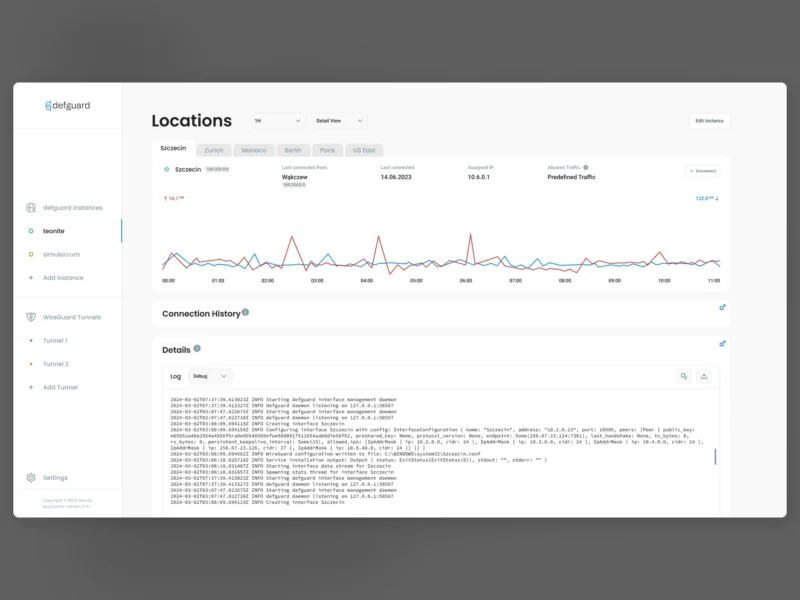
Overview
Defguard is a self-hosted access-control platform built around WireGuard. Rather than bolting a VPN onto a separate identity provider, it puts the management server, an OpenID Connect identity provider, a gateway agent and a desktop client into one deployment, and lets a single user directory drive network access. The project is written in Rust and published as Docker images, with an open-core licence: the core is AGPL-3.0, the enterprise module is separately licensed.
WireGuard with multi-factor authentication
The usual weak point of WireGuard tooling is that a peer’s private key is the only credential: whoever holds the configuration file is on the network. Defguard inserts an authentication step in front of the tunnel — TOTP, WebAuthn/FIDO2 hardware keys or email one-time codes, optionally combined with pre-shared session keys — so a leaked configuration on its own does not grant access.
- Multiple VPN locations, each with its own network range and access rules (all users, or an admin group only)
- Multiple gateways per location for high availability and failover, running on Linux, FreeBSD, pfSense and OPNsense
- Kernel or userspace WireGuard support, with automatic IP allocation
- An import wizard for an existing WireGuard server configuration, so a running setup is migrated rather than rebuilt
- Automatic, real-time synchronisation of desktop client settings, so server-side changes reach users without re-issuing configs
- Admin dashboard and statistics on connected users and devices
Identity and access management
- Built-in single sign-on over OpenID Connect, or an external OpenID provider such as Google, Microsoft, Okta, JumpCloud or any other OIDC endpoint
- Two-way LDAP and Active Directory synchronisation, so accounts are created, updated and disabled from the directory
- ACL and firewall management for Linux and FreeBSD/OPNsense gateways
- A forward-auth endpoint for reverse proxies, tested with Traefik and Caddy
- Self-service user portal, where people manage their own devices and revoke MFA, WireGuard or application access
- Remote user enrolment and onboarding over the internet, without a site visit
- SSH and GPG public key management on the user profile, plus one-click YubiKey provisioning
- Webhooks, a REST API and SMTP notifications for enrolment and onboarding mail
Running it
The server is distributed as a Docker Compose stack (server, PostgreSQL, optional gateway containers), with a React admin interface in the browser and desktop clients for the people who connect. The gateway component runs on the boxes that terminate the tunnels, which can be ordinary Linux routers, a FreeBSD firewall or an OPNsense/pfSense appliance; a single location can therefore be served by several gateways without a second control plane. The same directory can drive the VPN, the forward-auth endpoint in front of internal web apps and SSH logins, which is the practical reason to choose it over a VPN server plus an unrelated SSO product.
Things to know before you commit
Defguard is open core. The code in the repository is AGPL-3.0 apart from the crates/defguard_core/src/enterprise directory, which is covered by a commercial enterprise licence; the project documents which capabilities sit behind that line. It is also explicitly not an official WireGuard project — WireGuard is a registered trademark of Jason A. Donenfeld — and it expects to own the WireGuard configuration rather than share it with another management tool, which is why the import wizard matters for anyone arriving with an existing server.