slskd
- Platform
- Docker Linux Windows macOS Web
- Licence
- AGPL-3.0 Open source
- Website
- slskd.org
- Source code
- github.com/slskd/slskd
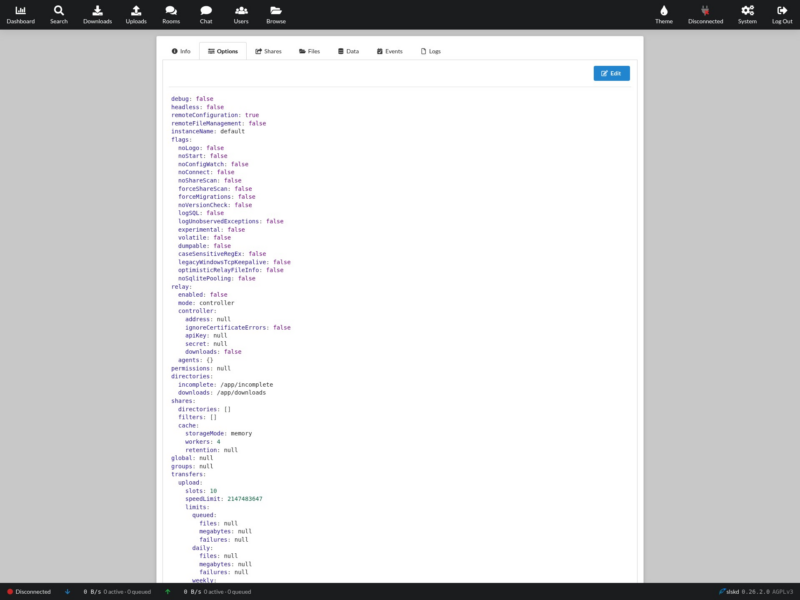
Overview
slskd is a modern client-server application for the Soulseek file-sharing network. Instead of a desktop program that must stay open on one machine, it runs as a daemon or Docker container inside your own network and is used from a web browser — so the Soulseek session keeps running on a home server while you search and queue downloads from a laptop, phone or another machine. It is written in C#, distributed under the AGPL-3.0 licence, and actively developed, with releases and container images published continuously.
The official Soulseek client is a proprietary Windows desktop application. slskd does not use it: it speaks the Soulseek protocol directly and exposes the parts of that network people actually use — search, download queues, shared folders, browsing other users and chat — through a web interface. That makes it a natural fit for the same self-hosted stack as the *arr tools, and it ships with the pieces that arrangement needs: token-based authentication, reverse-proxy support, YAML configuration, a REST API and documented VPN and relay setups.
Key Features
- Web interface for a headless daemon — search, browse, download and monitor from any browser; HTTP on port 5030, HTTPS with a self-signed certificate on 5031, incoming peer connections on 50300.
- Access control designed for exposure — every request is gated by an authentication token you control, so the instance can be reached from outside the LAN without handing out anonymous access.
- Fast repeated searching — queue several searches at once, then sort and filter the results with the same filters the official client offers, dismissing what is irrelevant and downloading what is not in a couple of clicks.
- Transfer monitoring — download and upload views grouped by user and folder, live speed and status, queue positions fetched on demand, and selection tools to cancel, retry or clear completed transfers.
- Shares with filters — point it at one or more local directories, exclude paths, rescan on demand, and keep the share cache in memory or on disk.
- Users, browse and chat — browse another user’s shared files, join rooms and hold private conversations, as with the official client.
- Relay mode — one controller instance can drive several agent instances, useful when spreading transfers across more than one network connection.
- Configuration as code — a single YAML file (
slskd.yml) covers the whole application, with optional remote editing from the web UI when you setSLSKD_REMOTE_CONFIGURATION. - REST API — applications, options, searches and transfers are exposed over HTTP, so the client can be scripted or wired into automation.
Self-hosting
slskd is distributed as a Docker image (slskd/slskd) and as binaries for Linux, macOS and Windows. The container needs three ports (5030, 5031 and 50300) and one directory for application data, which also holds slskd.yml. A Soulseek account is required to connect to the network; the credentials go in the configuration file, and the initial web login is slskd / slskd until you change it in the UI.
Licence
Open source — GNU Affero General Public License v3.0 (AGPL-3.0).
Alternatives
- qBittorrent — BitTorrent client with the same web-UI-on-a-server approach, for torrents rather than the Soulseek network.
- Transmission — lightweight BitTorrent daemon with remote and web control.
- Browse the full directory for other file-sharing and media management tools.