VLC Media Player — Why It Plays Everything
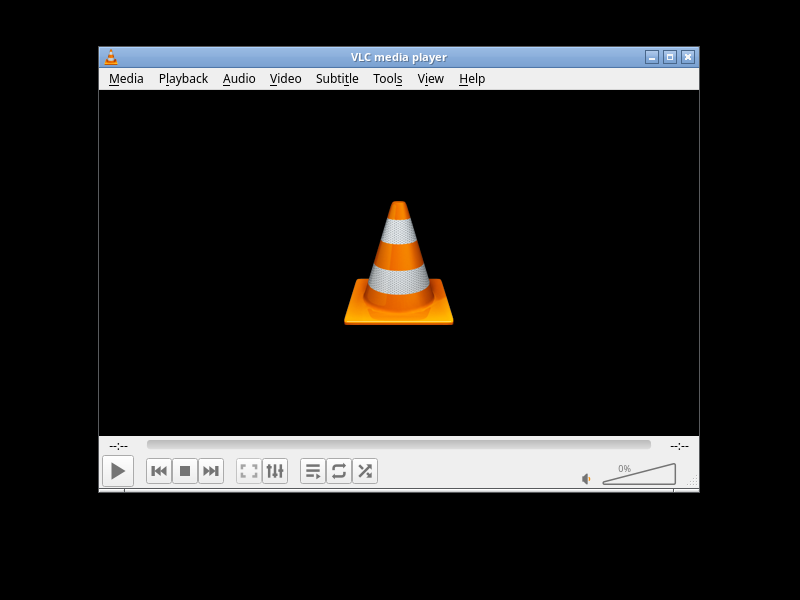
One Player to Rule Them All
Let me ask you something: when was the last time you downloaded a video file and your media player just … couldn’t play it? If you use VLC Media Player, the answer is probably “never.” And that’s the whole point.
VLC is the Swiss Army knife of media playback. It’s been around since 2001, born from a university project at École Centrale Paris, and it’s now one of the most downloaded open source applications in history — over 3.5 billion downloads and counting. It runs on practically everything, plays practically everything, and asks for nothing in return.
It Plays Everything (Really)
VLC ships with over 200 audio and video codecs built directly into the application. MP4, MKV, AVI, MOV, FLV, WMV, WebM, MP3, FLAC, OGG, AAC, WMA, AC3, DTS — the list goes on. It handles modern formats like AV1 and VP9, and obscure ones you’ve never heard of. There’s no need to download codec packs, install separate decoders, or hunt for plugins. VLC just works, out of the box.
This is possible because VLC uses libavcodec from the FFmpeg project, the same decoding library used by countless other applications, but VLC wraps it in a stable, reliable player interface that’s been refined for over two decades.
Runs Anywhere
Most media players are tied to one operating system. VLC is different. You can install it on:
- Linux (apt, dnf, pacman, flatpak, snap — take your pick)
- Windows (11, 10, 8, 7, even older versions)
- macOS (native Apple Silicon and Intel builds)
- Android and iOS
- FreeBSD, NetBSD, OpenBSD
- Solaris and even Raspberry Pi OS
The interface is consistent across all platforms, so once you know how to use VLC on one device, you know it on all of them.
More Than Just a Player
VLC is often called a media “player,” but that undersells it. Here’s what else it can do:
- Convert media files — Open a file and use Media → Convert/Save to transcode between formats. Handy for compressing a 4GB video for your phone or extracting the audio track from a movie.
- Stream content — VLC can stream video over a network, act as a media server, or play streams from URLs, network shares, and even YouTube (via network streaming).
- Record your screen — Use Media → Open Capture Device to record your desktop, webcam, or audio input.
- Advanced subtitle handling — Sync, delay, resize, and even download subtitles from OpenSubtitles. VLC handles SRT, ASS, SSA, SUB, VTT, and many more subtitle formats.
- Audio effects and filters — Built-in equaliser, compressor, spatialiser, pitch shifting, and tempo control. Great for podcasts, audiobooks, or fine-tuning your music listening.
- Play damaged or incomplete files — While other players give up on partially downloaded or corrupted videos, VLC often plays them anyway.
- DVD and Blu-ray playback — With the right libraries, VLC can play encrypted DVDs and even some Blu-ray discs.
Open Source and Privacy-Respecting
VLC is released under the GNU General Public License (GPL v2+). That means it’s free to use, free to modify, and free from tracking, ads, or data collection. Unlike many modern media players that phone home, show sponsored content, or bundle unwanted software, VLC simply plays your media and leaves you alone.
There’s no account to create, no login screen, no “upgrade to pro” nag. It does exactly what it says on the tin.
The Bottom Line
In a world where every piece of software seems to be chasing subscription fees and data harvesting, VLC is a refreshing reminder of what open source does best: build something that works well for everyone, and give it away freely.
Whether you’re a Linux user who needs reliable video playback, a Windows user tired of codec errors, or a Mac user looking for something that plays everything QuickTime won’t touch, VLC is the answer. It’s been the answer for over twenty years, and it shows no sign of slowing down.
Download it at videolan.org — free, no subscriptions, no account required.
Looking for more free and open source software? Check out our Creative & Multimedia directory for more tools, and browse the full directory for hundreds of open source alternatives.