Express
- Platform
- Linux Windows macOS
- Licence
- MIT Open source
- Website
- expressjs.com/
- Source code
- github.com/expressjs/express
Overview
Express is a minimal and flexible web application framework for Node.js, released under the MIT licence and currently at version 5.3.0. It does one job and leaves the rest to the ecosystem: it turns a Node HTTP server into a routing and middleware pipeline, so a request arrives at a function you wrote and the response goes back through a stack of small, composable handlers. There is no fixed project layout, no bundled ORM and no opinion about how an application should be structured — which is exactly why so much of the Node server world is built on it, directly or through frameworks that extend it. Express 5 has been maintained by its technical committee through the 4.x line’s long life and brings a modern route pattern syntax, promise-aware handlers and a cleaner set of defaults.
Key Features
- Routing —
app.get(),app.post()and friends map a path and an HTTP verb to a handler, with route parameters such as/tools/:slugand optional segments. - Middleware — every request passes through a chain of functions that can read the request, modify the response, or call
next(); authentication, logging, compression, CORS and body parsing are middleware, not core. - Routers —
express.Router()mounts a group of routes as a module, so a large application splits into files instead of one growing server script. - Template engines — any engine that follows the Express view convention (EJS, Pug, Handlebars) plugs into
res.render(), with layouts and partials handled by the engine. - Response helpers —
res.json(),res.send(),res.sendFile(),res.redirect()andres.format()cover content negotiation without extra code. - Static files —
express.static()serves a directory of assets with caching headers, andexpress-generatorscaffolds a complete app in one command. - Error handling — a middleware declared with four arguments receives every error, and Express 5 forwards rejected promises from async handlers to it automatically instead of leaving a hung request.
- Mature middleware — body-parser, cors, cookie-session, multer, morgan, compression, serve-static, session and vhost are maintained under the same project umbrella.
Why Use Express?
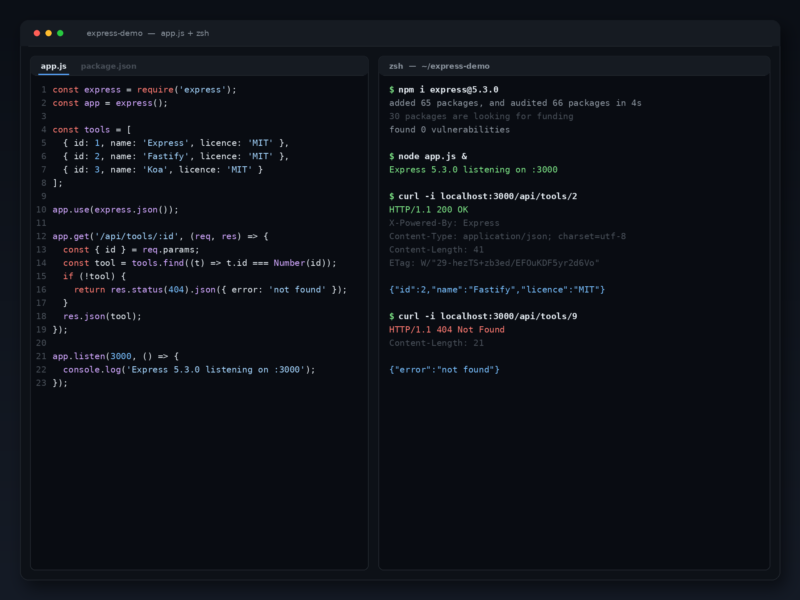
Express is the smallest amount of framework that still gives a Node service a shape. Ten lines produce a server that routes, parses JSON and returns a response, and nothing has to be learned before that works — but the same ten lines can grow middleware, routers and template rendering one piece at a time, without a rewrite. That combination of a flat learning curve and no ceiling is why it has stayed the default Node.js server framework for more than a decade and why so many other frameworks are built on top of it rather than beside it. The middleware ecosystem is the other half of the argument: HTTPS, sessions, uploads, CORS, rate limiting and request logging all exist as maintained packages that plug into the same app.use() line. Version 5 tightens the defaults — modern route patterns from path-to-regexp 8, automatic promise rejection handling, and the removal of deprecated methods such as res.sendfile and app.del.
Use Cases
- REST and JSON APIs for single-page and mobile clients.
- Server-rendered websites using EJS, Pug or another template engine.
- Microservices and small internal HTTP services that need routing and little else.
- Backends for real-time applications, paired with Socket.IO or server-sent events.
- Prototypes and MVPs where the whole server is a single readable file.
- The HTTP layer under a larger framework — NestJS, Sails and many others sit on Express or its middleware.
Getting Started
Express needs Node.js 18 or newer. Add it to a project with npm install express, then write a server: const express = require('express'); const app = express(); app.get('/', (req, res) => res.send('Hello')); app.listen(3000);. For a full skeleton instead of a single file, run npx express-generator myapp, which creates routes, views, a public directory and a start script; install the dependencies with npm install and run npm start. Read the routing and middleware guides on expressjs.com before adding structure, and keep error-handling middleware last so it can catch everything above it.