Node.js
- Platform
- Linux Windows macOS
- Licence
- MIT Open source
- Website
- nodejs.org/
- Source code
- github.com/nodejs/node
Overview
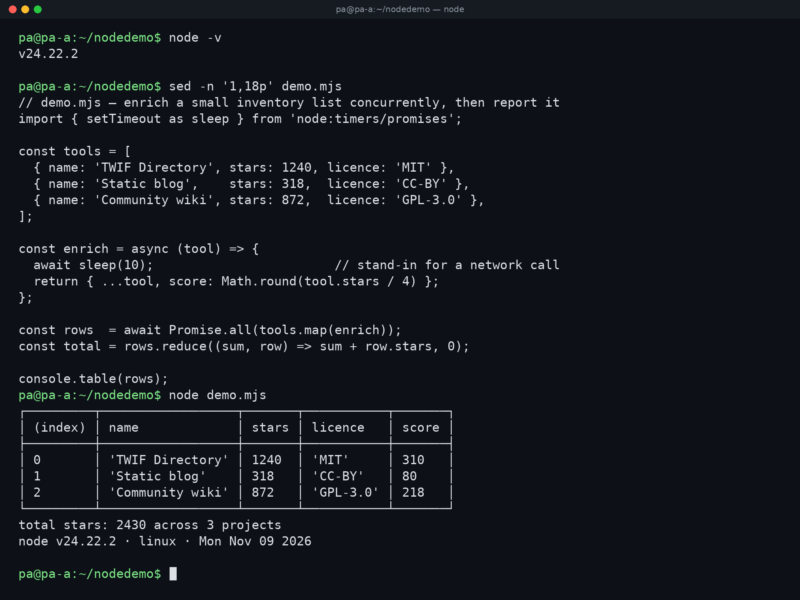
Node.js is a free and open source JavaScript runtime that takes the V8 engine out of the browser and runs it on the server. Ryan Dahl released the first version in 2009; today the project is governed by the OpenJS Foundation, ships under the MIT licence, and is the default way to run JavaScript outside a web page. Its library layer, libuv, turns file, network and timer work into events, so one process can hold thousands of open connections without a thread per request — the design that made it the standard back end for real-time web applications.
Key Features
- Asynchronous I/O on an event loop — file, network and timer work never blocks the main thread; CPU-bound jobs move to
worker_threadsor child processes when they need to. - One language end to end — the same JavaScript in the browser and on the server, with both ES modules and CommonJS supported.
- npm included — the largest package ecosystem in existence installs with every release, covering HTTP frameworks, database drivers, build tooling and test libraries.
- Built-in test runner —
node --testwith thenode:testandnode:assertmodules runs suites without any extra dependency. - Watch mode —
node --watch app.mjsrestarts the process when a file changes, so a development loop needs no nodemon-style helper. - Permission model — the
--permissionflag restricts filesystem reads and writes, child processes and worker threads for code you do not fully trust. - LTS releases — even-numbered majors become Long Term Support each October. v26 ‘Lithium’ is the current LTS line; v24 ‘Krypton’ remains in maintenance, and odd-numbered Current releases carry the newest features.
- Cross-platform — official builds for Linux, macOS and Windows, with prebuilt binaries and package-manager packages for most distributions.
Why Use Node.js?
Node.js is at its best when a program spends most of its time waiting — for a database, an API, a file or a socket — because waiting costs it nothing. A single small process can serve a busy API or keep tens of thousands of WebSocket clients connected, and the same codebase scales across cores by starting one process per core behind a reverse proxy. The ecosystem is the other half of the argument: npm holds a library for almost every task, from Express and Fastify to Prisma and Vite, and a developer who already knows JavaScript needs no second language to work on the server. Tooling is unusually light — a runtime, an editor and npm init are enough to have a working service.
Use Cases
- REST and GraphQL APIs, microservices and server-side web applications.
- Real-time features: chat, notifications, collaborative editing and live dashboards over WebSockets.
- Command-line tools and developer utilities distributed through npm.
- Build tooling and static-site generators — Vite, esbuild pipelines, Astro and Next.js all run on it.
- Desktop applications through Electron, and streaming or IoT gateways that need many concurrent connections.
Getting Started
Download the LTS installer from nodejs.org, or install a version manager such as fnm, nvm or Volta so you can switch between release lines per project. Check the result with node --version and npm --version, then start a project with npm init -y. A server is a handful of lines — the node:http module is built in, and Fastify or Express add routing when the API grows. Run it with node --watch app.mjs while developing and node --test once there are tests. Production services should pin the LTS line; Current releases are for trying features before they become supportable.