Hermes Agent
- Platform
- Linux macOS Windows Android
- Licence
- MIT Open source
- Source code
- github.com/NousResearch/hermes-agent
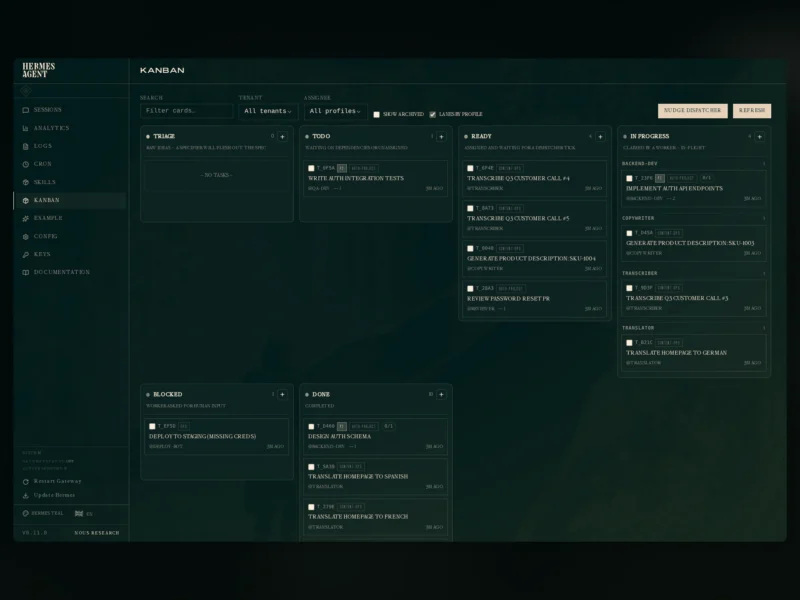
Hermes Agent is a personal AI agent from Nous Research that runs on hardware you control instead of inside a vendor’s chat window. One program gives you a terminal interface, a messaging gateway and a scheduler; you point it at whichever model provider you prefer, and it keeps working from a laptop, a small VPS, a GPU box or a sandbox that hibernates when idle. Memories, skills and session history stay in a local data directory you can back up and move.
An agent with a learning loop
The distinguishing claim is that Hermes gets better at your work rather than starting from zero every session. It keeps a curated memory of projects and preferences, writes a new skill when a task turns out to be worth repeating, revises those skills as it uses them, and searches its own past conversations with full-text search plus summarisation when an earlier answer matters. Skills follow the agentskills.io open standard, so they stay portable, and the agent reads project context from AGENTS.md-style files in a repository.
One agent on every surface
Run hermes for the full-screen terminal UI with multiline editing, slash-command completion and mid-turn interruption. Or start the gateway and talk to the same agent from Telegram, Discord, Slack, WhatsApp, Signal or email: conversation history and memory follow you between surfaces, which is what makes a long-running agent on a remote box practical. Voice memos are transcribed, and replies stream back to whichever chat asked the question.
Tools, subagents and unattended schedules
Hermes ships with a sizeable built-in toolset — shell and file editing, web search and browsing, vision, image generation, text-to-speech, MCP servers — and switches toolsets per task. Work that does not need to be sequential goes to isolated subagents, each with its own conversation and terminal, while Python scripts can call the same tools over RPC to collapse a multi-step pipeline into one turn. A natural-language cron scheduler runs reports, backups and audits unattended and delivers the output to any connected platform.
Running it
On Linux, macOS or WSL2 the install is one command: curl -fsSL https://hermes-agent.nousresearch.com/install.sh | bash. Windows 10/11 has a native PowerShell installer, and Android/Termux users get a signed APT repository instead of the shell script. The installer provisions its own Python 3.14 runtime, Node.js and ripgrep, so little has to be prepared by hand; desktop builds for macOS 12+ and Windows are also published, and a managed cloud deployment exists for an always-on instance. Underneath, six built-in terminal backends are available — local, Docker, SSH, Modal, Daytona and Vercel Sandbox — plus plugin backends such as Singularity/Apptainer, several of which hibernate when idle. Model choice is a configuration line rather than a fork: Nous Portal, OpenRouter, OpenAI or your own OpenAI-compatible endpoint, switched at runtime with hermes model.
Who it is for
It suits people who want an assistant that persists — developers keeping an agent on a home server and messaging it from a phone, operators automating recurring checks and reports, and researchers generating tool-calling trajectories for training models. Anyone arriving from OpenClaw, Claude Code, Codex CLI or Cursor can import their settings, memories and skills with the agent-importers plugin instead of starting over. It is a bigger commitment than a browser tab: you run a service, hold your own API keys or a Nous Portal subscription, and decide how much autonomy to grant.
Hermes Agent is MIT licensed and free to self-host. Model providers bill separately, and Nous Portal is an optional paid plan for models, hosted tools and a managed cloud instance; the free tier runs on free models only.
Related tools
- Aider — terminal pair-programming agent for editing code in a git repository.
- OpenHands — developer agent platform that runs the agent inside a sandboxed container.
- Cline — agentic coding assistant that works inside the VS Code editor.
- Open Interpreter — local coding agent with configurable sandboxing and approval policies.