Open Interpreter
- Platform
- Linux macOS Windows
- Licence
- Apache-2.0 Open source
- Website
- openinterpreter.com/
- Source code
- github.com/openinterpreter/openinterpreter
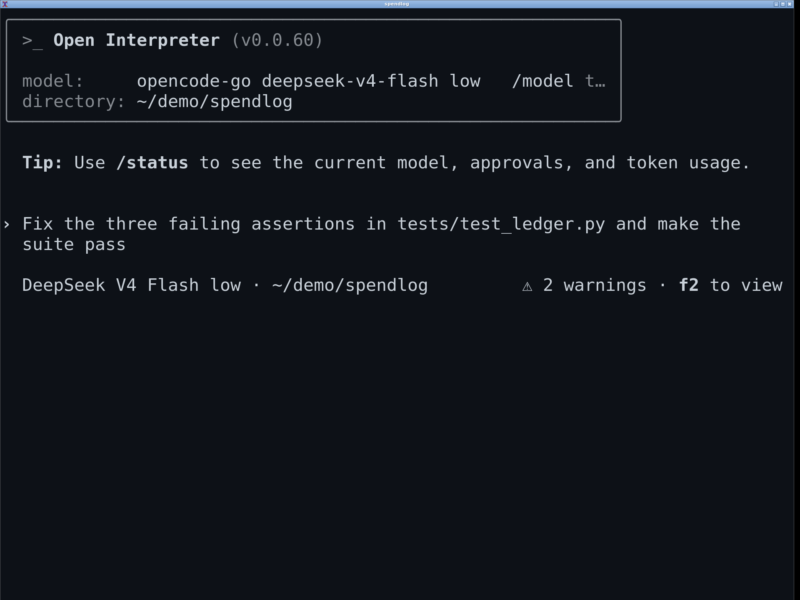
Open Interpreter is a coding agent that runs in your terminal. You describe what you want in plain language; it reads the project, edits files, runs shell commands, reviews its own diffs and keeps going until the work is done — with every action passing through a sandbox and an approval policy you set.
It began in 2023 as a Python package that let a language model execute code on your own machine, and grew into one of the best-known open source projects in that space. In late 2026 the project was rebuilt in Rust on top of OpenAI’s Codex CLI surface and refocused: the same local-first promise, but tuned for low-cost models rather than a single vendor’s premium tier. The original Python edition lives on as a community-maintained fork.
What it does
Start a session from any project directory and ask for a change. The agent inspects the repository, proposes a plan, patches files, runs builds and tests, and shows you the diff. Sessions can be resumed later with their working directory and context intact, and non-interactive runs (interpreter exec) make it usable from scripts and CI.
Harness emulation for cheaper models
The distinctive idea in the Rust rewrite is the harness: rather than asking every model to work well with one generic prompt, Open Interpreter ships the agent harnesses that model vendors publish for their own CLIs — Kimi Code, Qwen Code, DeepSeek TUI, Claude Code, ZCode, SWE-agent and a minimal mode — and shapes its prompts, tools and message handling to match. You can switch harness with /harness and switch provider or model with /model from inside the TUI. The project’s own framing is that this gets the most out of low-cost models like Kimi K3, GLM and DeepSeek rather than assuming a frontier model is behind the keyboard.
Safety model
Two separate controls, both inspectable at runtime with /permissions:
- Sandbox modes —
read-only,workspace-write(writes confined to the workspace roots, network off unless enabled) anddanger-full-accessfor throwaway environments. - Approval policies —
untrusted,on-requestandnever.--yoloand--dangerously-bypass-approvals-and-sandboxremove both guardrails and are intended only for isolated VMs or containers.
Standards instead of lock-in
Configuration, context and extensions follow conventions other agents already read: repository AGENTS.md files, shared .agents/skills directories, MCP servers for tools, the Agent Client Protocol for editors (interpreter acp) and the Codex exec protocol, so an existing SDK can point at interpreter with a one-line binary override. Product-specific state stays under ~/.openinterpreter. A QA skill lets the agent drive a real browser or native app to test the interface it just changed.
Requirements and installation
Prebuilt binaries cover Linux (x86-64 and ARM64, musl), macOS (Intel and Apple silicon) and Windows (x86-64, ARM64); on Windows, WSL is also supported for Linux-style workflows. Install with the project’s script:
curl -fsSL https://www.openinterpreter.com/install | shOn Windows, use irm https://www.openinterpreter.com/install.ps1 | iex. Then run i (or interpreter) inside a project. The first session walks you through provider setup — a Kimi Code sign-in, an API key, or a local model through Ollama or LM Studio — and interpreter update refreshes a standalone install. Git is strongly recommended: diffs, reviews and worktrees depend on it.
Who it is for
Developers who want an agent in the terminal rather than in an editor, and who would rather pay for a capable cheap model than a premium one. If you already use a Python-based agent, note this is a different program now: the install script, configuration and CLI are the Rust edition, and the Python package is no longer the upstream.