Pluton
- Platform
- Web Docker Linux Windows macOS
- Licence
- Apache-2.0 Open source
- Website
- usepluton.com
- Source code
- github.com/plutonhq/pluton
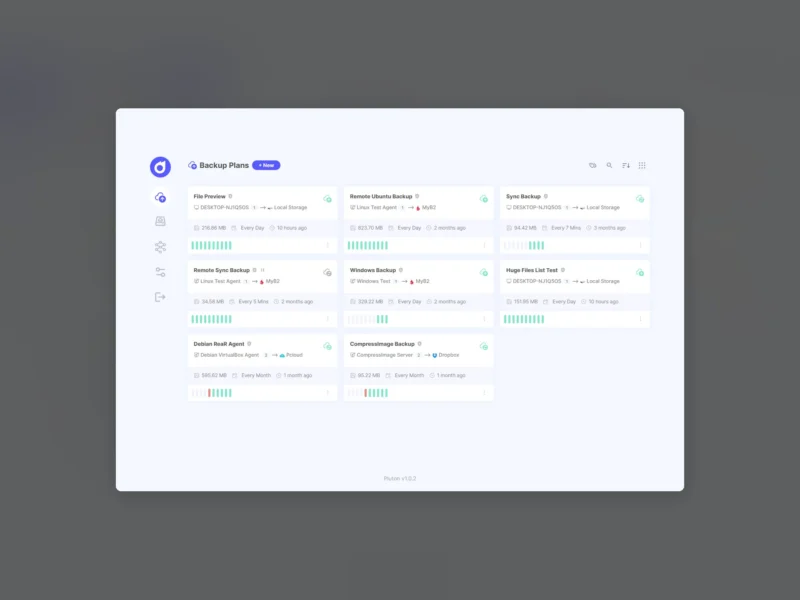
Pluton is a self-hosted backup management platform with a web interface: you define a plan — what to back up, where the copies should land, and when they run — and Pluton drives Restic for the encrypted, deduplicated incremental snapshots and Rclone for shipping them to the destination of your choice. It runs as a single Docker image (or as standalone desktop installers for Windows, macOS and Linux), stores everything in one data directory, and never sends your data through a third-party service. It is licensed Apache-2.0.
Four backup strategies
- Incremental backup — periodic Restic snapshots of a source path, with compression, encryption and a retention policy you set.
- Real-time sync — keeps the destination an identical mirror of the source, keeping revisions rather than an append-only history.
- Storage sync — copies one cloud storage to another, for people who already keep data in Rclone-backed providers.
- Linux server backup — full system backups that produce a bootable ISO image for bare-metal recovery.
Storage, replication and 3-2-1
Destinations are Rclone remotes, so the same plan can write to local disks, Amazon S3, Backblaze B2, Google Drive, SMB, SFTP and the rest of the 70-plus supported providers. A single plan can also replicate to additional destinations, which is the practical way to build a 3-2-1 arrangement without running separate jobs. Encryption keys stay local, so the storage provider only ever sees ciphertext.
Restore and day-to-day operation
- Snapshot restore — browse what is inside a snapshot and restore or download individual files from the web UI instead of remembering Restic commands.
- Scheduling — interval-based schedules (daily, weekly, custom) with fine-grained retention for automated jobs.
- Event notifications — Email, Slack, Discord and NTFY push notifications for success and failure cases.
- Auto-retry — failed backups are retried with configurable attempts and delays.
- Live progress and logs — real-time progress for running jobs plus application and backup logs readable in the interface.
- Pre/post scripts — run a command before and after a backup, for database dumps or application quiescing.
Deployment
The documented path is one container with a persistent data volume and three required environment variables — an encryption key plus the admin username and password. The web UI then answers on port 5173 and the first login lands on the plan list:
docker run -d --name pluton-backup
  -p 5173:5173
  -e ENCRYPTION_KEY=<32+ char secret>
  -e USER_NAME=admin -e USER_PASSWORD=<password>
  -v pluton-data:/data
  plutonhq/pluton:latest
The project targets small hardware as well as servers — it quotes roughly 50 MB of memory when idle and runs on single-board computers — and the desktop builds for Windows, macOS and Linux bundle the same application for local, non-server use. Documentation, including storage setup and restore walkthroughs, lives at docs.usepluton.com.