DumbDrop
- Platform
- Docker Web Self-hosted
- Licence
- GPL-3.0 Open source
- Website
- dumbware.io/
- Source code
- github.com/DumbWareio/DumbDrop
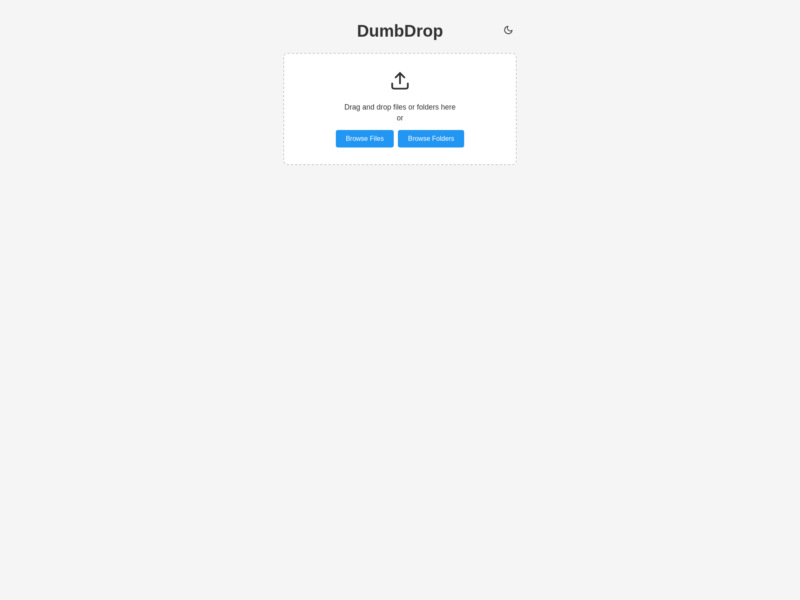
Overview
DumbDrop is a deliberately minimal file drop: one web page with a drag-and-drop target, two buttons, and a folder on your disk that receives whatever you throw at it. There is no account system, no database and no file manager to learn — you point it at a directory, share the URL with whoever needs to send you something, and the files appear.
It is a Node.js application with a vanilla JavaScript front end and no client-side framework, published as the dumbwareio/dumbdrop image on Docker Hub and listening on port 3000. Everything it keeps is the mounted upload directory, so backup is copying that folder; the rest of the behaviour is a handful of environment variables read at start.
Key Features
- Drag and drop uploads — multiple files at once, or a whole folder, with the directory structure preserved.
- No auth by default — the page is open to anyone who can reach it; a 4-to-10 digit PIN (
DUMBDROP_PIN) can be switched on when it needs one. - Auto-upload —
AUTO_UPLOADsends files the moment they are selected instead of waiting for a button press. - Configurable limits — a maximum size per file in megabytes (
MAX_FILE_SIZE, 1 GB out of the box), an allowed-extension list, and a custom page title. - Optional file browser —
SHOW_FILE_LISTadds a listing of what has been uploaded, with download and delete actions. - Notifications — an Apprise URL plus a template, so an upload can ping you on the service you already use.
- Small surface area — one container, a responsive dark-mode-capable interface, and no client-side dependencies.
Running it
The one-liner is docker run -p 3000:3000 -v ./uploads:/app/uploads dumbwareio/dumbdrop:latest; a compose file adds the same mounts plus UPLOAD_DIR=/app/uploads and any limits you want to enforce. Files are written straight into the mounted host directory, so the volume is the whole of your data. Behind a reverse proxy, set BASE_URL to the address people actually use, enable TRUST_PROXY and list TRUSTED_PROXY_IPS so client addresses in the logs are the real ones rather than the proxy’s.
Exposure and Security
An open upload endpoint is an invitation: anyone who finds the URL can fill the volume. Give it a PIN before putting it on the public internet, keep MAX_FILE_SIZE and ALLOWED_EXTENSIONS tight, and restrict ALLOWED_ORIGINS to your own domain instead of the wildcard default if the app is embedded or called from a browser. It is best treated as a LAN or VPN service for handing files between your own devices, not as a drop box for strangers — for that, use a tool with accounts, quotas and expiring links.
Requirements and Installation
Docker, and a host directory to receive the uploads. Create the folder owned by the UID the container runs as, run the container with the uploads volume mapped, and open port 3000. Updating is a docker pull and a restart — there is no migration step and no state outside the volume. Local development runs the same code with Node.js installed from the repository.
Related: Nextcloud and Seafile add accounts, sharing and sync to a file store, and Syncthing keeps folders in step between devices — none of them is as quick to stand up as a DumbDrop instance.