Flask
- Platform
- Linux Windows macOS
- Licence
- BSD-3-Clause Open source
- Website
- flask.palletsprojects.com/
- Source code
- github.com/pallets/flask
Overview
Flask is a free, open-source web framework for Python that starts from a single module and stays out of the way until you ask it for more. Armin Ronacher wrote it in 2010 as an April Fools joke built on two existing Pallets libraries — Werkzeug for the WSGI plumbing and Jinja2 for templates — and the joke outlived the joke: the small, explicit core became one of the most widely used ways to put a Python application on the web. Flask itself is deliberately thin. Routing, request and response objects, sessions, template rendering and a development server come in the box; the database layer, forms, authentication and admin are chosen by the developer from an ecosystem of extensions. Flask 3.1.3 is the current release, it needs Python 3.9 or newer, and the code is BSD 3-Clause licensed.
Key Features
- Routing by decorator —
@app.route(or@app.get/@app.post) maps a URL and an HTTP method onto a function, with variable rules, converters and automatic URL building throughurl_for. - Jinja2 templates — autoescaped HTML rendering with template inheritance, macros and filters, plus
render_templatefor passing data straight from a view. - Explicit request and application contexts —
request,session,gandcurrent_appare context locals, so helpers and CLI commands reach the same objects a view does without globals being passed around. - Blueprints — a feature can ship its own routes, templates and static files as a blueprint and be registered on the app, which keeps a growing project’s URL map readable.
- The application factory —
create_app()builds an app instance with the configuration it is given, which is what makes per-test and per-environment setups practical. - Built-in development server and CLI — the
flaskcommand runs the app with a reloader and an interactive debugger, and@app.cli.commandadds project commands next to it. - Async views — a view declared
async defis awaited by Flask, so ASGI-style concurrency is available without replacing the framework. - Test client —
app.test_client()dispatches requests without a socket, so status codes, redirects and rendered HTML are asserted in ordinary unit tests. - Extensions rather than a monolith — SQLAlchemy, Alembic, WTForms, Flask-Login, Flask-SQLAlchemy and hundreds more plug into the same app object through a documented pattern.
Why Use Flask?
Flask’s value is the shape of the decision it leaves to you. There is no project layout to conform to, no ORM to accept, and no admin interface generated on your behalf; a Flask application is a module you can read end to end, and the pieces you add are visible in the file that adds them. That makes it a good fit for small services, JSON APIs, internal tools, prototypes that later grow, and any project where the framework’s opinion would be the thing you spend the first week working around. The trade is that the structure is yours to maintain: a large Flask codebase is well organised only if its authors organised it, usually with blueprints and an application factory. The documentation is thorough and unusually example-driven, the extension ecosystem is mature, and a decade and a half of production use means most problems already have a documented answer.
Use Cases
- REST and JSON APIs, including microservices that expose a handful of endpoints.
- Small web applications and internal dashboards where a full-stack framework would be more structure than the job needs.
- Prototypes and proofs of concept that need a working URL today and can be refactored later.
- Machine-learning and data services that wrap a Python library in an HTTP endpoint.
- Webhooks, integrations and scheduled-job front ends that mostly move data between systems.
- Teaching server-side Python, because each mechanism can be introduced on its own.
Getting Started
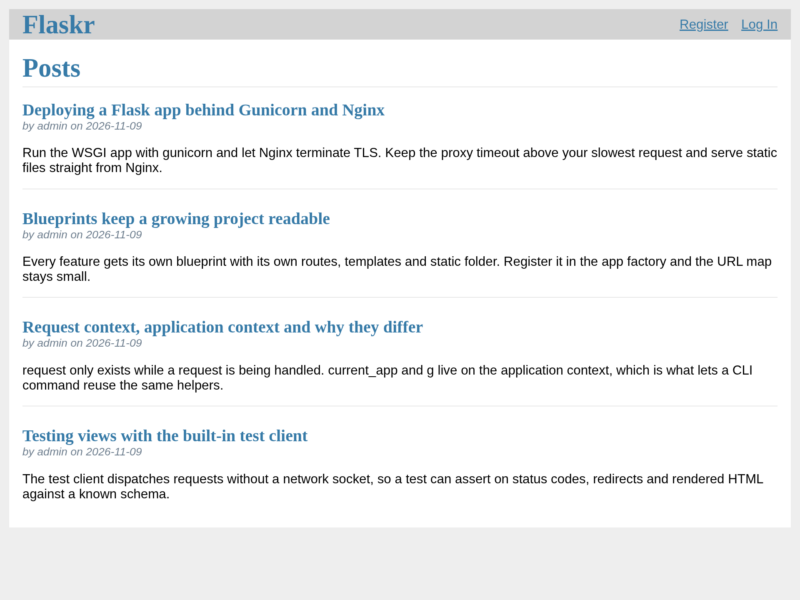
Flask installs from PyPI with pip install flask, ideally inside a virtual environment. A minimal application is a few lines: create the app, decorate a function with a route, return a string or render_template. Run it with flask --app hello run and the development server serves it at 127.0.0.1:5000 with the reloader and debugger enabled. From there the official tutorial builds a small blog — application factory, blueprints, a SQLite schema, sessions, tests — and the documentation covers templates, configuration, deployment behind a WSGI server, and the extension pattern in depth.
Related reading in this directory: Python, the language Flask is written in, and Django, the batteries-included alternative when a project wants conventions instead of choices.