Python
- Platform
- Linux Windows macOS
- Licence
- PSF-2.0 (Python Software Foundation License v2) Open source
- Website
- python.org/
- Source code
- github.com/python/cpython
Overview
Python is a high-level, general-purpose programming language created by Guido van Rossum and first released in 1991. It is read as plainly as pseudocode — indentation instead of braces, a small set of keywords, and no compile step between writing a line and running it — yet it scales from a five-line script to the tooling behind Instagram, Spotify’s back end and much of modern machine learning. CPython, the reference implementation, is free and open source under the Python Software Foundation License, and an enormous standard library ships with every install, so most tasks begin with an import rather than a download.
Key Features
- Readable syntax — indentation defines blocks, so code written by different people tends to look alike and review quickly.
- Batteries included — the standard library covers HTTP servers and clients, JSON, SQLite, regular expressions, compression, email, threading, asyncio and more.
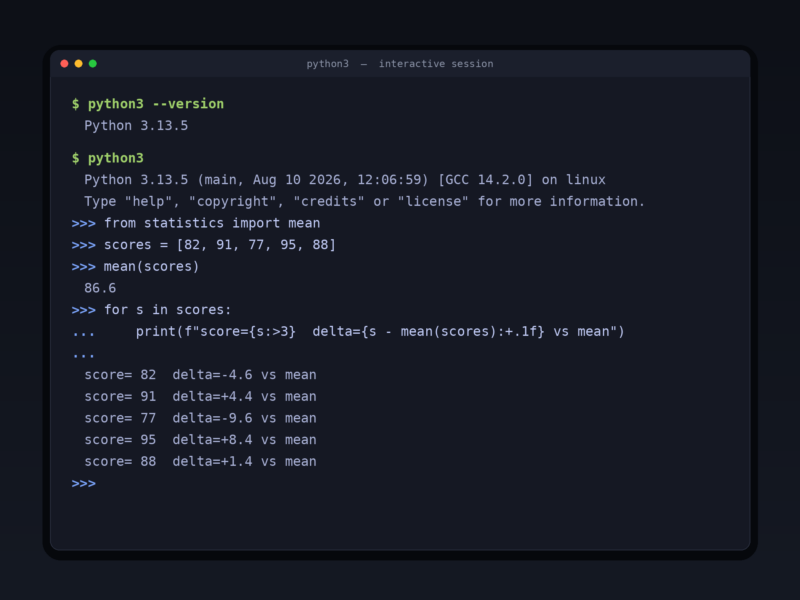
- Interactive interpreter — the REPL lets you try expressions, inspect objects and check a result the moment you think of it.
- Optional static typing — type hints (PEP 484) and tools such as mypy and pyright add checking where you want it without giving up dynamic typing where you do not.
- Packaging and virtual environments — pip plus PyPI (hundreds of thousands of packages) and the built-in venv keep project dependencies isolated.
- Multiple implementations — CPython is the reference, with PyPy (JIT), MicroPython for microcontrollers and other implementations targeting different needs.
- Cross-platform — official installers for Windows and macOS, plus packages in every major Linux distribution; Python 3.13 added an experimental free-threaded build without the global interpreter lock.
Why Use Python?
Python optimises for the time of the person writing the code. A first program is one line, a useful script is twenty, and the same language then carries on into production services and research notebooks without a rewrite. Its ecosystem is the widest of any language — from NumPy, pandas and PyTorch to Django, Flask and FastAPI — and because C and C++ extensions are straightforward, the heavy lifting can be delegated to compiled libraries while the glue stays readable. It is also the default teaching language of most universities and the standard automation language for system administrators, which means help is never far away.
Use Cases
- Data analysis, statistics and machine learning.
- Web applications and REST APIs (Django, Flask, FastAPI).
- Automation, scripting and glue between command-line tools.
- Scientific computing and research notebooks.
- Teaching programming and prototyping ideas quickly.
- Testing, DevOps tooling and infrastructure scripts.
Getting Started
Download the current stable release from python.org — 3.15 is the latest series, with 3.14 and 3.13 still receiving security fixes — or install it from your distribution’s package manager. On Linux and macOS the interpreter is usually already present as python3. Create an isolated environment per project with python3 -m venv .venv, activate it, then install what you need with pip. The official tutorial in the documentation takes a beginner from expressions and control flow through data structures, modules and error handling.