Swift
- Platform
- Linux macOS Windows
- Licence
- Apache-2.0 (with Runtime Library Exception) Open source
- Website
- swift.org/
- Source code
- github.com/swiftlang/swift
Overview
Swift is a compiled, general-purpose programming language created at Apple and released publicly in 2014, with its compiler, standard library and core tools open-sourced in December 2015 under the Apache 2.0 licence with a Runtime Library Exception. It was designed by Chris Lattner and the LLVM team as a replacement for Objective-C that keeps the performance and low-level control of a compiled language while removing the memory-management and header-file friction: automatic reference counting, value types, optionals and type inference are part of the language rather than add-ons. Since the open-sourcing, the project (swiftlang/swift, formerly apple/swift) has grown into a portable toolchain that builds and runs on macOS, Linux distributions (Ubuntu, Debian, Fedora, Amazon Linux, RHEL UBI) and Windows, with the current release 6.4.2.
Key Features
- Safe by default — optionals make “no value” an explicit type the compiler checks, value types (structs, enums with associated values) remove shared-state bugs, and
letbindings are immutable. - Fast, native code — the compiler is LLVM-based and ahead-of-time, producing optimised machine code; Swift typically runs in the same class as C++ for compute-heavy work while reading like a scripting language.
- Modern concurrency —
async/await, structured concurrency with task groups, andactorisolation give compile-time-checked data-race safety (Swift 6 enforces it). - Swift Package Manager — the build system and dependency manager ship with the toolchain:
swift build,swift test,swift run, with manifests written in Swift itself. - Protocol-oriented design — protocols with default implementations, generics, and extensions let you compose behaviour without deep class hierarchies.
- Interoperability — direct C and C++ interop, Objective-C interop on Apple platforms, and
@objc/@cannotations for bridging into existing codebases. - Batteries included, openly — SwiftPM, Swift Testing, Foundation (swift-corelibs-foundation), SwiftNIO for networking, and SourceKit-LSP for editor integration are all developed in the open.
- Editor and tooling support — sourcekit-lsp supplies completion, jump-to-definition and refactoring to VS Code, Neovim and other LSP clients;
swift formathandles style.
Why Use Swift?
Swift is the rare language that is both pleasant to write and genuinely fast. Its type system catches the classes of bug that cost the most debugging time — null dereferences, unhandled errors, mutable state shared across threads — at compile time, while ARC means no manual memory management and no garbage-collector pauses. Because the toolchain is open source and portable, code written on a Mac builds and runs unchanged on a Linux server: the same language is used for iOS and macOS apps, for backend services (Vapor, Hummingbird, SwiftNIO), for command-line tools and for scripting. The 6.x series added a fully checked concurrency model, so multithreaded code that compiles is data-race free by construction — something few other mainstream languages can claim.
Use Cases
- iOS, iPadOS, macOS, watchOS and tvOS applications (with SwiftUI or UIKit/AppKit — those frameworks are Apple’s, not part of the open-source project).
- Server-side web services and APIs with Vapor, Hummingbird or raw SwiftNIO.
- Command-line tools and automation scripts, distributed as a single static binary on Linux.
- Cross-platform libraries and SDKs shared between Apple clients and Linux servers.
- Systems and performance-sensitive work where C or C++ would otherwise be the choice, with far safer defaults.
- Teaching: a first language with real compiler diagnostics and immediate feedback in the REPL.
Getting Started
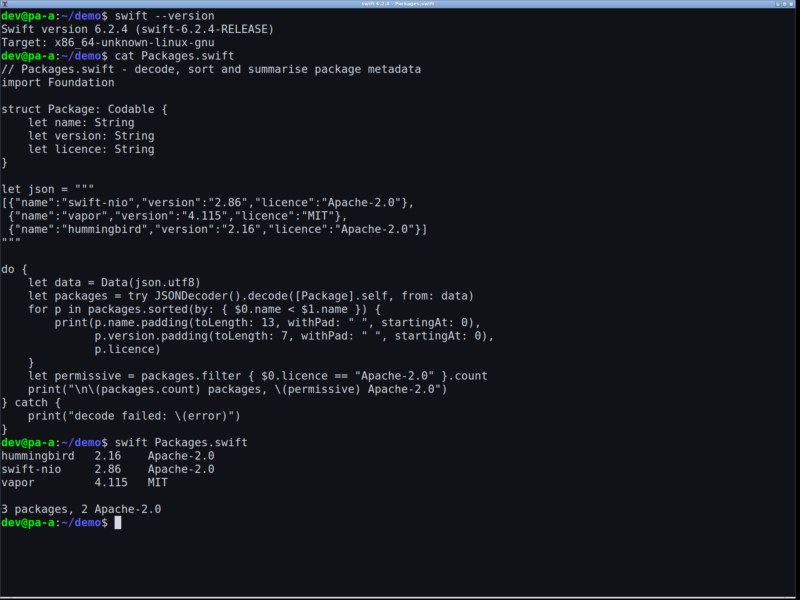
Install the toolchain from swift.org/install — the platform installers cover macOS (Xcode or the standalone toolchain), Ubuntu, Debian, Fedora, Amazon Linux, RHEL UBI and Windows — or pull the official swift Docker image for Linux. Check the install with swift --version, start an interactive session with swift repl, and run a file with swift hello.swift. For a real project, run swift package init --type executable inside an empty directory to scaffold a package with a Package.swift manifest, then swift run builds and executes it and swift test runs the tests. On Linux, swift build -c release --static-swift-stdlib produces a self-contained binary that needs no Swift runtime on the target machine.