Julia
- Platform
- Linux Windows macOS
- Licence
- MIT Open source
- Website
- julialang.org/
- Source code
- github.com/JuliaLang/julia
Overview
Julia is a general-purpose programming language built for numerical and scientific computing, and its design goal is unusual: read like a scripting language, run like compiled code. Jeff Bezanson, Stefan Karpinski, Viral Shah and Alan Edelman started it in 2009 at MIT, the first public release arrived in 2012, and version 1.0 in 2018 marked the point where the language stopped breaking code between releases. Programs are compiled ahead of time to native machine code through LLVM, so a loop over an array runs at roughly C speed without the user writing a compiled-language program. Julia is free software under the MIT licence, the current stable release is 1.13.3 (25 October 2026) with 1.10.13 as the long-term-support series, and it runs on Linux, Windows and macOS.
Key Features
- Multiple dispatch — functions are defined per combination of argument types, and the compiler picks the right method at the call site; this is the mechanism behind both the object-style APIs of the ecosystem and its speed.
- LLVM compilation from the REPL — the same code entered interactively is JIT-compiled to native code, so exploration and production run on the same compiler with no rewrite step.
- Fast without vectorised tricks — loops, broadcasting with
.operators and in-place assignments all perform well, so the code stays close to the maths a researcher wrote down. - Built-in package manager —
Pkginstalls from the General registry, and per-projectProject.tomlplusManifest.tomlpin every dependency to an exact version and commit. - Scientific ecosystem — DataFrames.jl for tabular work, Plots.jl and Makie.jl for graphics, DifferentialEquations.jl for numerical simulation, Flux.jl and MLJ.jl for machine learning, and JuMP.jl for optimisation.
- Composability — types, macros, generated functions and
AbstractArrayinterfaces let packages share behaviour instead of duplicating it; a GPU array or a units-checked number works where a plain array does. - Easy C and Python interop —
ccallcalls C libraries directly with no wrapper, and PyCall and PythonCall embed Python packages when a Julia equivalent does not exist. - Threads and distributed compute — multi-threading is part of the runtime, and
Distributedspreads work across processes and machines.
Why Use Julia?
Julia exists to remove the two-language problem: prototype in a slow language, then rewrite the hot parts in C or Fortran. Because the same code is both convenient and compiled, a research script that started in the REPL can be the program that runs in production, and there is no translation step where the bugs move in. The type system is optional but pays off where it matters — annotate a function and the compiler generates specialised code, leave it unannotated and it still works. Package environments are reproducible by construction, which is what makes published results re-runnable years later. The trade-offs are real: the first call to a function includes compilation time, memory use is higher than a hand-tuned C program, and the ecosystem, while deep in numerics, is thinner than Python’s for web and general-purpose glue. For simulation, statistics, optimisation and anything that mixes maths with data, the speed without the rewrite is the whole argument.
Use Cases
- Numerical simulation and scientific modelling, including differential equations and physics.
- Data analysis and statistical work that outgrows a scripting language, with DataFrames.jl and Statistics.
- Machine learning research where custom gradients and array code have to be fast (Flux.jl, Lux.jl).
- Optimisation and operations research, with JuMP.jl and the solvers behind it.
- Signal processing, imaging and bioinformatics pipelines.
- Teaching and research code that has to be both readable and fast.
- Prototyping an algorithm that will later be embedded in a larger system.
Getting Started
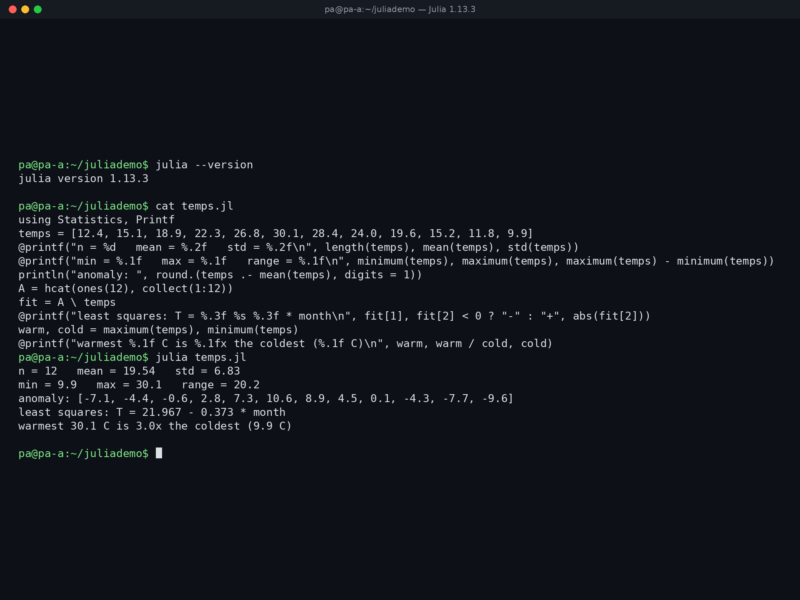
Install with the official installer, curl -fsSL https://install.julialang.org | sh, which also sets up juliaup for switching between releases; Windows users can use winget install --name Julia, and there are portable tarballs for Linux and macOS. Start the REPL with julia, run a script with julia script.jl, and check the version with julia --version. Packages are installed inside the REPL with ] to enter pkg mode and add DataFrames, which writes a Project.toml in the current directory; commit that file and the manifest to make the environment reproducible. The language manual at docs.julialang.org is the reference, and @time, @code_warntype and the built-in profiler are the first tools to reach for when something is slower than expected.