Opengist
- Platform
- Linux macOS Windows Docker Self-hosted
- Licence
- AGPL-3.0 Open source
- Website
- opengist.io
- Source code
- github.com/thomiceli/opengist
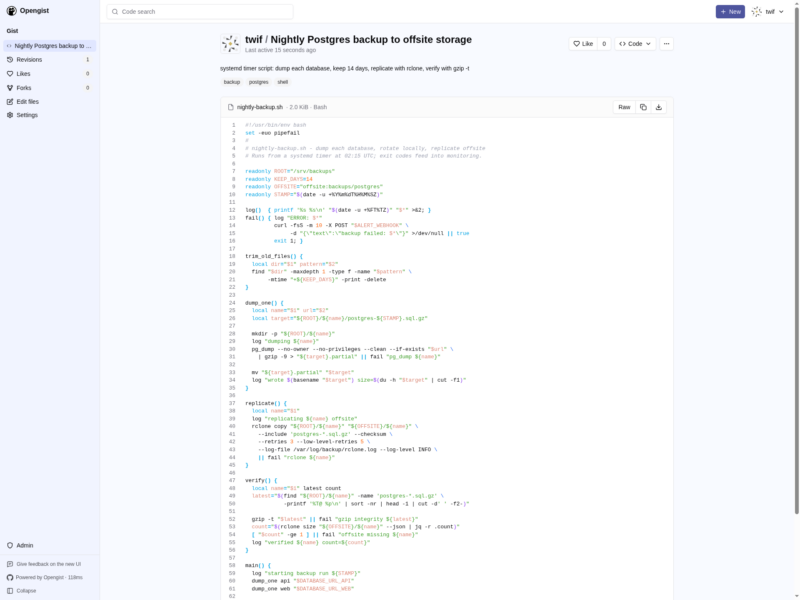
Opengist is a pastebin whose storage layer is Git. Every snippet — public, unlisted or private — is a real repository you can clone, pull and push over HTTP or SSH with ordinary Git commands, so the same content is reachable from the web editor and from a terminal, and every edit leaves a commit behind. It is written in Go and ships as a single binary or a Docker image, with deployment measured in one container and one port; the pitch is a GitHub Gist you own, without the account or the quotas.
Key capabilities
- Three visibility levels — public, unlisted or private for each snippet, plus a site-wide setting that hides snippets from anonymous visitors.
- Git as the interface — initialise a snippet from the web, then clone, pull and push it over HTTP or SSH; full revision history with diffs, usable from a dotfiles repo or a CI job.
- Editor with syntax highlighting — a CodeMirror editor with indentation and size modes, drag-and-drop of files, rendered markdown and CSV, and download of a single raw file or the whole snippet as a ZIP.
- Finding things again — search inside snippet code, browse a user’s snippets, and use topics, likes and forks to follow work you care about.
- Embedding and automation — embed a snippet in another page, or read snippet data and metadata through a JSON API.
- Accounts — local signup, which can be switched off, plus OAuth2 login through GitHub, GitLab, Gitea or any OpenID Connect provider; avatars come from Gravatar or the OAuth provider.
- Admin panel — delete users and snippets, resync the database and filesystem from the Git repositories, and run
git gcacross all of them.
Deployment
The published image is ghcr.io/thomiceli/opengist: the documented compose file exposes port 6157 for HTTP and 2222 for Git over SSH, with one bind mount holding the data directory (the README’s example uses $HOME/.opengist), and UID/GID can be set so the container writes files as your own user. Prebuilt archives are published alongside each release for Linux (amd64, arm64, armv6 and armv7, 386), macOS on Intel and Apple silicon, and Windows amd64; the current release is v1.15.3. Configuration is a YAML file or OPG_* environment variables, SQLite is the default store with PostgreSQL and MySQL supported instead, and Git 2.28 or newer is required — OpenSSH only if you want the SSH transport. There is a hosted demo at demo.opengist.io if you want to look before deploying.
Where it fits
Against a single-file paste service, the Git backing is the difference: snippets can be versioned, cloned into a configuration workflow, or pushed from a script. Against a full forge, the scope is deliberately one feature — there are no issues, pull requests or package registry here, so it complements a Git host rather than replacing one. For a small team that wants a private gist service behind its own authentication and a data directory that is just repositories, that narrowness is the point.