Monitarr
- Platform
- Docker Linux
- Licence
- GPL-3.0 Open source
- Source code
- github.com/nickshanks347/monitarr
Overview
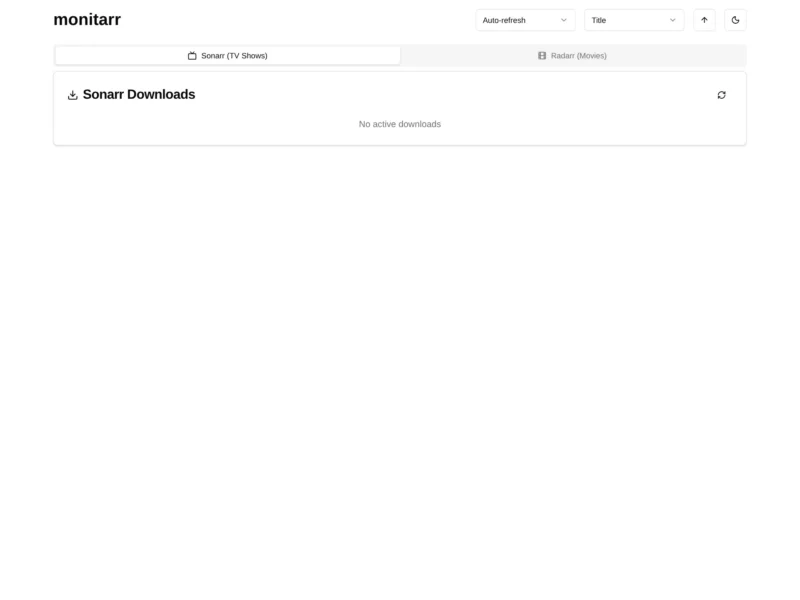
Monitarr is a deliberately small self-hosted web page that shows what Sonarr and Radarr are downloading right now. It asks both automation tools for their current download queues over their own APIs and renders the answer as two plain tabs — Sonarr (TV Shows) and Radarr (Movies) — with a progress bar, size, download speed and remaining time for every item in flight. A refresh button triggers a refresh in Sonarr and Radarr and then reads the queue again, and there is an optional auto-refresh interval plus a sort control.
It exists to solve one narrow problem. People who request media through Overseerr or Jellyseerr want to know how their request is getting on, and the only place to see that used to be the Sonarr or Radarr admin interface. Monitarr is the read-only status page that replaces that hand-out of admin access, which also explains its most important limitation: it has no authentication at all, so it belongs on a trusted network or behind your own reverse proxy.
Key Features
- Both queues in one view: Sonarr (TV Shows) and Radarr (Movies) sit behind two tabs in the same page, each showing that application’s live download queue.
- Per-download detail: every item gets a progress bar with percentage, total size, current speed and estimated time remaining, in a single-line row that is easy to scan.
- Refresh that means something: the refresh button first asks Sonarr and Radarr to refresh their monitored downloads and then re-fetches the queue, so the numbers move instead of showing a stale snapshot.
- Auto-refresh and sorting: the header carries an auto-refresh interval selector and a sort selector, useful when the page is left open on a second screen.
- Configuration by environment variables:
SONARR_URL,SONARR_API_KEY,RADARR_URLandRADARR_API_KEYare all it needs; an optionalBASE_PATHlets it live under a subfolder such as/monitarrbehind a reverse proxy. - One small container: the image
ghcr.io/nickshanks347/monitarr:latestserves the page on port 3000, and the whole application is a Next.js front end with no database and no stored state. - Read-only by design: it reads the queue endpoint and issues a refresh command; it never queues, approves or deletes anything in Sonarr or Radarr.
Why Use It
Running Sonarr and Radarr well is a back-office job: indexers, quality profiles, download clients. Letting everyone in a household into that interface to answer “is it done yet?” is a bad trade, and answering the question by hand does not scale past two people. Monitarr narrows the surface to the one thing requesters actually want — a progress bar — and keeps the administration elsewhere. It is a single container, it keeps no data, it needs four environment variables, and it can be dropped behind an existing reverse proxy without touching the automation stack.
It is also honest about its limits, and worth choosing with those in mind. The project is maintained by one person and the author describes the download-speed estimate as extremely inaccurate. There is no login, by design, so do not expose it straight to the internet.
Use Cases
- Requesters on Overseerr or Jellyseerr: point the household at a Monitarr URL instead of handing out Sonarr and Radarr accounts, and they can follow their own requests from queued to downloaded.
- A status screen in the living room: leave the page open on a tablet with auto-refresh on, and the queue is visible at a glance without anyone logging in.
- Behind a reverse proxy: set
BASE_PATH=/monitarrand it serves cleanly from a subfolder next to the rest of a self-hosted stack. - A quick queue check for the admin: a lightweight page that answers “what is downloading and how fast” without opening the full Sonarr or Radarr interface.