LocalSend
- Platform
- Android iOS macOS Windows Linux
- Licence
- Apache-2.0 Open source
- Website
- localsend.org
- Source code
- github.com/localsend/localsend
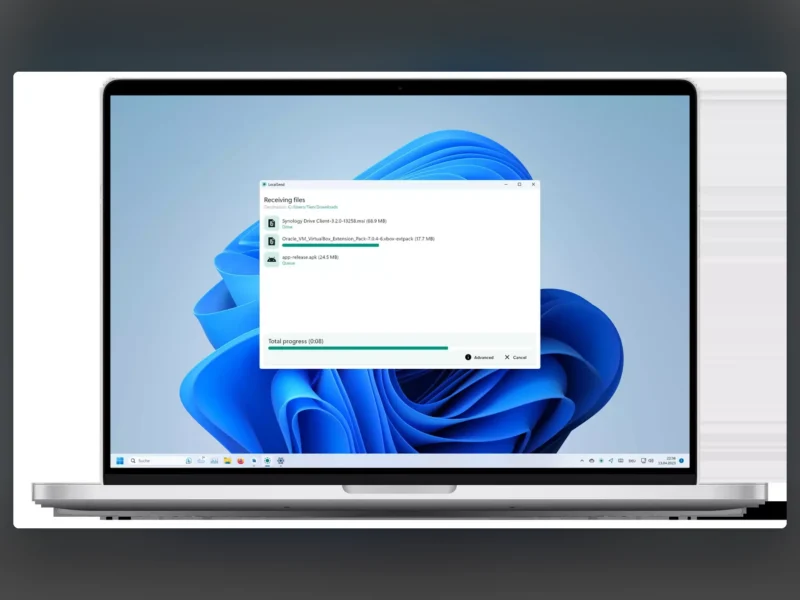
LocalSend is a free app for sending files and text between devices on the same network: phone to laptop, laptop to desktop, desktop to phone. There is no account, no cloud service and no internet connection involved. It was written as an open-source answer to AirDrop, and unlike AirDrop it runs on Android, iOS, Windows, macOS and Linux, so an Android phone and a Windows desktop can exchange files directly.
How a transfer works
Devices find each other by announcing themselves on the local network, so both ends have to be on the same Wi-Fi or wired LAN. The transfer itself is a direct connection between the two devices over HTTPS: each installation generates its own TLS certificate on the fly, so nothing passes through a third-party server and nothing is stored in the cloud. The protocol is documented and exposed as a REST API, which means other software can talk to LocalSend as well.
What you get
- File and message transfer between any mix of the supported platforms, with no setup beyond installing the app on both devices.
- Discovery is automatic: nearby devices appear in a list, and a session starts when both sides accept it.
- Several files can be queued at once, with per-file and total progress shown and a cancel button for the whole batch.
- A quick-save mode receives files without confirming each transfer, which is convenient on a device you send to regularly.
- The interface is translated into dozens of languages through the project’s Weblate instance.
Installing it, and what to know
Packages exist for every supported platform: Flathub on Linux, winget and the Microsoft Store on Windows, the App Store on macOS and iOS, Google Play and F-Droid on Android, plus the Amazon Appstore for Fire OS. A command-line client is available through Homebrew on macOS and Linux and takes files, directories or a mixture of both: localsend-cli send report.pdf photo.jpg ./project-backup. The app has no auto-update, so a store or a distribution package is the recommended way to install it. Both devices must be on the same local network, since this is not a tool for sending files across the internet, and a network that isolates clients from one another, such as guest Wi-Fi or some corporate setups, will block device discovery.
When it is not the right tool
LocalSend moves files between two devices that are both switched on; it does not keep them anywhere. If the files need to live on a server instead, Garage is a self-hosted S3-compatible object store, and Nextcloud covers the case where you want a shared space with accounts and syncing.