Kasm Workspaces
- Platform
- Web Docker Self-hosted
- Licence
- Proprietary EULA (Community Edition free) Freemium
- Website
- kasm.com
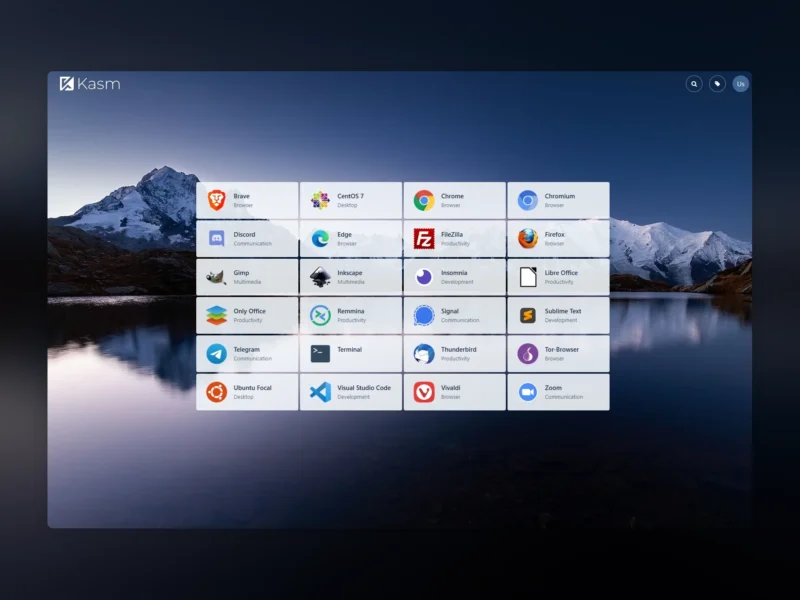
Kasm Workspaces is a container streaming platform from Kasm Technologies that delivers desktops, browsers and individual applications to any HTML5 browser. Instead of a VPN or a client install, every user session runs in its own Docker container and is streamed to the browser, so a Chromebook, a tablet or a locked-down workstation gets the same workspace as a full desktop.
How it works
Sessions are containerised. Kasm pulls workspace images from Docker Hub or your own registry, starts one container per session, and streams it over the web with KasmVNC, the company’s open-source VNC server and browser client. The control plane behind it handles user and group management, the workspace catalogue, session policies, autoscaling agents and optional connection proxies. That control plane is installed as a Docker Compose stack on a single Linux server, or split across several servers and Kubernetes.
What you can run
The open-source image library covers browsers (Chrome, Chromium, Firefox, Brave, Edge, Tor Browser), full desktops (Ubuntu, Debian, Fedora, AlmaLinux, Kali, Alpine) and single applications (VS Code, GIMP, Inkscape, LibreOffice, Terminal, Thunderbird, Zoom, Teams, Discord). Custom images are ordinary Dockerfiles built on the Workspaces Core Images, so an internal tool can be published to the catalogue as a workspace of its own.
Editions and limits
The platform itself is not open source: it ships under Kasm Technologies’ proprietary EULA in three editions.
- Community Edition, free. Full platform, but capped at 5 concurrent sessions and licensed for individual, non-profit and non-commercial use only. Community support.
- Professional. Unlimited concurrent sessions, commercial licensing, session recording, custom branding and URL-categorised web filtering. Quote-based pricing from Kasm.
- Premier. Everything in Professional plus the enterprise feature set and dedicated support.
Kasm also sells a fully hosted deployment, in which case nothing is installed locally. The open-source parts remain separate projects: KasmVNC is GPL-2.0 and the workspace image definitions are published in the kasmtech GitHub organisation.
Requirements and installation
A Linux host running Docker with registry access, and at least 2 cores, 4 GB of RAM and 75 GB of SSD storage for a minimal single-server install. Kasm supports Ubuntu 22.04 and 24.04, Debian 11 to 13, RHEL 8 to 10, Oracle Linux 8 and 9, AlmaLinux 8 and 9, Rocky Linux 8 and 9, and Raspberry Pi OS on amd64 and arm64; LXC and WSL are not recommended. Installation is a single installer script that brings up the control plane containers, and workspaces are managed from the web UI afterwards. Any modern browser is the only client requirement.
Alternatives
- Apache Guacamole is the closest fully open-source equivalent for clientless browser access: Apache-2.0, and it gates existing RDP, VNC and SSH machines rather than running each session as a fresh container.
- KasmVNC is the GPL-2.0 streaming server underneath Kasm Workspaces, usable on its own for a single remote desktop.