ZaneOps
- Platform
- Linux Docker Web
- Licence
- MIT Open source
- Website
- zaneops.dev
- Source code
- github.com/zane-ops/zane-ops
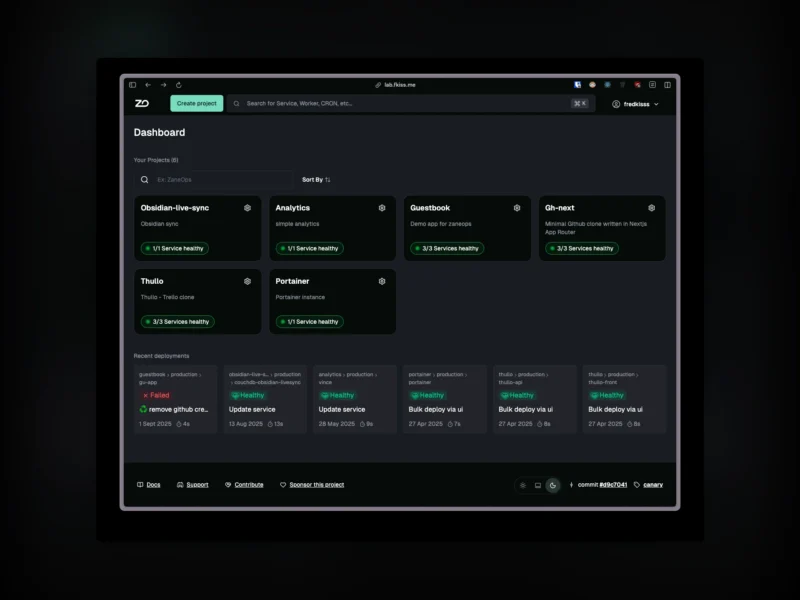
Overview
ZaneOps is a free, self-hosted platform as a service – the Heroku or Railway workflow, running on hardware you own. You connect a Git provider, pick a repository and branch, and click deploy: ZaneOps builds the image, creates the database or service the app needs, routes a domain to it and issues the TLS certificate. Static sites, web apps, databases, CRON jobs, background workers and plain Docker services are all deployable from the same dashboard.
Docker Swarm does the orchestration underneath and Caddy terminates the front-end traffic, so scaling, rollouts and certificate renewal ride on mature tooling rather than a bespoke agent. The backend is Python on Django with Temporal for long-running jobs, the interface is React; development is led by Fredhel KISSIE in France, and the project has been public since 2024.
What it does
- Git-driven deployments – connect GitHub or GitLab and each push rebuilds and redeploys, with auto-deploy per branch, manual deploys, or a CI/CD trigger. Builds run through Nixpacks, Railpack, a Dockerfile or a static directory, so a Dockerfile is optional for common stacks.
- Multiple environments – separate staging, production and development environments per project, each with its own configuration and isolated from the others.
- Preview deployments – spin up a throwaway environment per pull request, from GitHub or GitLab, or through the API.
- Zero-downtime releases – a new version starts beside the running one and traffic only moves once it is healthy.
- Databases and services – deploy databases and ready-made services such as Supabase, WordPress or Ghost as managed workloads instead of hand-written Compose files, alongside Docker Compose stacks for anything bespoke.
- Domains and certificates – custom or auto-generated domains with a Caddy-managed Let’s Encrypt certificate, no reverse-proxy configuration to write.
- Logs, metrics and a terminal – application logs, HTTP request logs, resource metrics per service and per deployment, and a browser shell into any live container.
- Git-like configuration – service settings are staged, validated and reviewable before they are deployed, rather than taking effect on save.
- Team-ready UI – a React dashboard with a command bar, workspaces, shared volumes, SSH keys and API tokens.
Deployment and requirements
Install on a Linux server with one command, curl -fsSL https://cdn.zaneops.dev/install.sh | sudo bash, which prepares Docker Swarm and starts the stack; the documentation also walks through the manual steps if you want to read them first. A single small VPS is enough to begin, and further nodes can join the Swarm later for capacity. Management is entirely through the web dashboard – there is no separate CLI to install.
Licence and paid features
Open source, MIT – the core is MIT-licensed and that image contains no licensing code at all. Team features live in a separate Enterprise Edition build (ghcr.io/zane-ops/app:ee-<version>) under a commercial licence, unlocked by a paid key: the free tier allows one workspace and three users, and a license adds extra workspaces and seats. Everything else – projects, services, environments, deployments, preview environments and Compose stacks – is unlimited without a license, and an air-gapped instance simply stays on the free tier.
Who it is for
Developers and small teams who want push-to-deploy convenience without renting a managed platform: homelab operators consolidating a pile of hand-written Compose files, agencies hosting several small client sites on one box, and anyone who finds plain Docker workable but wants environments, previews and a real dashboard. It assumes a Linux server and Docker Swarm, not Kubernetes.