FileGator
- Platform
- Docker Web Self-hosted
- Licence
- MIT Open source
- Website
- filegator.io/
- Source code
- github.com/filegator/filegator
Overview
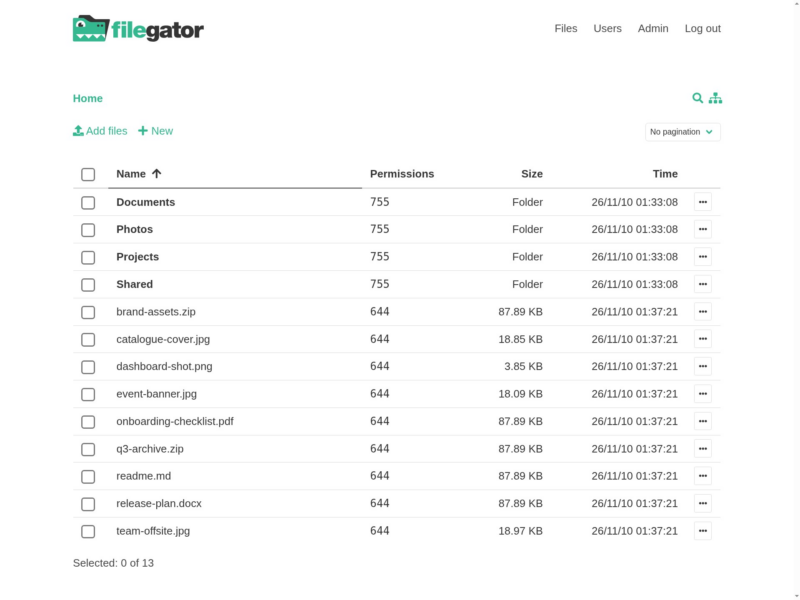
FileGator is a self-hosted web file manager: a browser front end over one or more storage back ends, with real accounts, per-user home folders and role-based permissions. You point it at a folder on the server (or at S3, FTP, Dropbox, DigitalOcean Spaces or Azure Blob) and your team gets a file browser — upload, preview, rename, zip, share — without a desktop client or a sync agent to install.
It is a PHP application with a single-page front end built on Vue, Bulma and Buefy, published as the filegator/filegator image on Docker Hub and listening on port 8080. Uploads are chunked through Resumable.js, so drag-and-drop survives PHP’s own upload limits, and there is no database to run: a fresh install is a repository directory plus a user list in JSON. Users can also come from a database or from WordPress, and sessions can live in files, PDO, Redis, MongoDB or Memcached.
Key Features
- Full file operations — copy, move, rename, edit, create, delete, preview, zip, unzip, download and upload from the browser.
- Multiple storage adapters — local disk, FTP, Amazon S3, Dropbox, DigitalOcean Spaces and Azure Blob through Flysystem, so one interface can front several back ends.
- Multiple auth adapters with roles — users in a JSON file, a database or WordPress, each with their own home folder and permissions.
- Chunked uploads — drag and drop with a progress bar, pause and resume, large files allowed regardless of server configuration.
- Bulk download and zip — select several files or folders and pull them down as one archive, where the role permits batch actions.
- Configurable sessions — native files, PDO, Redis, MongoDB or Memcached via Symfony’s session handlers.
- No database required — the default install is a directory on disk and a small user file.
Limitations
- Symlinks are not supported by the underlying Flysystem local adapter.
- File ownership (chown) cannot be managed from the interface.
- Directories holding very many files slow the listing down — the project calls this out as a known limit.
- The stable line is v7 (7.16.x); version 8 is still in development on a separate branch.
Requirements and Installation
PHP with a web server, or Docker: run docker run --rm -p 8080:8080 filegator/filegator:v7, then log in at port 8080 as admin / admin123 and change that password before exposing the service. For anything real, mount a volume for the repository (the files users see) and one for private (users, configuration, sessions), or the state disappears with the container. Access is controlled per user and per folder in the admin panel, so keep admin for setup and give real people their own accounts with their own home directories.
Related: Nextcloud and Seafile add sync clients, sharing links and groupware on top of a file store, and Syncthing keeps folders in step between devices without a central browser — FileGator is the lighter choice when you only need a web interface over files that already live on a server.