Ruby
- Platform
- Linux Windows macOS
- Licence
- Ruby License or BSD-2-Clause (dual-licensed) Open source
- Website
- ruby-lang.org/
- Source code
- github.com/ruby/ruby
Overview
Ruby is a dynamic, general-purpose programming language created by Yukihiro “Matz” Matsumoto, first released publicly in 1995. It was designed around programmer happiness rather than machine efficiency: syntax that reads like natural language, a consistent object model where everything — numbers, strings, even classes — is an object, and the “principle of least astonishment” as an explicit design goal. Matz drew on Perl for its pragmatism, Smalltalk for its purity, and Eiffel, Ada and Lisp for ideas about blocks, closures and iteration. The language stayed a cult favourite for a decade, then went mainstream in 2004 when Ruby on Rails showed how quickly a web application could be built in it. Today Ruby is maintained by a core team at ruby-lang.org, ships a new stable release every year — 4.0 is the current series — and runs on Linux, macOS and Windows, with alternative implementations such as JRuby and TruffleRuby for the JVM and GraalVM. It is free software, dual-licensed under the Ruby License and the 2-clause BSD licence.
Key Features
- Everything is an object — there are no primitives to special-case:
5.times,"text".upcaseand[1,2,3].sumare ordinary method calls, and classes themselves are objects that can be reopened. - Blocks and iterators — closures are part of the syntax and the idiom:
each,map,select,reject,reduceand your ownyield-based methods read as short, explicit loops without index bookkeeping. - Mixins instead of multiple inheritance — modules add behaviour with
includeandextend, so common functionality is shared without a class tree. - Duck typing — methods are resolved at runtime by name, so code composes on what an object does rather than on a declared type; interfaces stay small and testable.
- RubyGems and Bundler —
gem installfor immediate use,Gemfileplusbundle installfor reproducible dependency sets, and rubygems.org as the public registry with well over a hundred thousand packages. - Metaprogramming that stays readable — reflection,
define_method,method_missingand DSL-friendly syntax are what make Rails routes, RSpec expectations and Rake tasks look like their own little languages. - Interactive shell built in —
irbevaluates expressions with real output as you type, andri/rdocread the API documentation offline. - Garbage-collected and portable — no manual memory management, no compile step for the common case, and one codebase runs unchanged across Linux, macOS and Windows (RubyInstaller).
Why Use Ruby?
Ruby optimises for the time a person spends reading and changing code, not the time a machine spends executing it — a trade that pays off in web applications, automation and tooling where requirements move. Ruby on Rails is still one of the fastest routes from an idea to a working product with database migrations, background jobs and a test suite, while the same interpreter is equally good as a scripting language: read a file, transform it, talk to an API, print a result, with no build step in between. The ecosystem is mature rather than fashionable — gems for HTTP, parsing, testing and infrastructure have been maintained for years — and the language’s emphasis on small, composable objects keeps a codebase readable long after it was written. It also helps that some of the tools developers use every day are themselves Ruby: Homebrew, Chef, Puppet, Vagrant, Jekyll and Fastlane.
Use Cases
- Web applications and APIs with Rails, Hanami or Sinatra.
- DevOps and configuration management: Chef, Puppet recipes, Vagrant environments, Capistrano deploys.
- Scripting, file and log processing, and glue between services.
- Static site generation and publishing pipelines with Jekyll.
- Test automation and expressive DSLs — RSpec, Cucumber, Capybara.
- Prototyping, data wrangling and internal tooling.
Getting Started
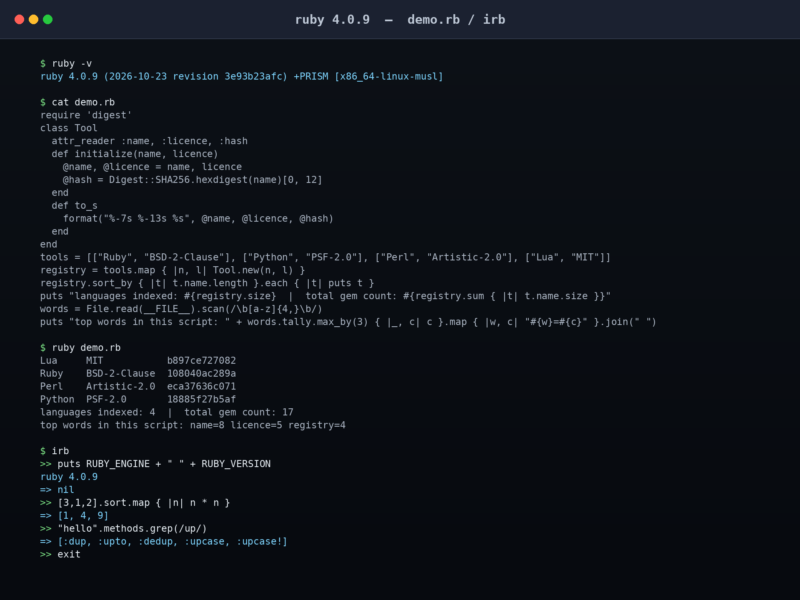
Install from your distribution’s package manager (apt install ruby-full, brew install ruby) or with a version manager such as rbenv or asdf when you need to switch between releases; Windows users want RubyInstaller with the MSYS2 toolchain. Check the install with ruby -v, then try the REPL: irb evaluates each expression and prints its value. Bundle dependencies with a Gemfile and bundle install rather than relying on system gems, read the API docs offline with ri String#upcase, and start a new Rails project with gem install rails followed by rails new myapp.