NZBGet
- Platform
- Linux Windows macOS Docker
- Licence
- GPL-2.0 Open source
- Website
- nzbget.com
- Source code
- github.com/nzbgetcom/nzbget
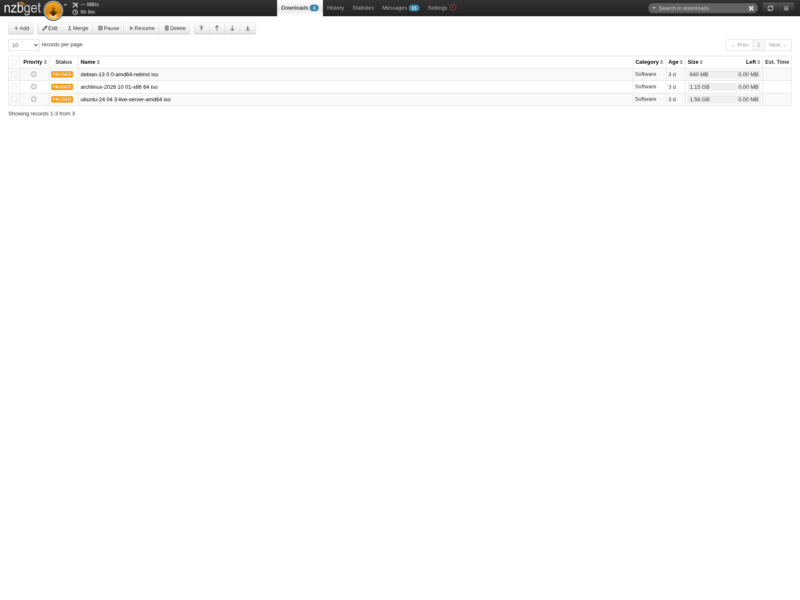
Overview
NZBGet is a Usenet downloader written in heavily optimised C++, built to pull articles from Usenet newsgroups quickly while using very little CPU and memory. It runs as a background daemon with a full browser interface on port 6789, so a headless NAS, a Raspberry Pi or a small VPS can drive downloads while you watch the queue from any machine on the network.
That efficiency is the whole point of the project. Where some clients assume a desktop with a spare core or two, NZBGet is comfortable on the low-powered hardware people actually keep running all day, and it still saturates a fast Usenet connection when the hardware allows it. The project is free software under the GNU GPL v2 and is developed in the open on GitHub.
Key Features
- Web interface and RPC API — manage the queue, history and settings from a browser, or drive the same operations over the JSON-RPC interface.
- Queue control — priorities, per-item categories, pause and resume, speed limits and scheduled on/off times for your connection.
- Post-processing pipeline — verify with par2, repair and unpack archives, delete the leftovers, and hand off to categories with their own destination folders.
- Extension scripts — queue, file and NZB events can trigger shell or Python scripts, which is how notifications, media renaming and indexer hooks get wired in.
- RSS feeds and duplicate handling — subscribe to feeds with filters, and use duplicate keys and scores so the same release is not grabbed twice.
- Small footprint — native binaries and packages for Windows, macOS and Linux, a Docker image for containers, and long-standing builds for NAS and router firmware.
Why Choose NZBGet
It is the client to reach for when the machine doing the downloading is not a workstation. The C++ core keeps memory use modest, the daemon nature means it survives logging out, and the queue plus post-processing behaviour is configurable enough to slot into an automated setup without hand-holding each download.
It also plays well with the rest of a media stack: NZBGet exposes the API that Sonarr, Radarr and similar tools expect, so a downloader can be swapped in without rewriting the automation around it.
Use Cases
- NAS and home server downloads — a low-power box pulls, verifies and unpacks while the desktop stays off.
- Automated media pipelines — paired with Sonarr, Radarr or a script, new releases are fetched and filed without intervention.
- Bandwidth scheduling — run full speed overnight and throttle or pause the queue during working hours.
- Headless and container setups — run it in Docker next to other services and administer it entirely through the web UI.
Getting Started
Install from the project’s own download page, from your distribution’s package manager, or with the official Docker image, then open the web interface and add your Usenet provider’s server details. Categories, destination paths and post-processing options live in the same settings screen, and the documentation on the project site covers the extension script API for anything more custom.
A Usenet account from a provider is required — NZBGet is the client, not the service.