Screenkey
- Platform
- Linux
- Licence
- GPL-3.0-or-later Open source
- Source code
- gitlab.com/screenkey/screenkey
Overview
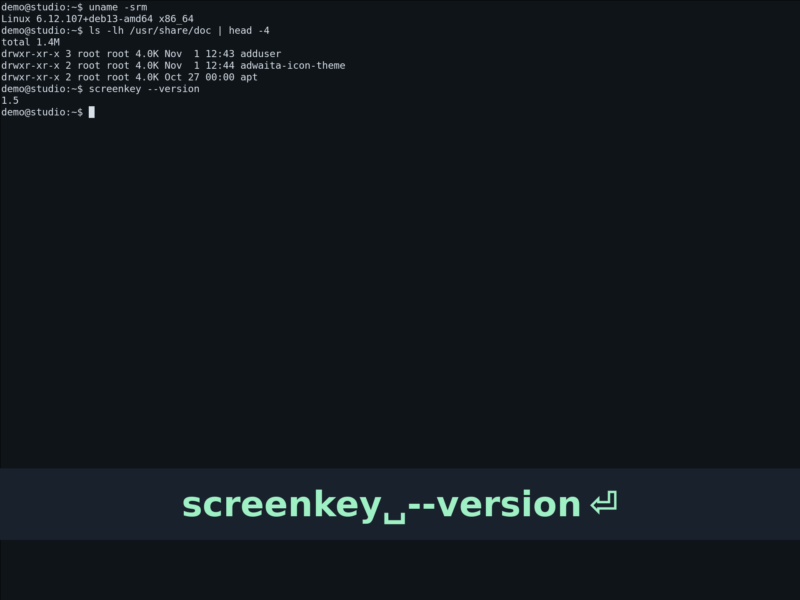
Screenkey is a screencast tool that displays the keys you press on screen, in real time. It is made for the situation every tutorial author knows: you record a demo of a command line session, a keyboard shortcut or a coding trick, and the recording shows only the result — the viewers never see what was actually typed. Screenkey fixes that by putting a configurable keystroke overlay on top of the screen while you record.
The current program is an almost-complete rewrite of the original screenkey 0.2 and was inspired by Screenflick. It is written in Python with GTK 3 and talks to X11 directly, so it does not need a compositor, a desktop environment or any integration from the applications you are recording: it watches the keyboard at the X server level, which means it can display keys for any X11 program — a terminal, an editor, a browser, a game.
Everything about the overlay is configurable: font, size, colours, opacity, position, how long the keys stay on screen, how modifiers and repeated keys are shown, and whether the overlay is always visible or only appears while you type. It is a small, single-purpose tool that does one thing well rather than a full screen recorder.
Key Features
- Live keystroke display — keys appear on screen as they are typed, with a configurable timeout and an optional persistent window that stays visible even when you stop typing.
- Configurable appearance — font family and size, font colour, background colour and window opacity, so the overlay can be made to match the recording or stay out of the way.
- Flexible positioning — place the overlay at the top, centre or bottom of the screen, pin it to a fixed area, or drag it wherever you want with the
slopregion selector. - Modifier-aware output — normal, Emacs, Mac and Windows/Tux modifier modes, an option to show Shift explicitly, and a filter that displays only the keys pressed together with a modifier (handy when you demonstrate shortcuts rather than typing text).
- Keystroke quality of life — highlighting of the most recent keys, improved backspace processing, compression of auto-repeat, multiline output for long strings, and mouse button display with a fade timer.
- Several translation methods — different keyboard translation modes, with support for key composition and input methods, so layouts and composed characters are reported correctly.
- Multi-monitor support — choose which screen the overlay appears on.
- Dynamic recording control — start and stop the display at will from the command line or the status icon, so only the parts you want are annotated.
- Translated interface — the project ships localisations and documents how to add or update a translation.
Why Use It
A screencast that shows only the outcome is hard to follow when the interesting part is the input. Adding keystrokes afterwards means editing the video, syncing captions and re-rendering; Screenkey simply shows them while you record, in the same take, with no post-production. Because it captures at the X11 level it works with every application at once, so you can switch between a terminal, an editor and a browser during a demo and the overlay keeps working.
It is also light enough to leave running in the background: no video processing, no recording of the screen itself, just a small overlay drawn when keys arrive. Combined with an ordinary screen recorder, it turns a plain desktop capture into a tutorial.
Use Cases
- Command line tutorials — show the exact commands and options being typed instead of hiding them in narration.
- Keyboard shortcut demonstrations — display only combinations such as
Ctrl+Alt+Tso viewers can copy them. - Courses, workshops and live demos — project the overlay on a screen so an audience can follow along in real time.
- Bug reports and QA recordings — record the precise input that reproduces a problem.
- Accessibility and teaching — make the keyboard visible for viewers who cannot see the presenter’s hands.
Screenkey needs an X11 session: it uses low-level X11 functions directly, so applications running natively under Wayland are not captured — a common example is GNOME Terminal on a Wayland session. Run the target program under XWayland, or use an X11 session, if the keys must be shown. It is packaged by Debian and Ubuntu (apt install screenkey), Arch, Fedora/EPEL and Gentoo, and the current upstream release is 1.5 from December 2021, which is also what the distributions ship. Building from source needs Python 3 with PyGObject, GTK 3, Pycairo, python-dbus, slop and the FontAwesome font, plus an AppIndicator GIR package on Unity or GNOME Shell.
Licence
Open source. Screenkey is distributed under the GNU GPL v3 or later (GPL-3.0-or-later), as stated on the project site, without any warranty.