wf-recorder
- Platform
- Linux
- Licence
- MIT Open source
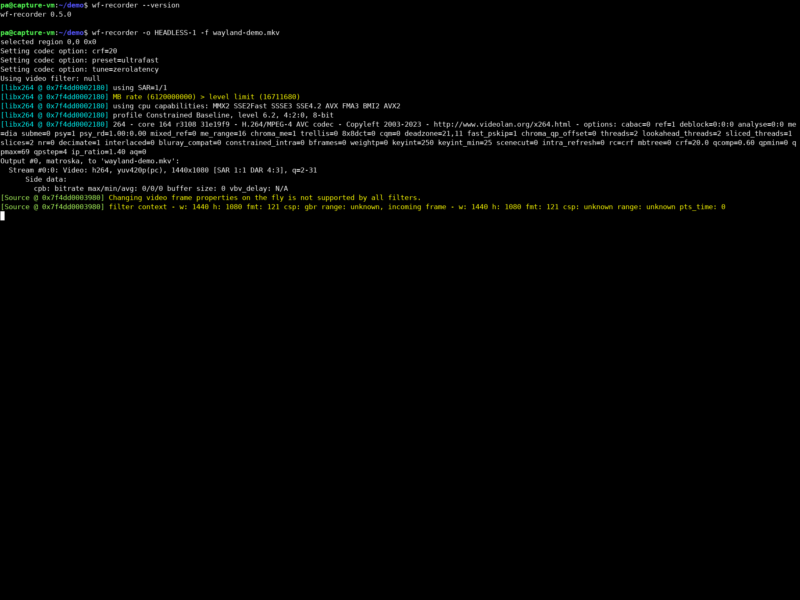
wf-recorder is a small command-line screen recorder for Wayland compositors built on the wlroots library — Sway, Hyprland, Wayfire, river and other wlroots-based desktops. It captures a whole output, a chosen monitor or a specific rectangle of the screen and encodes it with FFmpeg, so the same tool that records your desktop also decides the container, the codec and the encoder settings.
What it does
You start it, press Ctrl+C when you are done, and get a video file. There is no window, no tray icon and no settings dialog: everything is a flag, which makes it easy to script, easy to drive over SSH and easy to embed in a shell pipeline. The default output is recording.mp4 in the current directory, encoded with the libx264 software encoder at a default CRF of 20.
Key features
- Whole-screen or single-output recording —
-o <output>picks the monitor by name; without it wf-recorder asks which output to use when more than one exists. - Region capture —
-g "X,Y WxH"records just a rectangle, and it pairs with slurp for interactive selection:wf-recorder -g "$(slurp)". - Audio in the same file —
--audiorecords the default sink,-a <device>names a specific one. - Codec and container control —
-c <codec>for video,-p name=valueto pass encoder parameters,-C <codec>for audio, and--muxerto choose the output format. - GPU encoding — a VAAPI codec such as
h264_vaapiwith-d /dev/dri/renderD128moves the work onto the graphics card;-x yuv420pconverts the input when a driver only accepts planar YUV. - Streaming-friendly output —
--muxer=v4l2 --codec=rawvideo --file=/dev/video2writes into a video4linux loopback device, which is how wf-recorder can feed a virtual camera into a call.
Requirements and installation
wf-recorder depends on FFmpeg, wayland-client and wayland-protocols, and it needs a compositor implementing wlr-screencopy-v1 and xdg-output. Packages exist in Debian, Fedora, Arch and Artix, Alpine, Gentoo, Void and NixOS — on a Debian-family system apt install wf-recorder is enough. From source it builds with meson and ninja:
git clone https://github.com/ammen99/wf-recorder.git && cd wf-recorder
meson build --prefix=/usr --buildtype=release
ninja -C build
A source build on Ubuntu needs g++, meson, the libav* development packages, libswscale, libpulse and the Wayland development files.
Where it does not work
The wlroots dependency is the boundary: GNOME Shell, KDE Plasma and compositors that do not implement wlr-screencopy are not supported, and X11 is not supported at all. On those desktops OBS Studio, GPU Screen Recorder or a compositor-native capture tool is the right choice. Audio capture relies on PulseAudio or PipeWire exposing a monitor source, so a stripped-down session without an audio server records video and silently skips the sound.
Why use it
Because it stays out of the way. It starts instantly, records at the screen’s native resolution and produces an ordinary FFmpeg-written file rather than a project format only one application can open. For screencasts, bug reports, regression captures and anything that has to run inside a script, a single command is easier to reproduce than a GUI workflow — the same invocation works over SSH, in a key binding or in a CI job.
Related tools
- GPU Screen Recorder — GPU-accelerated recorder with a replay buffer and a GUI, also aware of Wayland.