Vim vs Neovim vs Helix – Terminal Text Editors Compared
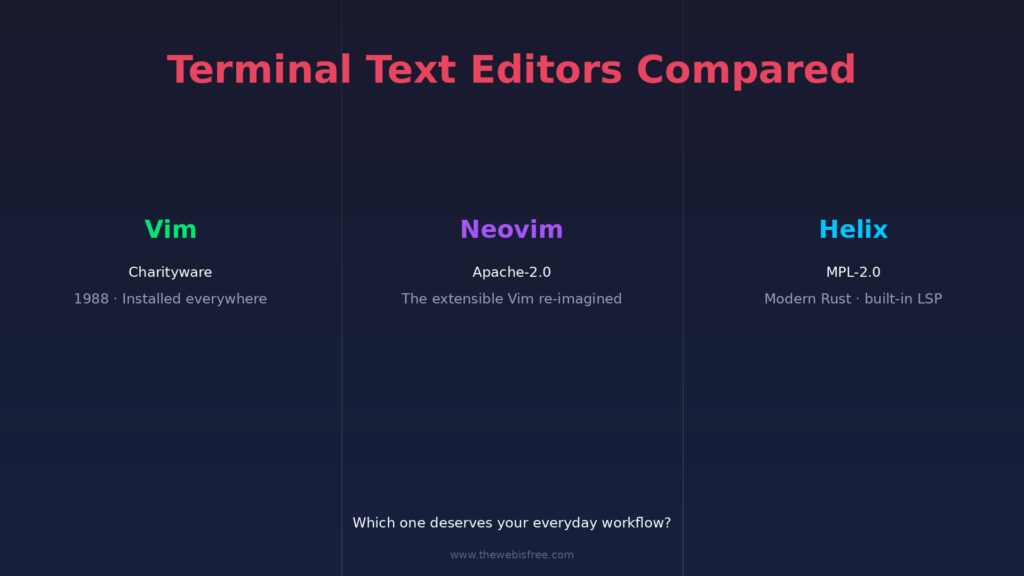
For decades, the terminal text editor has been the quiet battlefield where productivity nerds pick their side. If you spend your working day in a shell, the editor you choose shapes your muscle memory, your plugin stack and your daily feel more than almost any other tool. In 2026 the three editors framing that choice most clearly are Vim, the venerable modal veteran that ships on nearly every Unix box; Neovim, the forward-thinking re-implementation that brought a first-class plugin ecosystem to the Vim philosophy; and Helix, the modern Rust newcomer that bakes language intelligence straight in. Here is how they compare and which one deserves to take over your terminal.
1. Vim — The timeless modal standard
Vim has been around since 1991 and descends directly from Vi, making it quite possibly the most portable program in computing history. Its defining idea is modal editing: your keys switch between Normal mode (navigating and commanding) and Insert mode (typing), which lets you edit text with keystrokes rather than mouse movements. It is fast, scriptable and installed by default on virtually every Linux, macOS and BSD system.
- Modal editing — the original killer workflow: motion commands, operators and text objects combine into a powerful editing language you build up over time.
- Extensible via vimscript — a mature scripting language plus an enormous ecosystem of plugins, from file explorers to language tooling.
- Runs everywhere — terminal Vim,
gvim, and embedded Vim modes in countless tools; it ships in the base install of almost every distro. - Macros and registers — record keystroke macros and replay them for repetitive edits, a superpower no other editor matches as directly.
- Vim9 script — a modernized scripting dialect that compiles to faster execution, keeping ancient Vim relevant to new workloads.
Vim is distributed as charityware under the Vim License. See the Vim listing for more.
2. Neovim — Vim, rebuilt for the modern era
Neovim is a hard fork of Vim that keeps the same editing core and modal philosophy but re-imagines the architecture. It replaces vimscript-heavy configuration with a first-class Lua API, adds async job control and a built-in Language Server Protocol (LSP) client, and embeds terminals inside buffers. The result is a Vim you can configure like a real application, with the plugin ecosystem to prove it.
- Lua as a scripting language — configuration and plugins in modern Lua, fast, expressive and maintainable, alongside a compatibility layer for old vimscript.
- Built-in LSP client — semantic completion, diagnostics, go-to-definition and more, wired to any language server without a plugin.
- Tree-sitter syntax trees — incremental, accurate syntax highlighting and better structural editing built on real parse trees.
- Built-in terminal — run a terminal inside a buffer and get a job that integrates with the editor’s lifecycle.
- Async everything — plugins run tasks in the background without freezing the interface.
Neovim is licensed under the Apache License 2.0. See the Neovim listing for more.
3. Helix — Modern Rust, batteries included
Helix is the youngest of the three, written in Rust, and it rethinks modal editing for people who want zero-config intelligence. Unlike Vim and Neovim, Helix ships a built-in LSP client, Tree-sitter highlighting and multi-cursor editing out of the box, with an editor core so fast it feels instant. Its philosophy leans on sensible defaults and “batteries included” rather than a sprawling plugin hunt.
- Built-in LSP + Tree-sitter — language servers and syntax trees are first-class citizens from the very first launch, with no setup.
- Multiple cursors — edit in several places at once, natively supported rather than bolted on.
- Selection-first editing — Helix inverts the model toward “select, then act”, which many find more intuitive than Vim’s operator-driven approach.
- No configuration required — a strong default keymap and file picker mean you can be productive in minutes, not months.
- Superb performance — Rust and GPU-friendly rendering keep it snappy even with huge files.
Helix is licensed under the Mozilla Public License 2.0. See the Helix listing for more.
Head-to-Head
- Learning curve: Vim has the steepest climb but the most transferable skills; Neovim inherits that curve while modernising the ecosystem; Helix is the gentlest, substitute-friendly modal editor of the three.
- Extensibility: Neovim leads with its Lua API and vibrant plugin ecosystem; Vim is close behind via vimscript; Helix deliberately prioritises built-ins over plugins, though support is growing.
- Out-of-the-box intelligence: Helix wins — LSP and Tree-sitter are preconfigured. Neovim gives you the same power but expects you to wire it up; Vim needs plugins for anything beyond basic editing.
- Performance: Helix is the fastest on large files and startup, thanks to Rust. Vim and Neovim are both lightweight; Neovim adds a thin async layer on top.
- Ecosystem maturity: Vim and Neovim have decades of plugins and community knowledge; Helix is catching up fast but is younger.
- Licensing: All three are open source — Vim under the Vim license (charityware), Neovim under Apache-2.0 and Helix under MPL-2.0.
Which One Should You Pick?
Choose Vim if you need a modal editor that is guaranteed to be on any machine you touch, or you want maximum portability and Vim’s battle-tested stability. Choose Neovim if you want the full modal editing experience with a modern, configurable, plugin-driven setup — it is the sweet spot for most daily developers. Choose Helix if you want a fast, modern, zero-config editor with built-in language intelligence and don’t want to invest weeks in configuration.
The Bottom Line
All three editors are free and open source, and none will steer you wrong. If you are starting fresh in 2026, Helix offers the quickest path to a powerful, intelligent terminal editor. If you want the deepest ecosystem and ultimate control, Neovim is the natural destination after outgrowing stock Vim. And Vim itself remains the lingua franca of the terminal — knowing it never goes to waste, because it is everywhere. Pick the one that matches how you like to work, and the muscle memory will follow.
Browse the rest of our free and open source toolkit in the full directory, and if you know an open source editor we have missed, submit it so the community can find it.