ShellHub
- Platform
- Linux Docker
- Licence
- Apache-2.0 Open source
- Website
- shellhub.io
- Source code
- github.com/shellhub-io/shellhub
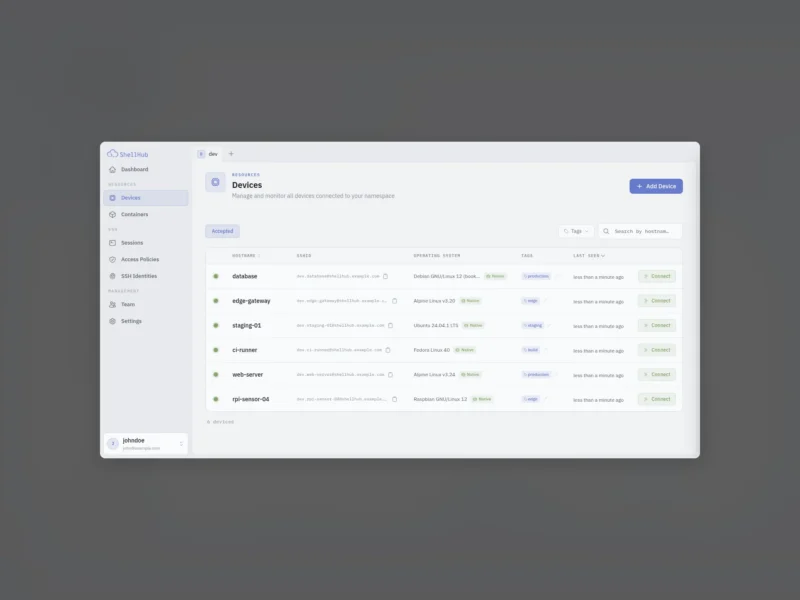
ShellHub is an open-source, self-hostable SSH gateway that gives a team one console for reaching Linux servers and edge devices that sit behind NAT, firewalls or carrier networks. A small agent runs on each device and dials out to the ShellHub server, so the device never needs a public IP address, a forwarded port or an inbound firewall rule. You connect through the server with the standard ssh, scp or sftp clients, or from the web console in a browser.
What it does
- Standard SSH, unchanged. OpenSSH, PuTTY,
scp,sftpand port forwarding all work without a wrapper or a custom client. - Web terminal. Open a shell on any enrolled device directly from the console, useful when you are on a machine without an SSH client configured.
- SSH identities. Every login belongs to a person on the team rather than to a key sitting in
authorized_keys. Remove someone from the namespace and their access ends on every device at once. - Access policies. Default-deny rules decide who may reach which device and as which Linux user, managed centrally. A policy can also require a fresh sign-in before each session.
- Sessions. Each connection is logged with the user, the source IP and the device it reached, which gives you an audit trail that a shared admin key never produces.
- Tags and fleets. Group devices with tags and filter on them; a provisioning key enrols a whole fleet without pairing each device by hand.
How a device is enrolled
The server is started on any host with Docker and Compose, keeping ports 80 and 22 free. The first visit to /setup creates the administrator account and its namespace — the group that holds devices and the people allowed to reach them. On each device you run the installer served by your own instance; the agent prints a pairing code, and entering that code in the console links the device to the namespace. From then on it is reachable as ssh <user>@<namespace>.<device>@<server> or through the console.
Self-hosting and editions
The Community edition is the code in the public repository (Apache-2.0) and runs entirely on your own infrastructure, which is the version most homelabs and small teams will want. The vendor also sells Cloud and Enterprise editions that add multi-factor authentication, server-side session recording, web endpoints, more namespaces and SAML single sign-on — features you should expect to be missing from a plain self-hosted install. Agents are packaged for Debian and Alpine based systems as well as Yocto, Buildroot, FreeBSD and Snap, which is why the project is often used for embedded and Raspberry Pi fleets rather than only for servers.
Alternatives
- WireGuard — a fast kernel-level VPN for site-to-site and remote access, without a per-device web console.
- OpenVPN — the long-established TLS VPN, with mature client support and certificate-based access control.
ShellHub differs from both by keeping ordinary SSH as the access protocol and adding identity, policy and audit around it instead of replacing it with a VPN tunnel.