Secrover
- Platform
- Docker Linux macOS Windows
- Licence
- GPL-3.0 Open source
- Website
- secrover.org
- Source code
- github.com/Secrover/Secrover
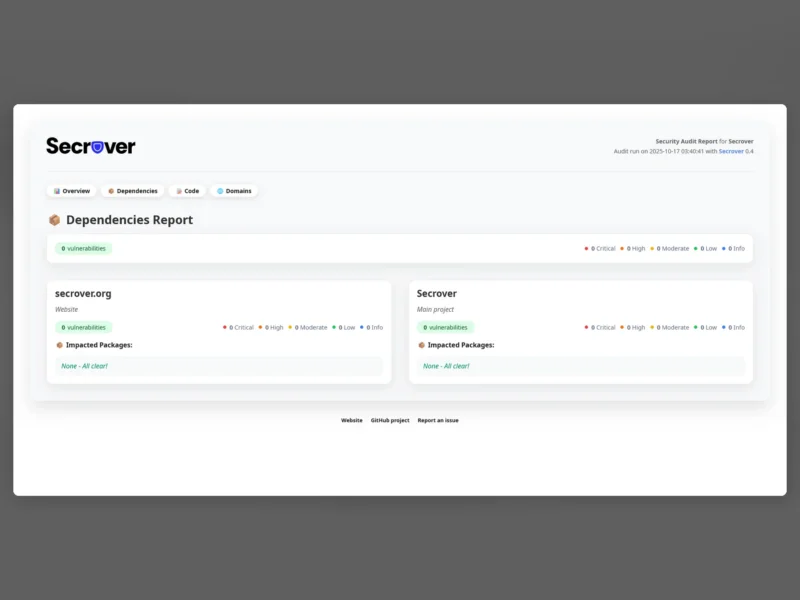
Secrover is a free, open-source security audit report generator. You describe what to check in a small config.yaml — a list of repositories and domains — run it once from a Docker image, and it produces a single self-contained HTML security report that a non-technical reader can follow and share. There is no account, no dashboard and no hosted service: the report is a file you own.
It bundles three kinds of audit in one run. Dependencies are checked with osv-scanner against the OSV vulnerability database, with an additional package-risk assessment from ossatrisk for PHP and JavaScript projects. Source code is analysed statically with opengrep, which covers any language opengrep supports. Domains are probed for SSL certificate validity, HTTP-to-HTTPS redirection, HSTS headers, the TLS versions offered, open ports, missing security headers and where the host is located. The three audits are written into the same report, so a maintainer can hand a project’s security posture to a client or an audience in one document.
What it audits
- Dependencies — vulnerability matching through osv-scanner, plus package risk assessment (ossatrisk) for PHP and JavaScript.
- Code — static analysis through opengrep, across every language it supports.
- Domains — SSL certificate, HTTP to HTTPS redirect, HSTS header, offered TLS versions, open ports, security headers and hosting location.
How it runs
Secrover is distributed as a Docker image and is driven entirely by a YAML file and environment variables. A one-off scan is a single docker run that clones the repositories, scans them and the configured domains, and writes the report into the mounted output/ folder. For recurring checks, setting CRON_SCHEDULE starts Supercronic inside the container, so a server or NAS can produce a fresh report on a timetable without any external scheduler; logs land in output/secrover.log. In CI the same image can be pulled by a GitHub Actions job and the resulting report published to GitHub Pages, which is how the project’s own demo publishes its reports.
Reports and distribution
The report is plain HTML, so it can be opened from disk, served from an intranet, or committed to a static site. With EXPORT_ENABLED, reports can additionally be pushed to remote destinations through rclone — SFTP, WebDAV, SMB, S3 or Google Drive — which makes scheduled archives and off-site copies straightforward. A generated example is published at demo.secrover.org.
Requirements and caveats
Docker is the only hard requirement; the project states it runs on Linux, macOS and Windows through that image. Private repositories can be cloned over HTTPS with a GitHub personal access token supplied as GITHUB_TOKEN, or over SSH by forwarding the agent socket into the container. Scans need outbound network access to clone repositories and to reach the vulnerability and analysis sources. The container orchestrates the external scanners itself, so there is no separate osv-scanner or opengrep installation to manage.