QuickDrop
MIT
- Platform
- Docker Web
- Licence
- MIT Open source
- Source code
- github.com/RoastSlav/quickdrop
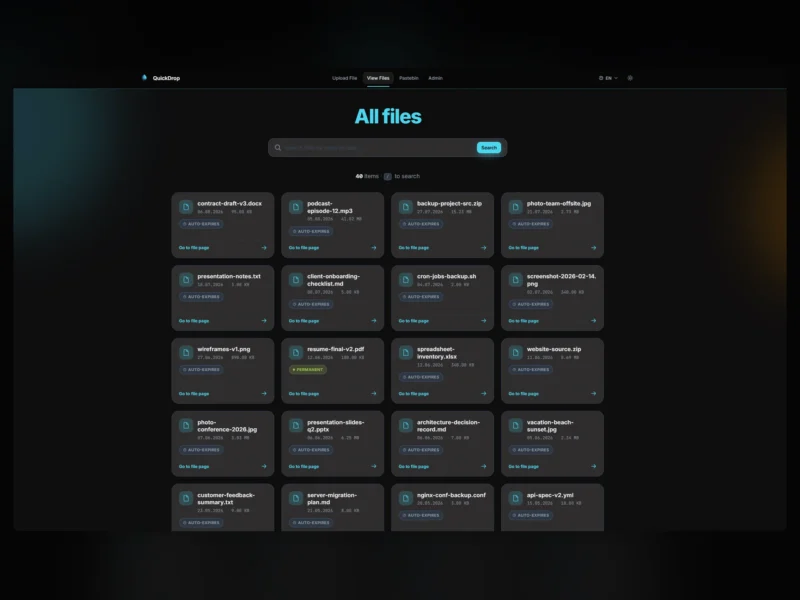
QuickDrop is a self-hosted file sharing service that bundles three things people usually rent separately: a WeTransfer-style upload page, a pastebin and a URL shortener. It ships as a single Spring Boot application with an embedded SQLite database, so there is no database server to run, no PHP stack and no object storage unless you choose one.
Upload and share
- Upload a single file, several files, or a whole folder. Anything but a single file is zipped in the browser and arrives as one download with its directory tree intact.
- Uploads are chunked at 4 MB and merged server-side, so a dropped connection does not restart a large transfer.
- Every file gets a page at
/file/{uuid}with the download link, its deletion date and a renew button. - Configurable maximum file size and retention period, plus Keep indefinitely and Hide from list toggles that can be restricted to admins.
Passwords and encryption
- Files uploaded with a password are encrypted at rest with AES-256/GCM in 4 MB chunks, keyed through PBKDF2; passwords themselves are BCrypt hashes.
- A successful unlock issues a session token scoped to that file and that browser, rather than exposing the file to the whole session.
- Encryption and per-file passwords can each be switched off site-wide, and there is an optional application-wide password in front of everything.
Share links, previews and short links
- Share links carry an optional expiry date and download cap, and each one has a QR code in SVG and PNG. Files gated by a password get a link that feeds the key through the URL, so the recipient never sees the password.
- Inline previews for images, plain text and code, PDF, JSON and CSV, with a click-to-load threshold for large files and server-side SVG transcoding.
- The pastebin handles plain text or Markdown with syntax highlighting, edit-only mode and an immutable flag.
- A general-purpose shortener at
/link/newproduces/s/{code}links with custom aliases, expiry, use caps and an optional interstitial preview; destinations are re-validated on every visit and cannot point at loopback or private address ranges.
Administration
- An admin panel with its own password covers files, pastes, links, a filterable activity log with CSV export, scheduled SQLite backups validated with
PRAGMA quick_check, and every runtime setting. - Settings apply without a restart — uploads, the public file list, the pastebin, share links and the shortener can each be turned off, and uploads or the shortener can be limited to admins.
- Optional Discord webhook and SMTP notifications, with per-event toggles and optional digest batching.
- Interface available in eight languages: English, German, Spanish, French, Italian, Bulgarian, Japanese and Chinese.
Storage and deployment
- Files can live on local disk, S3, Azure Blob Storage, SFTP or WebDAV, selected in the admin settings; a migration tool moves existing files between backends after a preflight check.
- The image is published for
linux/amd64andlinux/arm64asroastslav/quickdrop; mount/app/db,/app/filesand/app/logand point a reverse proxy at port 8080. Building from source needs JDK 21 and Maven 3.9 or newer.
Licence
MIT. Source and releases: github.com/RoastSlav/quickdrop.
Alternatives
- PsiTransfer — no-account transfer buckets over tus.io, if you only need the sharing half and prefer Node.js.
- copyparty — a single Python file that turns a directory into a file server with WebDAV, SFTP and FTP alongside the browser UI.