Portabase
- Platform
- Docker Web
- Licence
- Apache-2.0 Open source
- Website
- portabase.io
- Source code
- github.com/Portabase/portabase
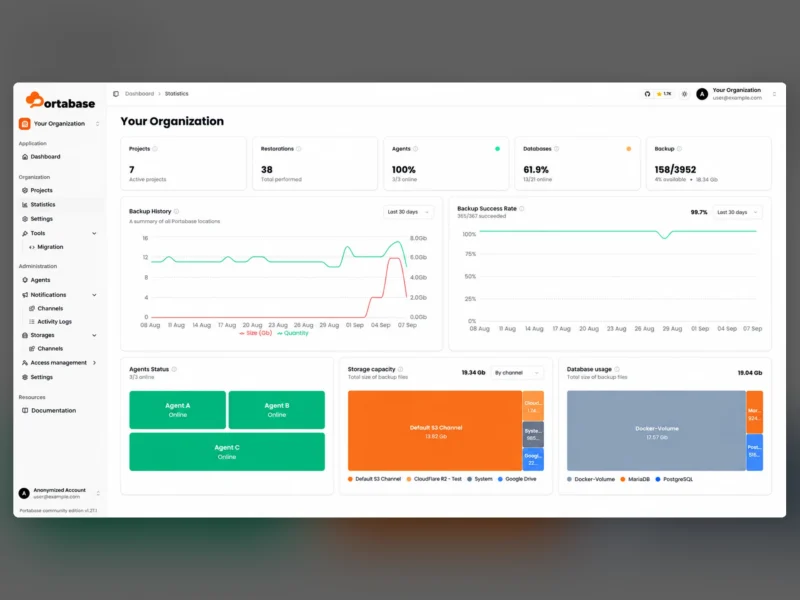
Portabase is a self-hosted web dashboard for backing up and restoring the databases you run — the scheduled dump, the off-site copy and the restore drill in one place instead of a folder of cron scripts. You point it at a database server, it talks to a small Portabase agent, and the web UI gives you projects, backup history, storage channels and one-click restores for every engine it supports.
What it covers
- Relational databases: PostgreSQL 12–18, MySQL 5.7/8/9, MariaDB 10–11, Microsoft SQL Server 2017–2022 plus Azure SQL, Firebird 3.0–5.0, SQLite 3.x.
- NoSQL and key-value stores: MongoDB 4–8, Redis 2.8+, Valkey 7.2+.
- Beyond databases: Docker volumes, and plain file sets with archive, snapshot and sync modes.
- Restore is supported for every engine except Redis and Valkey, which are backup-only.
How it works
The dashboard never opens a direct connection to your database. A separate agent installs next to each server, holds the credentials and performs the dump, so credentials stay on the host that needs them and the web UI only schedules work and collects the result. Agents report online/offline status, and the dashboard summarises it alongside backup success rates, sizes and history charts.
Storage, notification and migration
- Backups land in channels you define — S3-compatible object storage, Cloudflare R2, Google Drive or local disk — and each channel’s consumed space is reported on the dashboard.
- Notification channels alert you when a backup fails or an agent drops off.
- Bulk operations and cross-instance migration: the migration tools move data from one engine or version to another (the project documents a PostgreSQL 17 to 18 migration), and the same orchestration can be used for scheduled dumps of many databases at once.
- Organisation-scoped access management, an activity log and per-project grouping keep a multi-server setup from turning into a single shared login.
Deployment and requirements
The dashboard ships as a Docker image and is installed with the project’s own CLI, a docker run command, Docker Compose, an Unraid Community App or a Helm chart for Kubernetes. Docker must be available wherever the dashboard or an agent runs; the agents are Rust binaries distributed separately and need a route to the database server they protect. Communication between an agent and remote databases that use self-signed certificates requires that certificate to be uploaded in the app before the connection test will pass.
Who it is for
Homelabs and small teams that self-host several database engines and want a single visible backup schedule with proof that it ran, rather than per-engine cron jobs whose failures nobody reads. It is a backup orchestrator, not a monitoring or replication tool: it will not tell you about slow queries or failover.