FileSync
- Platform
- Web Docker Self-hosted
- Licence
- MIT Open source
- Website
- filesync.app
- Source code
- github.com/polius/FileSync
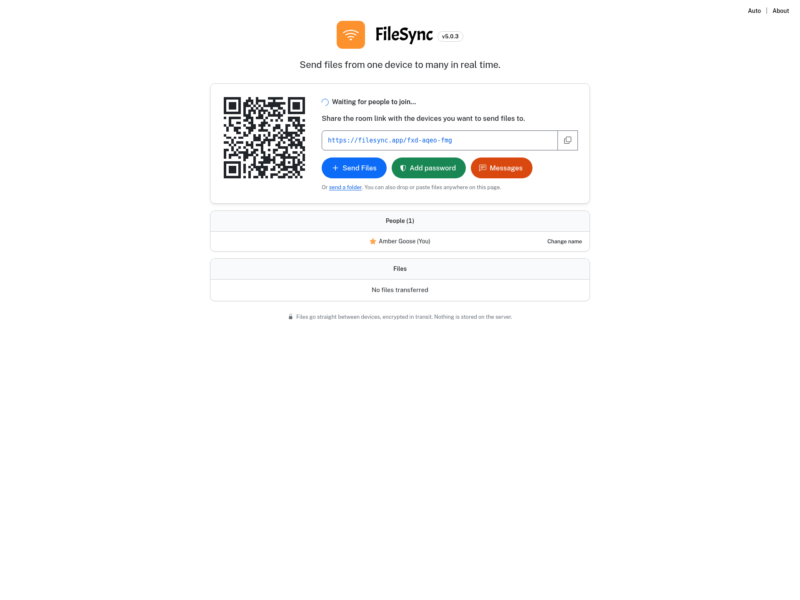
FileSync is a browser-based file transfer tool built around rooms. You open a room, share its link or QR code, and every device that joins can send files to all the others. The bytes travel directly between the browsers over WebRTC rather than through the server, so even a self-hosted instance never holds what passes through it, and people receiving files need no account and no install: they open the link and the room appears.
One room, many directions
The model is one-to-many rather than one sender pushing to passive receivers. Everyone in a room can send, receive and download what is there, the whole set can be taken in a single zip, and files can be dropped on the page, pasted from the clipboard or picked with a folder picker. A small message channel sits alongside the transfers so the link and the context can travel together, and a room can be locked with a password before anyone else joins.
Built for large files
- Incoming files are written to disk as the chunks arrive, so memory stays flat instead of a whole file being buffered in the browser.
- Every file is checked with SHA-256 once it lands, so a truncated or altered transfer is caught rather than trusted.
- Interrupted transfers resume from the last byte saved instead of starting again from zero.
- Room links carry a key that is never sent to the server, which is how the link itself demonstrates that nobody is sitting in the middle.
Across networks without a manual relay
A direct peer connection is attempted first. When a strict firewall or a symmetric NAT blocks it, FileSync falls back to its own TURN relay automatically, so the person on the restrictive network does not have to configure anything. The relay only carries traffic for the pairs that cannot connect directly; most transfers never touch it.
Self-hosting
The whole service ships as one Docker image plus a TURN relay, started from a compose file with a single command. The quick option runs it over plain HTTP for a local network test. The recommended option is HTTPS on your own domain: point an A record at the server, drop the provided Caddyfile in beside the compose file, set the domain name and Caddy fetches the certificate. Updating is docker compose pull followed by docker compose up -d.
Firewall ports to open: 80 and 443 TCP for the web interface, 3478 TCP and UDP for STUN and TURN, and UDP 50000 to 50100 for the relay range. Each relayed pair of devices uses at most one port from that range, so the default span serves roughly a hundred relayed pairs at once. Hostnames and TURN behaviour are adjustable through environment variables, including the advertised TURN host, the TURN port, and the lifetime of the credentials handed to browsers.
Worth knowing before you deploy
- Over plain HTTP the received file is held in memory until it completes, so the HTTPS setup is the one to use for large transfers.
- The server component is the signalling server and, when needed, the relay; the files themselves never rest on it.
- A hosted instance runs at filesync.app if you want to try the interface before running your own.
- Published under the MIT licence, with the source on GitHub and a Docker image on Docker Hub.