asciinema
- Platform
- Linux macOS
- Licence
- GPL-3.0 Open source
- Website
- asciinema.org
- Source code
- github.com/asciinema/asciinema
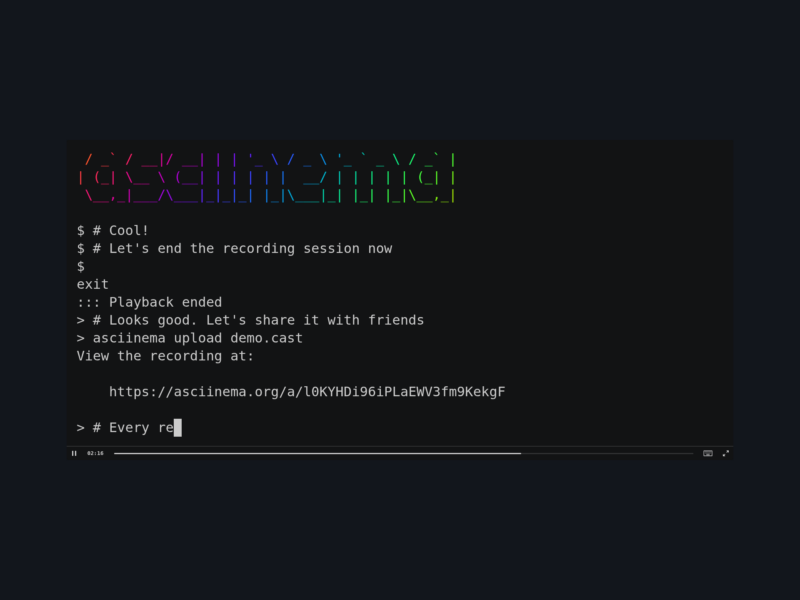
asciinema is a command-line recorder for terminal sessions: instead of capturing a screen to a video file, it records the terminal output itself into a compact .cast file that can be replayed inside a terminal, embedded in a web page, or streamed live to other people. Recordings use the open asciicast format — timed terminal output stored as plain text — which the project says compresses to roughly 8% of the original size on average and stays sharp at any window size, because nothing is ever rasterised into pixels.
Key features
asciinema rec demo.castrecords a shell session to an asciicast file, with optional keyboard-input capture and configurable environment-variable capture- Replay inside the terminal with adjustable speed, looping, idle-time limiting, step-by-step navigation, pause-on-markers and optional terminal auto-resize
- Live streaming to several viewers at once — locally through a built-in HTTP server with an embedded web player for LAN or localhost viewing, or remotely through a relay on an asciinema server
- A combined
sessionmode that records to a file while streaming locally and remotely at the same time - Asciicast v3 output, plus
convertfrom v1/v2/v3 to v2/v3, to raw terminal output or to plain text concatmerges several recordings into one file, adjusting timing automatically- Mid-session controls: pause and resume capture and drop markers on the fly with customizable key bindings
- Session metadata captured automatically — terminal size, theme, command and title — with a config file for defaults, capture options and key bindings
- Headless mode, a configurable terminal window size and exit-status propagation, so recordings can be produced from scripts and CI jobs
- Playback from a local file, stdin or an HTTP(S) URL, which makes it easy to review a recording before publishing it
Recording, replaying and sharing
The everyday workflow is three commands: asciinema rec demo.cast records until you type exit or press Ctrl-D, asciinema play demo.cast replays the recording in your own terminal, and asciinema upload demo.cast sends it to an asciinema server and prints a URL that renders it in the browser player. For live sharing, asciinema stream -l serves the session over a local HTTP server and asciinema stream -r relays it through a server for remote viewers. Uploads and relays need an account on an instance — asciinema.org works, and the server itself is a separate open source application you can self-host in Docker.
Installation
The current 3.x line is written in Rust and is packaged by several distributions, Debian and Ubuntu among them, where the package is simply asciinema. It also builds from source with cargo install --locked --git https://github.com/asciinema/asciinema using Rust 1.82 or later, and there are prebuilt release binaries. GNU/Linux, macOS and FreeBSD are supported; Windows is not, and the project points Windows users at PowerSession instead. The older 2.x generation was written in Python and is still available from the python branch.
Who it is for
Anyone who has to explain a command-line workflow: people writing tutorials and documentation, maintainers recording a demo for a README, support staff asking a user to show what their terminal actually printed, and CI pipelines that want a reviewable log of an interactive step. A text recording is small, searchable and copy-pasteable, which is usually more useful than a screencast of the same session.
Browse more free and open source tools in the directory, or submit a tool we have missed.