Librum
- Platform
- Linux Windows macOS
- Licence
- GPL-3.0 Open source
- Website
- librumreader.com
- Source code
- github.com/Librum-Reader/Librum
Overview
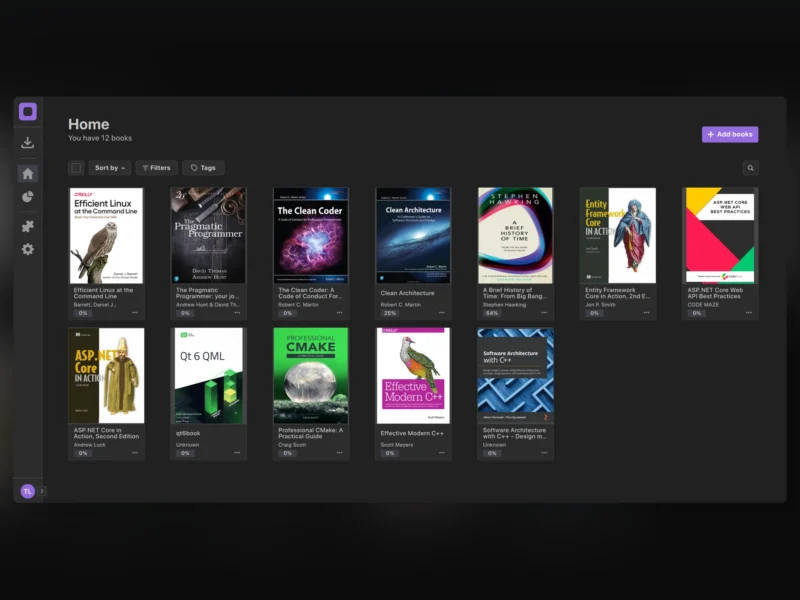
Librum is a cross-platform e-book reader that comes with a personal library you can keep on your own server. The desktop client reads the usual spread of book formats and stays in step with your library across machines, so a book opened on a Windows laptop resumes at the same page on a Linux desktop. Libraries can run on Librum’s own service or on a Librum-Server instance you host yourself.
Reading
PDF, EPUB, CBZ, FB2, TIFF, Mobi, XPS and plain images all open in the same reader. Highlights, bookmarks and full-text search are built in, the project’s AI tooling sits in the client, and the reading view is themeable and re-flowable enough to be worth tuning once. The bundled storefront carries over 70,000 public-domain books you can pull straight into a library.
Library and organisation
Folders, tags and sorting handle the organisation: a library can be split by genre or by whatever scheme suits, and book metadata is editable from inside the app rather than by hand-editing files. Reading progress and highlights travel with the account instead of living on one machine.
Self-hosting and sync
Self-hosting means running Librum-Server (AGPL-3.0) and pointing the client at it: on Linux that is selfHosted=true and serverHost in ~/.config/Librum-Reader/Librum.conf, on Windows the same two values in HKEY_CURRENT_USERSoftwareLibrum-ReaderLibrum. Run the client once first so those files exist. The client is Qt-based and builds from source against Qt 6.5; packaged builds for Windows, macOS and Linux are published on the project site. Development is steady rather than fast — the newest desktop release is v0.12.2 (March 2024) while the repository still takes commits — and the mobile clients are still listed as forthcoming.
Alternatives
Calibre remains the heavyweight for library conversion and catalogue management, with a reader bolted on; Librum is the reverse, a reader with a lean cloud library behind it. For comic and manga collections that need a browser front end rather than a desktop app, Komga and Kavita cover the same shelves.