Livebook
- Platform
- Web Linux macOS Windows Docker
- Licence
- Apache-2.0 Open source
- Website
- livebook.dev
- Source code
- github.com/livebook-dev/livebook
Overview
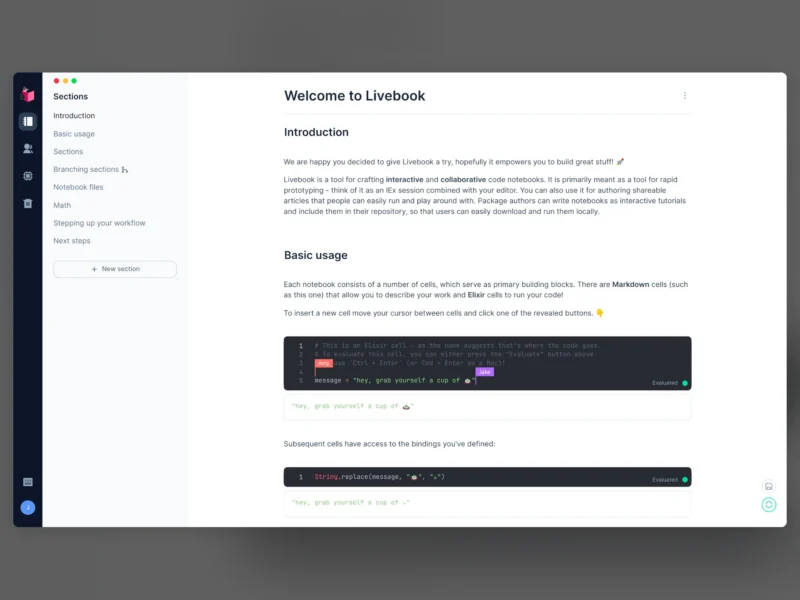
Livebook is a web application for writing interactive and collaborative code notebooks. Cells mix Markdown prose with Elixir code that is evaluated on demand, and results render inline — charts, tables, maps, printed output — so a notebook reads as a document that happens to run.
It is not a hosted product: you download the desktop app for macOS, Windows or Linux, pull the container, or install the Elixir escript, and the notebook server runs on your own machine. Notebooks are saved as .livemd, a Markdown subset that renders Mermaid diagrams and KaTeX formulas, so they diff and version like any other text file.
What it does
- Notebook cells — Markdown and code cells in one document, with a CodeMirror editor that offers autocompletion, inline documentation and formatting.
- Rich output via Kino — the Kino library renders Vega-Lite charts, tables, maps and other visual results directly under the cell that produced them.
- Smart cells — high-level cells for common jobs: query a database, plot a chart, build a map, without writing the plumbing by hand.
- Reproducible execution — code runs in a predictable order all the way down to package management, and Livebook tracks notebook state so stale parts are marked instead of silently reused.
- Real-time collaboration — several users can edit the same notebook at once with no extra setup beyond sharing the URL or token.
- Custom runtimes — run code in a fresh Elixir instance, attach to an existing node, or run inside an existing Mix project with its modules and dependencies, which makes Livebook usable for documenting and poking at a live application.
- Portable notebooks —
.livemdfiles version in Git and can be imported by anyone through a “Run in Livebook” badge. - Containers and GPU images — a published container image for self-hosting, a CUDA-tagged image for GPU work, and a Docker deployment guide for cloud hosts.
Deployment and requirements
Pick whichever path fits the machine. Desktop installers cover macOS (arm64 and x64), Windows x64 and Linux as an AppImage (amd64 and arm64). With Docker the whole thing is one command: docker run -p 8080:8080 -p 8081:8081 --pull always ghcr.io/livebook-dev/livebook, where 8080 serves the app and 8081 serves the iframe content; add -v $(pwd):/data with -u $(id -u):$(id -g) to read and save notebooks from the host directory, and set LIVEBOOK_PASSWORD to protect it. With Elixir installed, mix escript.install hex livebook then livebook server is the lightest local option, and running from source needs only a clone plus mix setup.prod.
Read the security note before exposing it. Livebook exists to execute code, so anyone who can reach an instance can run anything on the host and read any file that host can read. It binds to 127.0.0.1 by default, and in the production environment it generates a token on start-up and requires that token in the URL — keep both behaviours rather than disabling them for convenience.
Livebook is open source under the Apache License 2.0, developed in the open on GitHub with versioned releases.
Who it is for
Elixir developers who want a scratchpad that keeps its results; data and ops people who would rather build a small query-and-chart notebook than a one-off script; and teams who want to document a running Elixir system by attaching to it and inspecting real state. It is also a gentle way into Elixir for anyone used to Jupyter-style notebooks. If the work is Python-first, a Python notebook tool will fit better, but nothing stops a Livebook notebook from shelling out to other runtimes.
Related tools
- Gitea — self-hosted Git, a natural home for versioned
.livemdnotebooks. - Apache Superset — when the charts need to become a shared dashboard rather than a notebook cell.
- Coder — provisioned development workspaces to run notebooks on remote infrastructure instead of a laptop.