TypeScript
- Platform
- Linux Windows macOS
- Licence
- Apache-2.0 Open source
- Website
- typescriptlang.org/
- Source code
- github.com/microsoft/TypeScript
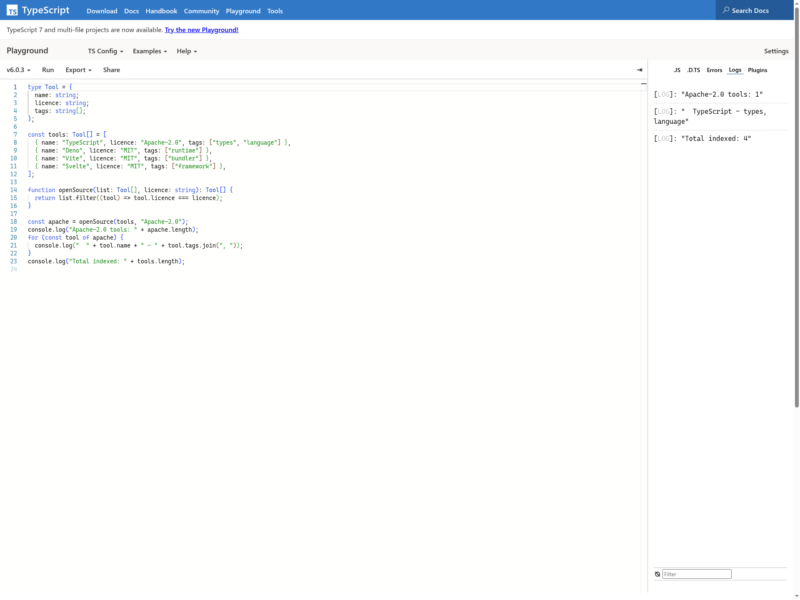
Overview
TypeScript is a programming language from Microsoft that adds a static type system to JavaScript. It is a strict superset, so every valid JavaScript file is already valid TypeScript, but declarations, interfaces and inferred types are checked before anything runs. Anders Hejlsberg’s team shipped the first release in 2012, and the compiler is now developed in the open at github.com/microsoft/TypeScript under the Apache 2.0 licence. Types are erased at build time and ordinary JavaScript comes out, so the result runs in any browser, in Node.js, Deno, Bun or Electron — the types are a development-time contract, not a runtime cost.
The current stable line is TypeScript 7, a native rewrite of the compiler in Go that typically builds 8 to 12 times faster than the JavaScript-based 6.x compiler while using less memory, and that talks to editors over the Language Server Protocol. TypeScript 7.0.2 is the latest stable release; 6.0.3 remains the last of the original implementation and is still published for tools that need the old compiler API.
Key Features
- Static type checking — annotations, inference, structural typing, generics, union and intersection types, and control-flow narrowing turn whole classes of runtime errors into compile-time diagnostics.
- Drop-in JavaScript — every .js file is valid input, and
allowJswithcheckJslets a project adopt types one file at a time instead of rewriting. - Editor intelligence — completion, go-to-definition, find-all-references, rename and inline errors over a language server, supported in VS Code, Visual Studio, WebStorm and any LSP-capable editor.
- Native speed in 7.0 — the Go implementation uses shared-memory multithreading: Microsoft’s own benchmarks show VS Code’s build dropping from 125.7 s to 10.6 s (11.9x) with about 18% less peak memory.
- JSX and modern language support — typed React and JSX, ES modules, decorators, async/await, and down-levelling to older ECMAScript targets through tsconfig.
- Declaration files and DefinitelyTyped — generated
.d.tsfiles describe a library’s surface, and the@typespackages on npm supply typings for thousands of plain-JavaScript projects. - Incremental, project-aware builds —
tsc --watch, incremental compilation and project references keep large monorepos and multi-package repositories responsive.
Why Use TypeScript?
TypeScript pays off where code outlives the person who wrote it. A renamed field, a nullable value passed where a string is expected, or a property that never existed becomes a red squiggle in the editor instead of a 2 a.m. production error, and the compiler enforces the same rules in CI. Because the types ship as .d.ts files, libraries written in TypeScript hand their editors precise autocompletion and inline documentation to everyone who installs them. With 7.0 the check itself is cheap enough to run constantly: editor load, find-all-references and full builds all became an order of magnitude faster, which is what makes a strict configuration practical on a large codebase rather than a tax on every save.
Use Cases
- Web front ends and single-page applications with React, Vue, Svelte or Angular.
- Node.js back ends, APIs and serverless functions where request shapes must be validated at the boundary.
- Shared libraries and internal packages that need typed, self-documenting public APIs.
- Large monorepos and multi-team codebases where refactoring safety matters more than build speed.
- Gradual migration of an existing JavaScript project to static typing, file by file.
- Full-stack projects that share type definitions between client and server.
Getting Started
Install it into a project with npm install -D typescript, then create a configuration with npx tsc --init. A sensible starting point sets "strict": true, "target": "ES2022" and "module": "nodenext" or "moduleResolution": "bundler" depending on whether a bundler is in the build. Compile with npx tsc, or keep a watcher running with npx tsc --watch; the emitted JavaScript and .d.ts files land in outDir. Runtimes such as Deno and Bun execute TypeScript directly, and bundlers (Vite, esbuild, swc) strip the types without a separate compile step. Tools that still import the compiler API, typescript-eslint among them, can run side by side with 7.0 by installing the compatibility package @typescript/typescript6, which provides a tsc6 executable and the 6.0 API.