Flatnotes
- Platform
- Docker Linux Windows macOS
- Licence
- MIT Open source
- Website
- flatnotes.io
- Source code
- github.com/dullage/flatnotes
Overview
flatnotes is a self-hosted note-taking web app that keeps every note as a plain markdown file in one flat folder — there is no database at all. You run a small container, point it at a directory, and it serves a clean browser interface over those files: create, edit, search and tag notes, with the markdown remaining the single source of truth on disk.
The project is written in Python (Flask) and uses Whoosh for its search index, which is rebuilt incrementally on every search and on startup. That means you can add, edit or delete markdown files directly in the folder — with the app running — and it will pick the changes up. Notes are never held hostage in a proprietary format: move the folder elsewhere and any other editor can read it.
Key features
- No database — notes are ordinary
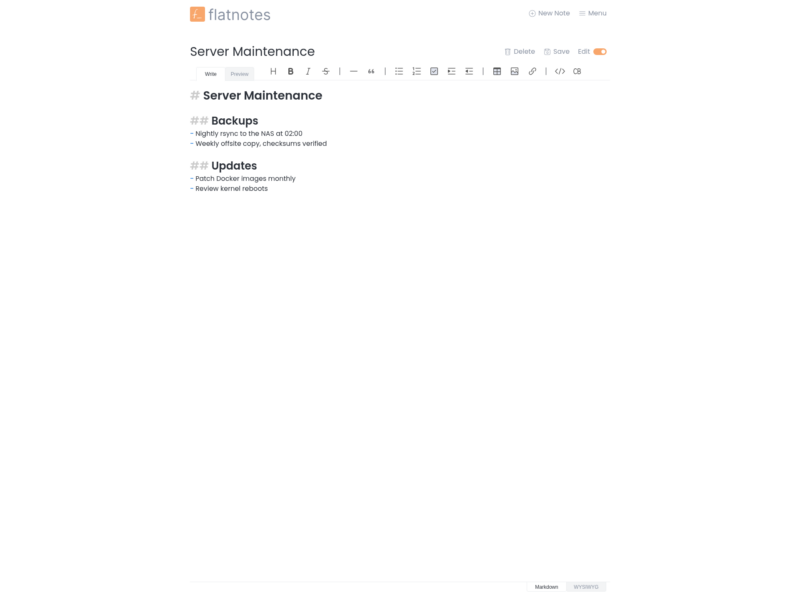
.mdfiles in a flat directory; attachments sit alongside them and the only cached state is the search index. - Raw and WYSIWYG editors — write markdown by hand or edit in a rich-text mode, with a toolbar for headings, lists, tables, links, images and code blocks, plus a live Preview tab.
- Full-text search from anywhere — the
/shortcut opens search from any screen, covering note titles and bodies, with filtering by tag. - Tags and wikilinks — inline
#tagsfor organisation and[[Note title]]links between notes, resolved without a folder hierarchy. - Light and dark themes, a responsive mobile layout, and a customisable home page.
- Flexible authentication — none, read-only, username/password, or username/password with TOTP two-factor, configured through environment variables.
- REST API — every note operation is available over HTTP, so scripts and other tools can read and write the same markdown files.
- Container-first deployment — published as
dullage/flatnoteson Docker Hub for amd64 and arm, with a documented set of environment variables and a single/datavolume to back up.
Why use it
Most note apps ask you to trust their database and their export button. flatnotes inverts that: the files on disk are the product, and the web interface is just a convenient way to edit them. Backups become a folder copy, migration becomes a folder move, and you can keep using your own editor, sync tool or Git repository on the same markdown files while flatnotes serves them to a browser. Because there is no notebook hierarchy to design, the whole thing stays small enough to run on a Raspberry Pi and simple enough to explain to someone else in a minute.
Use cases
- Personal knowledge base — a single folder of notes you can open from a phone, a laptop or a tablet, with search that keeps up as the folder grows.
- Shared small-team notes — run it on a home server with password or 2FA authentication and keep meeting notes and runbooks in markdown that anyone can also grep over SSH.
- Notes inside an existing file workflow — point flatnotes at a folder you already sync with Syncthing, Nextcloud or Git, and get a web editor on top of a set of files you control.
- Low-maintenance self-hosting — one container, one volume, no database service to administer or upgrade.
Licence and website
MIT — verified in the project’s LICENSE file (Copyright (c) 2021 Adam Dullage). Website: flatnotes.io · Source: github.com/dullage/flatnotes · Demo: demo.flatnotes.io
Alternatives
- Joplin — markdown notes with end-to-end encrypted sync and desktop, mobile and terminal clients; heavier, but not tied to a web interface.
- Trilium Notes — a hierarchical note tree with scripting and a database behind it, for much larger knowledge bases.
- Logseq — outliner-style markdown notes for daily journals and linked thinking.
Browse more free and open source tools in the directory.