Sonarr
- Platform
- Docker Linux Windows macOS Web Self-hosted
- Licence
- GPL-3.0 Open source
- Website
- sonarr.tv
- Source code
- github.com/Sonarr/Sonarr
Overview
Sonarr is a PVR for Usenet and BitTorrent users. It watches the RSS feeds of the indexers you point it at, recognises new episodes of the series you follow, sends the matching releases to your download client, and then sorts and renames the finished files into a clean library layout. If a better quality version of an episode appears later, Sonarr can fetch that too and replace the copy you already have.
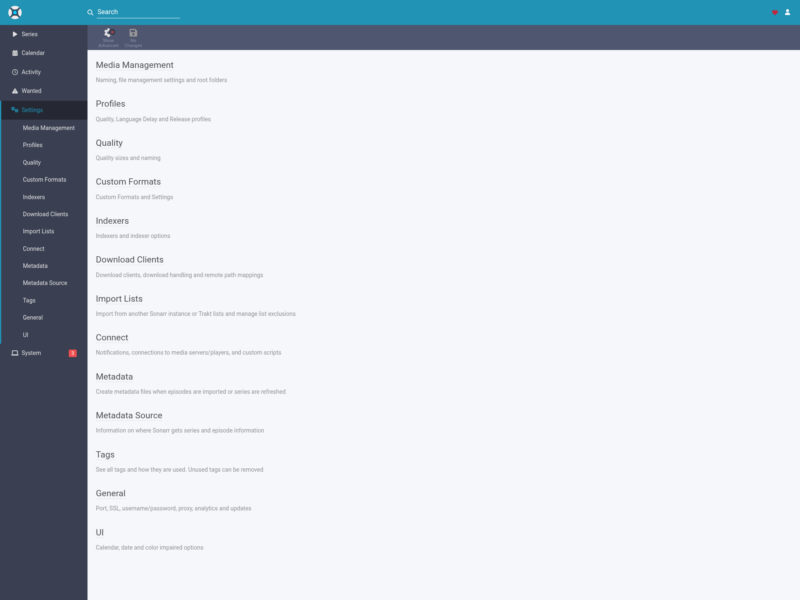
It is the TV half of the Servarr family (Radarr handles films, Lidarr music, Readarr books, Prowlarr indexers) and is released under GPL-3.0. Everything runs from a web interface: the sidebar gives you Series, Calendar, Activity and Wanted, with settings for media management, quality profiles, custom formats, indexers, download clients, import lists, notifications and metadata.
Key Features
- Automatic episode hunting: follows the RSS feeds of every indexer you add and starts a download as soon as a monitored episode appears, instead of you searching by hand.
- Library organisation: renames and moves completed downloads into per-series season folders using a naming template you control, so episodes, specials and multi-episode files all land where a media server expects them.
- Quality upgrades: defines the quality you want and, when a release with a better source turns up later, grabs it and swaps the old file out.
- Quality profiles and custom formats: rules that score releases by resolution, source and release group, so a 1080p WEB-DL from a trusted group can be preferred over a rough remux without touching the rest of the library.
- Calendar and Wanted: an air-date calendar of what is coming, plus lists of missing and cut-off episodes, which is the fastest way to see what Sonarr is still chasing.
- Indexers and download clients: Newznab/Torznab indexers for Usenet and torrent trackers, wired to popular download clients including SABnzbd, NZBGet, qBittorrent and Transmission.
- Import lists: pull the series you follow from another Sonarr instance or from Trakt, so a fresh install rebuilds its watchlist by itself.
- Notifications: the Connect settings push grabs, imports, upgrades and health warnings to Discord, Telegram, ntfy, Plex, Kodi, Jellyfin/Emby and the rest of the supported services.
- Multi-user web UI: the built-in login page, API key for automation, and a mobile-friendly interface for checking the queue from a phone.
Why Use Sonarr
Without it, keeping a TV library current is a manual loop: check what aired, search a tracker, pick a release, wait, rename the file, move it into the right folder. Sonarr turns that loop into a rule set — monitor this series, prefer this quality, keep this many episodes — and then runs it unattended. It also keeps the directory tidy: the same naming template applies to every episode, which is what stops media servers from showing duplicate or unidentified entries.
Typical Uses
- Running a home media server where new episodes of followed shows appear without anyone asking.
- Upgrading an existing library from screeners and low-bitrate copies to better releases, series by series.
- Keeping a seedbox download queue organised while the library itself lives on a NAS.
- Feeding Jellyfin, Plex, Emby or Kodi with consistently named files and a calendar of what airs next.
Getting Started
Sonarr ships as an official container image, native builds for Windows, Linux and macOS, and packages for the common NAS platforms. On Windows it can run as a service or from the system tray. Configuration lives in a single data directory, so the install can be backed up, moved or run on a different host without touching the library. After the first start the web interface asks you to enable authentication, then you add an indexer and a download client and the library begins to fill.