Manyfold
- Platform
- Docker Web
- Licence
- AGPL-3.0 Open source
- Website
- manyfold.app
- Source code
- github.com/manyfold3d/manyfold
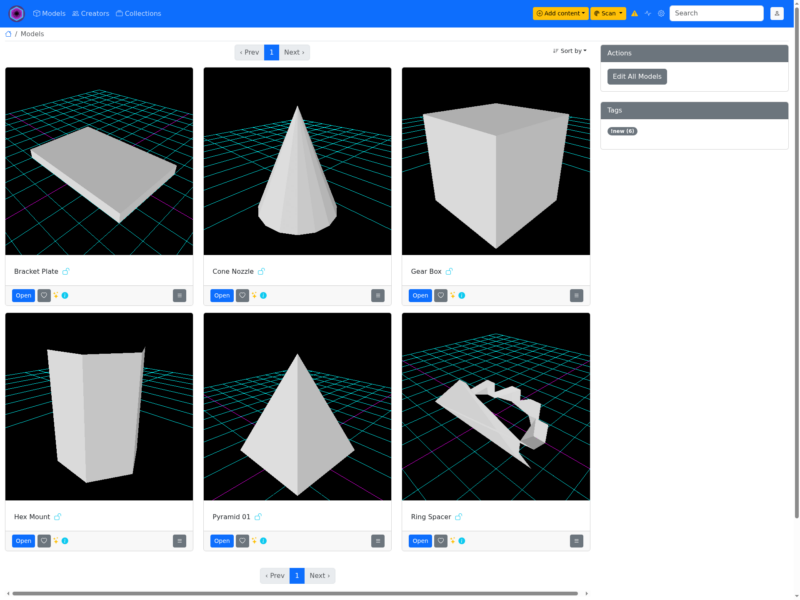
Manyfold is a self-hosted web application for managing a collection of 3D models, focused specifically on 3D printing. Where a slicer organises one job at a time, Manyfold organises the library: it indexes the files you have collected, groups them into models and collections, generates previews, and gives you a browsable web interface over what would otherwise be a directory tree of STL files with unhelpful names.
Key Features
- Library rather than folder — models are indexed and organised as a browsable collection, so the same object can be found by what it is rather than by remembering which folder it was downloaded into.
- Built for 3D printing — the project is explicit that it targets 3D-print files, which shapes what it understands about the library: model files, their variants and the pieces that make up a print.
- Previews — the collection is presented visually, with generated previews so you can recognise a model instead of opening it.
- Self-hosted and private — it runs on your own server, on your own disk, and needs no account with a third party. For a library of paid or custom models that matters.
- Docker distribution — the application ships as a multi-platform Docker image with published compose instructions, so installation is a compose file rather than a Ruby toolchain.
- Try before installing — the project runs a public demo, which means you can evaluate the interface without standing up a server first.
- Active development — releases come frequently, with the current series at 0.153.x.
Why use Manyfold?
Anyone who has printed for a while accumulates hundreds of files: downloaded models, paid purchases, remixes and their own designs, spread across folders with names like final_v3_actual. Manyfold gives that pile a front door. It is the difference between a file server and a catalogue — and because it is self-hosted, your model library stays on your hardware rather than in someone else’s cloud.
Use cases
- Cataloguing a large collection of downloaded and purchased 3D models.
- Sharing a model library with a household or a makerspace over the local network.
- Keeping original designs and their remixes organised alongside the files actually printed.
- Giving a 3D-printing archive a searchable, visual front end.
Requirements
Docker (documented compose setup) or a Ruby on Rails environment with PostgreSQL for a source install. A server or NAS on the local network is the natural host; the interface is used from a browser.