RawTherapee
- Platform
- Linux macOS Windows
- Licence
- GPL-3.0 Open source
- Website
- rawtherapee.com/
- Source code
- github.com/RawTherapee/RawTherapee
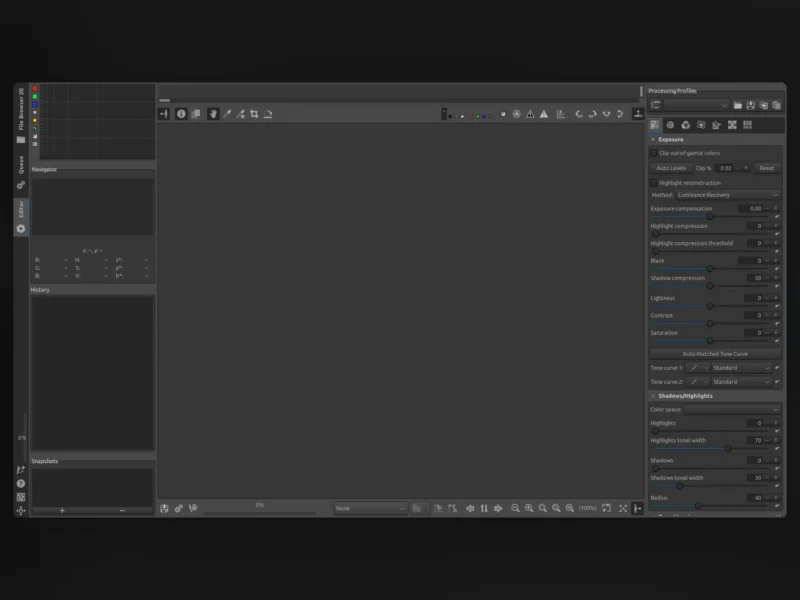
Overview
RawTherapee is a free, cross-platform raw photo processor and non-destructive editor — the raw developer half of a photographer’s workflow, built for people who want to see and control what happens between the sensor data and the exported file. It reads raw files from a very broad range of digital cameras, plus HDR DNG and ordinary JPEG, TIFF and PNG, and lets you push exposure, colour, detail and noise around while the original file is never modified: every adjustment is a set of instructions stored alongside the image and applied on export.
The project is written mostly in C++ with a GTK front-end and uses a patched version of dcraw for raw decoding, extended with its own code for camera models dcraw does not handle and for more accurate treatment of files it does. That heritage shows in the way it works — the emphasis is on the processing engine and the depth of the toolset rather than on hand-holding. RawTherapee is explicitly not an all-in-one photo manager: it concentrates on developing images, and leaves cataloguing, printing and publishing to other software.
Key Features
- Non-destructive 32-bit floating-point engine — the whole pipeline works in floating point so highlights and shadows survive heavy adjustments, and the raw file is never rewritten.
- Modern demosaicing — a choice of demosaicing methods, including using two different algorithms on the same image (one for the smooth areas, one for the detailed ones) to reduce both maze artefacts and colour fringing.
- Pixel-shift compositing — combines the sub-pixel-shifted frames some cameras capture into a single higher-resolution image, with automatic ghost masking for anything that moved between frames.
- Serious raw workflow tools — multiple-frame raw files, dark-frame subtraction, flat-field correction and hot/dead pixel correction, which is the sort of calibration work usually reserved for specialised software.
- Broad format support — camera raw (including HDR DNG) alongside JPEG, TIFF and PNG input, so scanned or already-converted images can go through the same engine.
- Colour and tone control — white balance, curves, ICC-based colour management, film simulation through HaldCLUT lookup tables, and wavelet-based contrast, chroma and noise tools that operate at different detail scales instead of as one blunt global slider.
- Batch processing — a file browser and processing queue let you apply one set of edits across a folder of raws, with copy/paste of partial or complete processing profiles between images.
- Command-line processing —
rawtherapee-clidrives the same engine from a shell, so conversions can be scripted or run on a machine without a graphical session. - Cross-platform and translated — Linux (AppImage builds for x86_64 and ARM64), Windows (x86_64 and ARM64) and macOS, with the interface available in more than fifteen languages.
Why Use It
The reason to choose RawTherapee over a bundled converter or a subscription editor is control you can inspect. The engine is open source under the GPLv3, so the demosaicing and colour maths are not a black box, and the project’s documentation on RawPedia explains each tool in detail. It also goes further than most free converters on things that matter for image quality — dual demosaicing, pixel-shift compositing, flat-field and dark-frame correction, wavelet-scale editing — while staying free of account requirements, cloud sync or per-seat licensing.
The trade-off is honest: RawTherapee expects you to learn it. There is no asset management, no printing module and no upload-to-social tool, and the panel density can look intimidating next to a one-slider mobile editor. If you want to understand what a raw file can give you rather than have a preset guess for you, that is the point.
Use Cases
- Developing a shoot on Linux — a full raw workflow on a platform where commercial raw editors are thin on the ground, installed from an AppImage, Flatpak or the distribution’s repository.
- Squeezing more resolution out of a pixel-shift camera — compose the shifted frames into one image and keep a usable result even when leaves or people moved between exposures.
- Rescuing a difficult frame — pull detail out of deep shadows and hold highlights with the float engine, then deal with noise at wavelet scales instead of softening the whole image.
- Matching a look across a set — build a processing profile, paste it across a folder, and export the batch through the queue or from the command line.
- Calibrated or scientific imaging — apply flat-field and dark-frame corrections so sensor artefacts are removed before the creative work starts.
Requirements
A 64-bit desktop system running Linux, Windows or macOS, and enough RAM to hold the image at 32-bit floating point — large raw files benefit from 16 GB or more. RawTherapee runs on modest hardware, but the heavier wavelet and noise-reduction tools reward a fast multi-core CPU.
The project keeps its documentation, including a full tool-by-tool reference and build instructions for each platform, on RawPedia, and the source code is developed in the open on GitHub.