ReactOS vs Haiku — Open Source Non-Linux OS Alternatives
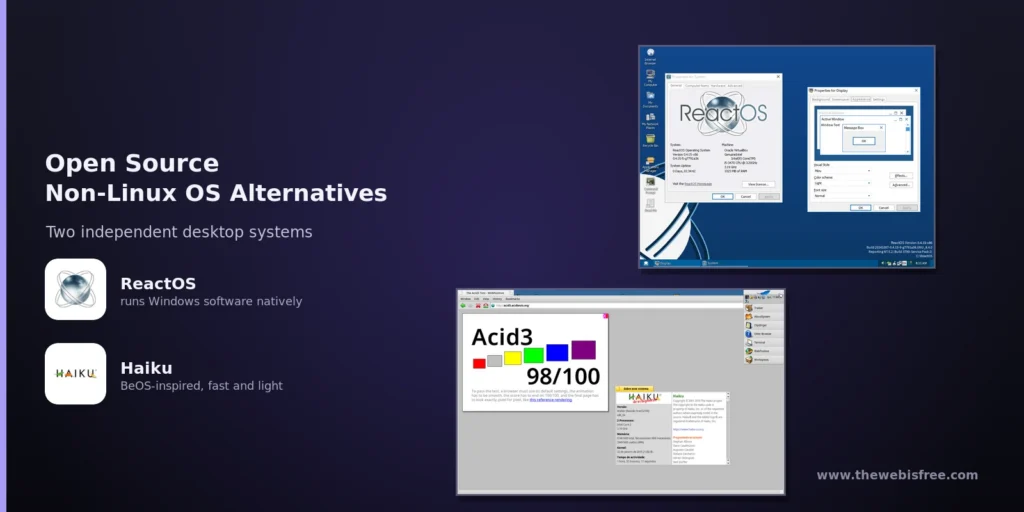
Linux isn’t the only non-Windows, non-macOS option for your desktop. Two independent, fully open-source operating systems take a completely different path: ReactOS re-implements the Windows NT architecture to run old Windows software and drivers, while Haiku carries the torch of the beloved classic BeOS. Neither is “just another Linux distro” — and that is exactly what makes them fascinating.
Both received major releases in August 2026: ReactOS 0.4.16 landed with a new graphical installer and unified live/install ISO after a year and a half of development, and Haiku R1/beta6 arrived two years after the previous beta, just after Haiku’s 25th anniversary. Here is how the two compare.
1. ReactOS — An Open Source Windows Replacement
ReactOS is a long-running project (it began in 1996) whose goal is a free operating system that is binary-compatible with Windows applications and drivers. Rather than building on Linux, it is written from scratch to follow the architecture of Windows NT, giving it a look and feel that anyone familiar with older Windows will recognise instantly.
- Windows compatibility — aimed at running Windows software and drivers natively, with the Wine fork integrated to extend application support.
- New graphical installer — 0.4.16 introduced a friendlier graphical installer and a unified ISO that boots into both live and install modes, the first time it has worked like a typical Linux live image.
- Old 16-bit apps — WineVDM support added in 0.4.16 improves compatibility with legacy 16-bit Windows programs.
- Hardware stack improvements — audio, video, networking, multi-monitor and storage work got substantial attention in the release.
- Honest caveats — it is still alpha-grade and 32-bit x86 focused. The team’s own advice stands: don’t use it as a daily driver or risk valuable files on it yet.
ReactOS is a good choice for retro Windows software and old 32-bit games, best enjoyed in a virtual machine rather than on real hardware.
2. Haiku — The BeOS Successor, Reborn
Haiku is inspired by BeOS, the trailblazing multimedia-focused operating system from the 1990s. The community picked up the baton after Be Inc. shut down, and Haiku (a project since 2001) is now a polished, fast, feature-complete desktop OS in its own right.
- Lightning-fast and responsive — Haiku boots quickly and stays snappy even on modest hardware, staying true to BeOS’s emphasis on speed and media performance.
- Native 64-bit focus — available for x86 32-bit and 64-bit, with an ARM64 port maturing.
- Solid package management — the HaikuDepot GUI and
pkgmancommand-line tool make installing software easy. - Growing app ecosystem — R1/beta6 added many working apps including Mozilla Firefox and a port of the Go language, alongside hundreds of bug fixes.
- BeOS heritage — a clean interface with Tracker file management and WebPositive browsing, familiar to BeOS veterans and easy for newcomers.
Haiku is beta software — feature-complete but with rough edges — yet it is ready for real daily use for many people, and its speed on older hardware is impressive.
Which One Should You Pick?
Choose ReactOS if: your priority is running legacy Windows applications or drivers and you are comfortable with alpha-grade software, almost certainly in a virtual machine.
Choose Haiku if: you want a complete, fast, modern-feeling independent desktop OS with native software — the closest thing to a free BeOS you can run today.
The Bottom Line
Both are genuinely free and open source, and both prove that the future of computing is not locked to a single kernel. ReactOS is an ambitious re-implementation of Windows aimed at legacy compatibility, while Haiku is a delightful, quick, modern homage to BeOS. If you only try one, Haiku is the more usable today; if you miss the Windows of the late 90s and early 2000s, ReactOS is the nostalgic journey worth a virtual machine.
Explore both in the directory: ReactOS and Haiku.
Looking for more free software? Browse the full open source directory, dig into our Operating Systems category, or submit a tool you think we should list.