SiYuan
AGPL-3.0
- Platform
- Linux macOS Windows Docker Android iOS Web
- Licence
- AGPL-3.0 Open source
- Website
- b3log.org/siyuan
- Source code
- github.com/siyuan-note/siyuan
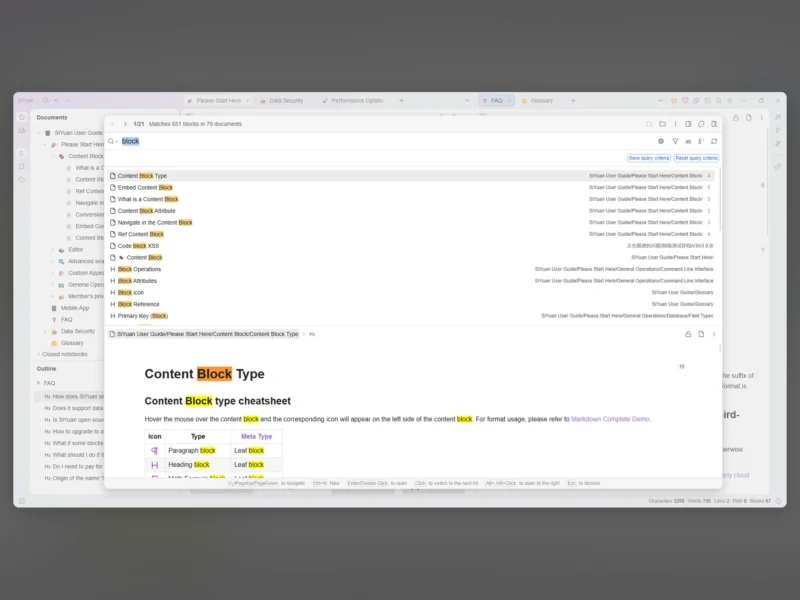
SiYuan is a self-hosted knowledge workspace built around blocks rather than pages. Every paragraph, heading, list item and table is a block with its own identity, so you can reference one paragraph from ten different documents and see, from that paragraph, everything that points back at it. It writes in Markdown as you type (WYSIWYG, not a split preview), stores everything in a local workspace folder you own, and runs as a desktop app, a mobile app, or in a Docker container on your own server.
Blocks, references and backlinks
- Block-level references and two-way links are the core of the model: reference a block, embed it, or zoom into it as if it were its own document.
- Custom attributes on any block, an SQL query embed for building live tables out of your own notes, and the
siyuan://protocol so other tools can link straight to a block. - A document tree with per-document outline, multi-tab editing and drag-to-split panes, and the editor is tuned for very large documents — the project advertises million-word notebooks without the editor falling over.
Writing and output
- Markdown WYSIWYG editing with mathematical formulas, charts, flowcharts, Gantt charts, timing diagrams and musical staves rendered inline.
- Web clipping from the browser extension, PDF annotation links, Tesseract OCR for text in images, and a database table view for notes that behave more like records than prose.
- Flashcards with spaced repetition built on the same blocks, an AI writing and Q and A panel that talks to the OpenAI API, templates, and JavaScript/CSS snippets for people who want to reshape the editor itself.
- Export to standard Markdown with assets, PDF, Word and HTML, including block references and embeds — the workspace folder holds
assets,templates,snippetsandstorageas plain files.
Running it
- Desktop builds for Windows, macOS and Linux, mobile apps for Android, iOS and HarmonyOS, and packages in most app markets — the app plus your workspace folder is the whole install.
- For a server, the official image is
b3log/siyuan: mount a workspace directory, set an access code, and reach the same editor over the browser. Kubernetes, Unraid and TrueNAS instructions ship alongside the Docker one, and the community marketplace installs themes and plugins from inside the app. - There is a documented HTTP API and a CLI for scripting against the workspace.
What to know before choosing it
- The source is AGPL-3.0 and most features are free even for commercial use, but a few — notably the official sync service and some PDF annotation features — require a paid membership. Self-hosting the app itself does not.
- Sync is left to you unless you buy the vendor’s service: the FAQ covers syncing the data folder through a third-party sync disk, which works but is a different level of convenience than a built-in account.
- The project is developed by a small team (B3log) at a fast pace, with a familiar Chinese-first documentation site — the English user guide is complete but sometimes a release behind.
Alternatives
- Logseq — outliner with block references, journals and a graph view
- Trilium Notes — hierarchical notes with scripting and a web clipper
- Joplin — Markdown notes with sync and end-to-end encryption
- Obsidian — local Markdown vaults with a large plugin ecosystem