Shelfmark
- Platform
- Docker Web
- Licence
- MIT Open source
- Source code
- github.com/calibrain/shelfmark
Overview
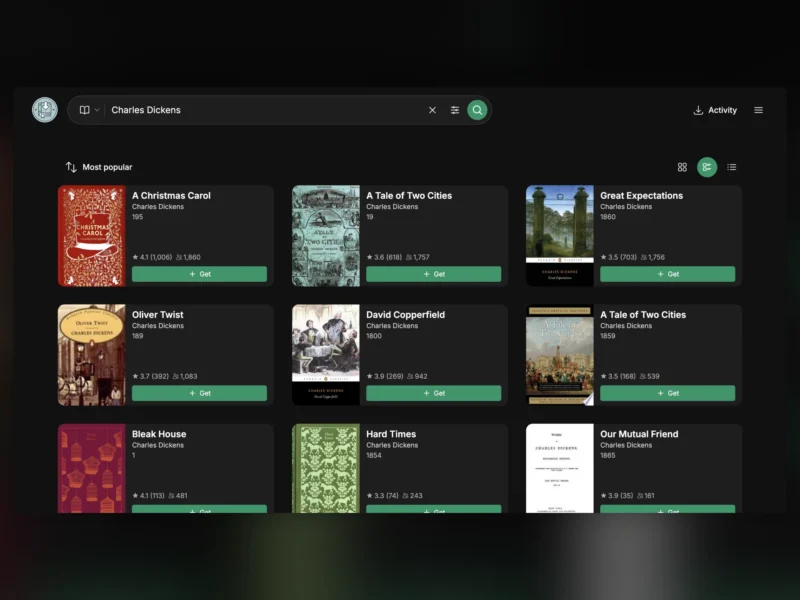
Shelfmark is a self-hosted web interface for finding books and audiobooks and getting them into your library. It searches the sources you configure — web sources, torrent and usenet indexers, IRC, Soulseek — against metadata from providers like Hardcover, Open Library and Google Books, then hands the chosen release to your download client and on to Calibre, Calibre-Web or Audiobookshelf. Multiple users can share one instance and request books themselves, with approval and notifications the administrator controls.
It is written in Python, ships as a Docker image, and the author describes it as feature stable and maintained on a best-effort basis: bug fixes and small improvements keep coming and pull requests are reviewed, but there is no roadmap for new features.
Sources and search
Two search modes change what a query reaches. Direct mode asks the configured sources themselves. Universal mode, the recommended default, first queries metadata providers — Hardcover, Open Library, Google Books, the German DNB, Databáze knih and Moly.hu — so results carry proper titles, authors, series and covers, then aggregates the releases each source can offer for the book you picked. Universal mode needs a Hardcover API token with read scopes for catalogue, library and lists; the write scopes matter only if you set reading status from Shelfmark or leave auto-remove-from-list-on-download enabled.
Sources cover web sources (OceanofPDF among them), torrent and usenet through your own clients, IRC, Soulseek via slskd and Webshare.cz, plus Prowlarr or Jackett for indexers. Audiobooks are a first-class target with their own search and processing path, and a single download queue reports live progress across every source.
Requests, users and library checks
Authentication can be the built-in login, OIDC single sign-on, proxy auth or the Calibre-Web user database, which makes it practical to put in front of a household or a small club. Ordinary users browse and request; the administrator approves and can be notified. Library Check marks search results you already own in a connected Calibre or Audiobookshelf library, so nobody downloads a second copy, and Hardcover Sync can pull a shelf in as requests and download it unattended — off by default.
Deployment
Run the published compose file and the interface answers on port 8084. Three mounts matter: /config for the database, settings and artwork cache, /books for downloads, and a client path that matches your torrent or usenet client exactly when you use one. Point the download directory at a Calibre-Web-Automated or Grimmory ingest folder and imports happen without further work. The standard image wants about 2 GB of memory, the container can run as 1000:1000 instead of root, and CIFS shares need the nobrl mount option or the database will throw lock errors.
Network options are unusually complete for a request front end: proxy and DNS settings, optional Cloudflare handling for protected sources, and Tor or WireGuard egress with a fail-closed kill-switch and a LAN allowlist so the WebUI stays reachable while downloads leave through the tunnel.
Alternatives
Calibre-Web is the long-standing open-source front end for a library you already have — browsing and reading rather than acquisition — and AudioBookRequest covers the audiobook request queue without the ebook side. BookHeaven Server is the closer match for a catalogue-first workflow; Shelfmark’s difference is breadth of sources plus a shared request system in one place.