Owncast
- Platform
- Linux macOS Docker
- Licence
- MIT Open source
- Website
- owncast.online/
- Source code
- github.com/owncast/owncast
Overview
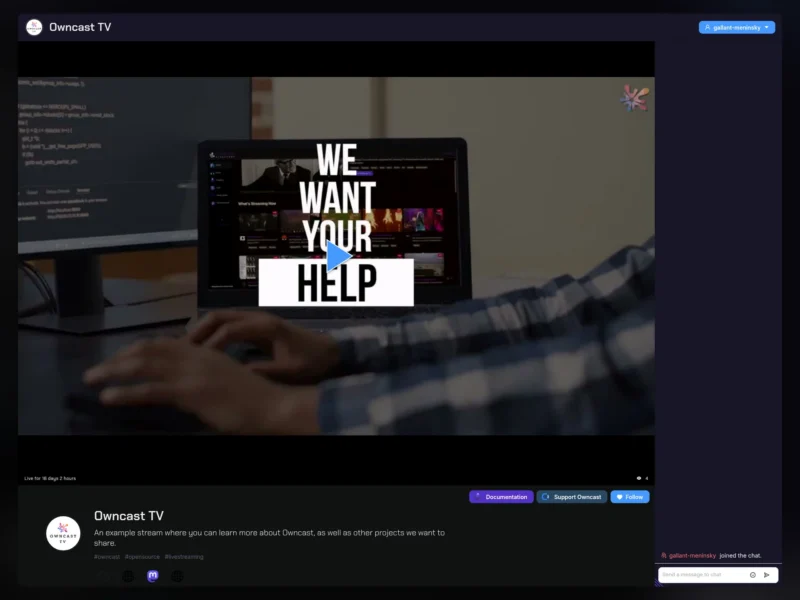
Owncast is a free, open-source, self-hosted live video streaming server with built-in chat. It is a single-user broadcasting platform you run on your own machine or VPS: your encoder pushes a standard RTMP stream to it, and viewers watch in a normal web page — no account, no app, no third-party platform in the middle. It is the best-known free alternative to Twitch and YouTube Live for streamers who want to own their channel, their audience and their moderation.
The backend is written in Go and embeds a React frontend, so it ships as one binary (or the official owncast/owncast Docker image) with a public viewer page, an admin dashboard and an API. Streams are delivered as HLS, so any browser or HLS-capable player can watch, and the player can be embedded in another site.
Key Features
- Standard RTMP ingest — point OBS Studio, Streamlabs, Restream, ffmpeg or any other RTMP broadcaster at your server; nothing proprietary is required on the encoding side.
- Built-in chat — real-time chat that needs no third-party service, with moderation tools, custom emotes and user authentication.
- Fediverse support (ActivityPub) — people on Mastodon and other ActivityPub platforms can follow your stream and are notified when you go live, so your audience is not trapped inside one website.
- Go-live notifications — followers can be notified through several channels when a broadcast starts.
- Custom branding — your own domain, logo, colours and page content; the open React frontend can be customised or replaced entirely.
- No platform limits — no subscriptions, no viewer caps, no forced adverts and no algorithm deciding who sees the stream.
- Single-service deployment — one Go process with an embedded UI, an admin area at
/adminand configuration through a web form or environment variables. - Portable by design — runs on a small VPS or home server; ffmpeg is the only external dependency.
Why Use Owncast?
Mainstream streaming platforms decide who can watch, what adverts run, and what happens to a channel when a policy changes. Owncast inverts that: the server, the audience relationship and the moderation rules are yours. Bandwidth is the only real cost, which makes it affordable for community channels, internal broadcasts and niche shows that will never be monetised by a large platform. Because it speaks plain RTMP in and HLS out, existing studio setups keep working — OBS simply points at your own server instead of a commercial one, and the fediverse integration gives a self-hosted stream a route to new viewers without an account on a big platform.
Use Cases
- Community, hobby and niche live shows that want a permanent, self-owned channel
- Private or internal broadcasts — company all-hands, classes, club meetings — behind your own domain and access rules
- Fediverse-native creators who want followers on Mastodon to see the stream without leaving their timeline
- Conference and meetup streaming where the recording and chat history must stay under the organiser’s control
Linux and macOS are the supported server platforms, with the official Docker image available for any container host. Windows servers are not natively supported, though Owncast runs under WSL2.
Licence
MIT — free and open source, permissive, with no paid tiers or feature gating. Verified from the project’s LICENSE file in the source repository.
Alternatives
- OBS Studio — the free encoder most people pair with Owncast; it produces the stream, Owncast serves it.
- Jellyfin — self-hosted media server for on-demand video rather than live broadcasts.