MkDocs
- Platform
- Linux macOS Windows
- Licence
- BSD-2-Clause Open source
- Website
- mkdocs.org/
- Source code
- github.com/mkdocs/mkdocs
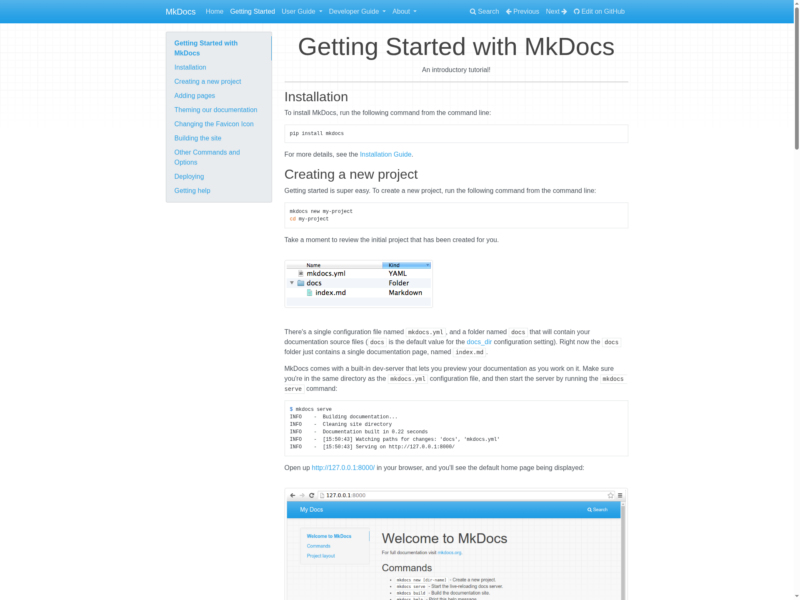
MkDocs is a fast, open-source static site generator built for project documentation. Documentation lives as plain Markdown files inside the project repository, a single mkdocs.yml file describes the site, and one command compiles the whole tree into static HTML that any web server, CDN or GitHub Pages branch can serve. There is no database, no admin panel and no runtime to keep patched — the output is plain files, which is why it has become the default way to publish developer documentation that is versioned alongside the code it describes.
Key Features
- Markdown in, static HTML out — Pages are ordinary
.mdfiles under adocs/folder;mkdocs buildrenders them into a ready-to-serve site with navigation generated from the file tree - One-file configuration —
mkdocs.ymlholds the site name, theme, navigation, plugins and Markdown extensions, so the entire site definition is reviewable in a pull request - Live-reloading dev server —
mkdocs servestarts a local server on port 8000 that watches the source files and refreshes the browser on every save - Built-in search — The
searchplugin indexes the site at build time and ships a client-side search box, so search works with no server-side component at all - Themes and plugins — Ships with the default
mkdocsandreadthedocsthemes, and a plugin system covers versioning, redirects, minification and more; Material for MkDocs is the best-known third-party theme - Python-Markdown extensions — Tables, fenced code blocks, footnotes, tables of contents and syntax highlighting are enabled per extension in the config, with more available from the PyMdown Extensions package
- One-command publishing —
mkdocs gh-deploybuilds the site and pushes it to thegh-pagesbranch of the repository; the same static output can go to Netlify, Cloudflare Pages, S3 or any nginx document root - Localisation support — The i18n extra installs Babel so themes and navigation strings can be translated per locale
Why Use MkDocs?
Documentation that lives in the repository gets reviewed like code: a docs fix is a diff next to the change it explains, and the published site is rebuilt from the same commit. MkDocs keeps that workflow cheap because the whole toolchain is one Python package and one YAML file — a new project is mkdocs new, write Markdown, deploy. The result is a static site with working search that costs nothing to host and cannot be taken down by a plugin vulnerability, an unpatched PHP install or a database restore. The trade-off is that editors need git and a terminal rather than a browser: if non-technical people maintain the pages, a database-backed wiki such as BookStack or Wiki.js fits better.
Use Cases
- Open-source project documentation — Installation guides, tutorials and reference pages stored in the same repository as the source code
- Internal engineering handbooks — Runbooks and architecture notes rendered to a static site that can be hosted on an internal server with no login system to maintain
- API and SDK reference — Markdown pages plus the search plugin give a navigable reference site that deploys through CI on every merge
- Versioned product docs — The mike plugin keeps a parallel build per release so readers can switch between versions of the documentation
MkDocs is a Python command-line tool: version 1.6.1 requires Python 3.8 or newer and installs from PyPI with pip install mkdocs. The generated site is static, so it can be hosted anywhere.
Licence
BSD 2-Clause for the project code, so it can be used, modified and redistributed commercially, including in closed-source products, as long as the copyright notice is retained. Documentation written with MkDocs belongs to whoever wrote it.
Alternatives
- Docusaurus — a React-based documentation generator with versioned docs and an integrated blog, if you want MDX and a JavaScript toolchain
- BookStack — a self-hosted wiki with browser editing and a database, better when non-technical people maintain the pages
- Wiki.js — a Node-based wiki with a web admin UI and Markdown, if you want editing without git