dpaste
- Platform
- Docker Self-hosted Web
- Licence
- MIT Open source
- Website
- dpaste.org/
- Source code
- github.com/DarrenOfficial/dpaste
dpaste
Website: dpaste.org
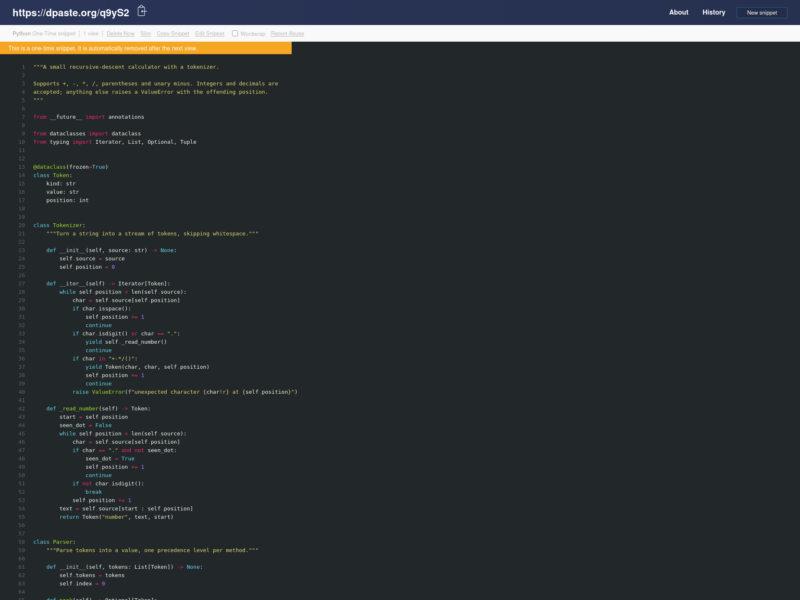
dpaste is a pastebin: a small web application for putting text somewhere with a URL so that someone else can read it. It runs as a Django project, and the public instance at dpaste.org is free to use without an account. Paste a log, a stack trace, a configuration file or a block of code, choose a syntax, set an expiry, and send the link. Compared with a gist or a pasted chat message, the point is that the snippet is temporary, outside the repository, and readable without a login.
The project is also a self-hosted service. The Docker image runs the whole application with uWSGI and works with SQLite by default or an external PostgreSQL database through DATABASE_URL. That makes it a reasonable internal pastebin when you want the expiry behaviour and the API but not a third-party service. There are no accounts or per-user permissions: the URL is the access control, and anyone who has it can delete the snippet with the Delete Now link. A one-time snippet is removed after it has been viewed twice by default.
Key Features
- Syntax highlighting: Pygments lexers are selected from a dropdown and rendered with line numbers; the live instance lists support for Python, shell, JSON, YAML, SQL, C, Go, Rust, Dockerfiles and many others.
- Expiry controls: snippets can be one-time, or expire after an hour, a day, a week, a month or a year; a never-expire option is available too.
- No account required: anyone can create a snippet, and the browser keeps a session history of recent snippets that can be cleared in one action.
- HTTP API: POST to /api/ with content, lexer and expiry; the response can be a plain URL, a quoted URL or JSON, which makes it easy to pipe output from a shell script or an editor.
- Raw and slim views: the raw route returns the plain text and the slim route drops the header and controls for embedding in an iframe.
- Edit with a diff: replying to a snippet creates a child snippet and shows a unified diff against the parent, so a corrected version keeps its history.
- Self-hosting: run the Docker image, install it as a standalone Django project, or add it to an existing Django site; PostgreSQL is supported through DATABASE_URL and the maximum snippet size is configurable.
- Right-to-left text: an RTL checkbox stores the direction with the snippet and renders the code accordingly.
Licence
MIT. That is a permissive open-source licence: you can use, modify and redistribute dpaste, including in commercial work, as long as the copyright notice and licence text stay with it. There is no warranty. The source, including the Django application and the Docker build files, is on GitHub.