WhoDB
- Platform
- Linux macOS Windows Docker
- Licence
- Apache-2.0 Open source
- Website
- whodb.com
- Source code
- github.com/clidey/whodb
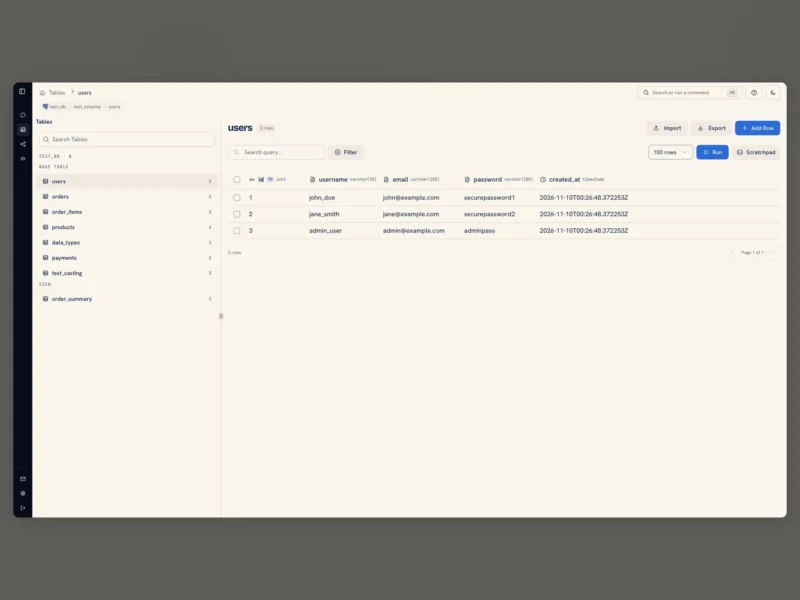
WhoDB is a self-hosted workspace for looking at and editing databases, written in Go with a React front end and shipped as a single container, a desktop app or a terminal CLI. It sits in the space between a heavyweight database IDE and a raw psql session: a browser tab that connects to the database you already have, lists its tables, lets you page through and edit rows, draw the schema as a diagram, and keep queries in a scratchpad.
What it does
- Spreadsheet-style data grid — browse a table with sorting, filtering and pagination, then edit values in place or add a row without writing an UPDATE by hand.
- Schema graph — an interactive diagram of the tables and the relationships between them, which is faster than reading a list of foreign keys when you meet an unfamiliar database.
- Query scratchpad — several cells in one page, each with autocomplete, its own history and its results kept next to the query that produced them.
- Import, export and mock data — move rows in and out, and generate sample data to develop against.
- Plain-English questions (optional) — connect Ollama, LM Studio, OpenAI, Anthropic or any OpenAI-compatible endpoint to ask about the data in natural language. The AI side is optional; the rest of the tool works without it.
- CLI and MCP server —
whodbopens a terminal UI on the same connections, andwhodb mcp serveexposes them to AI tools over the Model Context Protocol.
Supported databases
PostgreSQL, CockroachDB, YugabyteDB and QuestDB; MySQL, MariaDB and TiDB; SQLite and DuckDB; MongoDB and FerretDB; Redis, Valkey and Dragonfly; Elasticsearch and OpenSearch; ClickHouse and Memcached. Support is not uniform — not every engine has the same concepts — and the connection screen only offers what a given source can actually do.
Requirements and installation
The quickest route is the published image: run clidey/whodb with port 8080 mapped and enter the connection details in the browser. To keep encrypted login sessions across container replacement, mount a /data volume and pass a saved WHODB_ENCRYPTION_KEY; changing that key invalidates existing sessions, and behind an HTTPS reverse proxy WHODB_SECURE=true keeps the session cookie on HTTPS. Desktop builds are on the Microsoft Store, the Mac App Store and Snapcraft, and the CLI installs from a shell script or npm. The current release is 0.138.0 (October 2026).