Okular

Okular

Overview

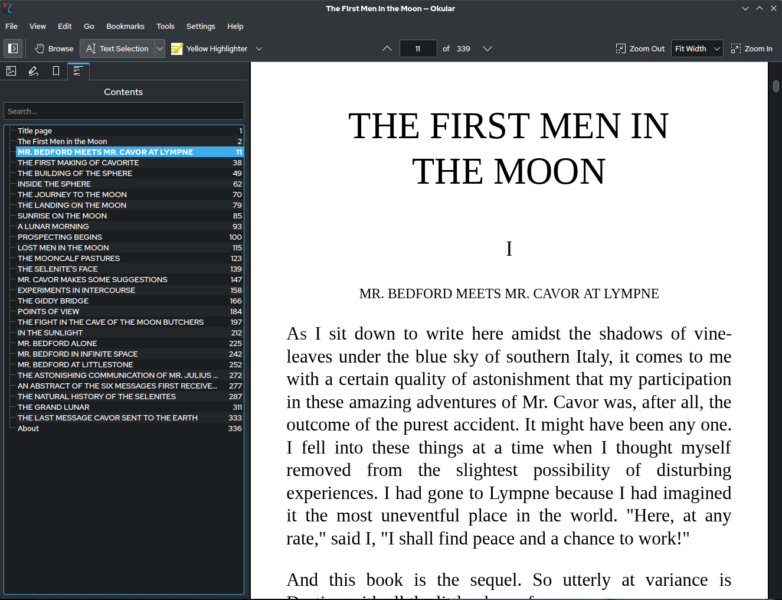
Okular is KDE’s universal document viewer built on the KDE Platform. It supports a wide range of document formats including PDF, EPUB, DjVu, XPS, CBR/CBZ (comic books), CHM, and many more. It provides annotation tools, form filling, and accessibility features for reading and reviewing documents.

Key Features

  • Multi-Format Support: PDF, EPUB, DjVu, XPS, CBR/CBZ, CHM, TIFF, and more
  • Annotations: highlight, underline, add notes and stamps
  • Form Filling: complete PDF forms directly in the viewer
  • Text Extraction: copy text from any supported format
  • Accessibility: screen reader support, text-to-speech
  • Bookmarks: save your place across documents
  • Thumbnails: visual page navigation

Why Use It

Okular handles almost any document format you throw at it with a clean, consistent interface. Its annotation tools make it useful for students, researchers, and anyone who needs to review documents without proprietary software.

Use Cases

  • Reading and annotating academic papers and EPUB books
  • Reviewing PDF contracts and filling out forms
  • Reading comic book archives (CBR/CBZ)
  • Viewing technical documentation in multiple formats

Platforms

Linux, Windows, macOS (via Homebrew)

Licence

GNU General Public License v2 or later

Website

https://okular.kde.org

Sign In

Register

Reset Password

Please enter your username or email address, you will receive a link to create a new password via email.