Excalidraw
- Platform
- Web Docker Self-hosted
- Licence
- MIT Open source
- Website
- excalidraw.com
- Source code
- github.com/excalidraw/excalidraw
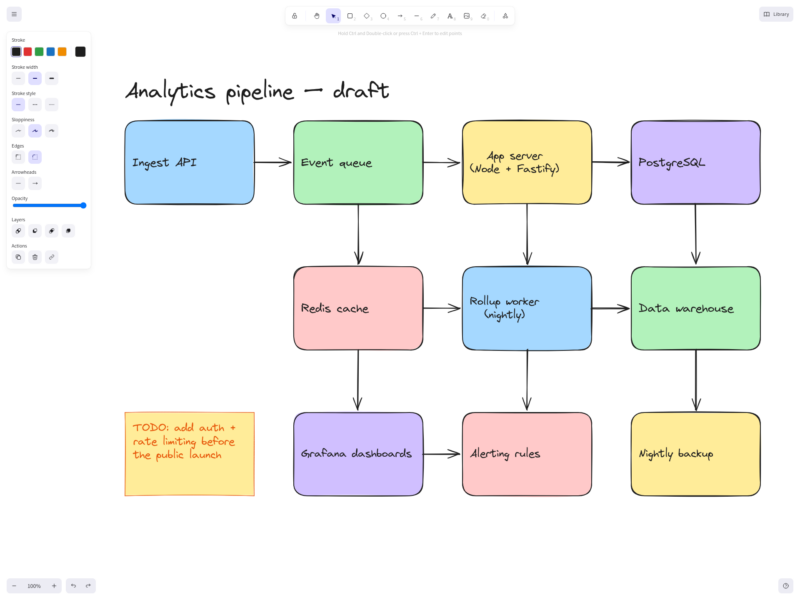
Excalidraw is an open source virtual whiteboard for sketching diagrams that look hand-drawn. It runs in the browser and needs no account: open the page and start drawing with rectangles, diamonds, ellipses, arrows, freehand strokes, text and sticky notes, all rendered on an infinite canvas with a deliberately sketchy style that keeps early-stage ideas looking like ideas rather than finished specs.
Key features
- Hand-drawn rendering of shapes, lines and arrows, with adjustable roughness, stroke width and fill styles (hachure, cross-hatch, solid).
- Arrow binding: arrows stay attached to the shapes they connect, and stay attached when a box is moved or resized; elbows and multi-point arrows are supported.
- Text, sticky notes, frames for grouping sections, image embedding and freehand drawing in one canvas.
- Real-time collaboration in shared rooms, plus live cursors, with scenes shared through end-to-end encrypted links.
- Reusable libraries of shapes and components that can be built in-app and exported or imported as
.excalidrawlibfiles. - Export to PNG and SVG (with optional embedded scene data so a diagram can be re-opened from the image), and to the open
.excalidrawJSON scene format. - Local-first storage: scenes live in the browser, so the hosted app works offline and nothing is uploaded unless you explicitly share a room.
- Dark mode, an infinite canvas, and a public React component (
@excalidraw/excalidraw) for embedding the editor in your own application.
Why use Excalidraw
- Zero setup: no account, no workspace, no subscription just to draw a diagram.
- Deliberately informal visual style, which reads as a sketch and invites feedback instead of signalling that a decision is already final.
- Genuinely open: MIT licensed, developed in the open, and the same editor can be self-hosted or embedded in another product.
- Portable artefacts: the plain JSON scene format and SVG/PNG exports keep diagrams readable without the original app.
Common use cases
- Architecture and system sketches, flowcharts and sequence-style diagrams during design discussions.
- Wireframes and UI sketches before committing to a design tool.
- Workshop and pairing sessions where several people draw on the same canvas.
- Annotating screenshots and explaining a bug or a flow to a colleague.
- Embedding a diagram editor inside an internal tool with the React component.
The project ships a Docker image so you can run your own instance instead of using the hosted app; a maintained self-hosted deployment typically adds a small storage and collaboration backend, because the browser app itself has no server-side persistence. Excalidraw+ is the vendor’s hosted commercial service and is not required to use the open source editor.